Loading...

Samsung Galaxy Book4 360 15.6" Intel Core 7 | 16GB | 512GB | Grey

NP750QGK-KG2UK
Samsung Galaxy Book4 360 15.6" Intel Core 7 | 16GB | 512GB | Grey
Add to wish list Add to compare list
999

Prior to conclusion of contract, this section should always be read in conjunction with the Terms and Conditions and the Insurance Product Information Document (IPID) for Product Care. For full details of cover and exclusions, including contact details and complaints procedure please read the terms and conditions here: Product Care | Product Care Mobile. Read the IPID here: Product Care | Product Care Mobile.

Important disclosure: Harvey Norman earns a commission on the sale of the relevant Product Care insurance policy. Click here to see the details.

FIND IN STORE

Get this item from € per month with humm

Humm Logo

36 Months Interest Free

36 Monthly Payments

Installments

36 x €

Fees

Application Fee

1 x €

Account Keeping Fee

36 x € 10.00

Total Amount Payable

923.49

Choose humm as the payment option on checkout to apply or pay with humm.

This calculator provides an indicative cost only.

View Payment Breakdown

Get this item from € per month with humm

Humm Logo

24 months Interest Free

24 Payments

Installments

24 x €

Fees

Application Fee

1 x €

Account Keeping Fee

24 x € 10.00

Total Amount Payable

923.49

Choose humm as the payment option on checkout to apply or pay with humm.

This calculator provides an indicative cost only.

View Payment Breakdown

Get this item from € per month with humm

Humm Logo

12 months Interest Free

12 Payments

Installments

12 x €

Fees

Application Fee

1 x €

Account Keeping Fee

12 x € 10.00

Total Amount Payable

923.49

Choose humm as the payment option on checkout to apply or pay with humm.

This calculator provides an indicative cost only.

View Payment Breakdown

Get this item from € per month with humm

Humm Logo

No Interest with three equal payments An initial deposit of 25% is required

Initial Deposit

25% Deposit

0

Monthly

Installments

3 x €

Fees

Application Fee

Free

Account Keeping Fee

Free

Total Amount Payable

923.49

Choose humm as the payment option on checkout to apply or pay with humm.

This calculator provides an indicative cost only.

View Payment Breakdown

Get this item from € per month with humm - 0% APR

Humm Logo

36 Months Contract 0% APR

36 Monthly Payments

Installments

36 x €

Fees

Application Fee

Free

Account Keeping Fee

Free

Upfront

1 st Installment

0

Total Amount Payable

923.49

Choose humm as the payment option on checkout to apply or pay with humm.

This calculator provides an indicative cost only.

View Payment Breakdown

Get this item from € per month with humm - 0% APR

Humm Logo

24 Months Contract 0% APR

24 Monthly Payments

Installments

24 x €

Fees

Application Fee

Free

Account Keeping Fee

Free

Upfront

1 st Installment

0

Total Amount Payable

923.49

Choose humm as the payment option on checkout to apply or pay with humm.

This calculator provides an indicative cost only.

View Payment Breakdown

Get this item from € per month with humm - 0% APR

Humm Logo

18 Months Contract 0% APR

18 Monthly Payments

Installments

18 x €

Fees

Application Fee

Free

Account Keeping Fee

Free

Upfront

1 st Installment

0

Total Amount Payable

923.49

Choose humm as the payment option on checkout to apply or pay with humm.

This calculator provides an indicative cost only.

View Payment Breakdown

Get this item from €76.96 per month with

Humm Logo

12 Month Contract

12 Monthly Payments

Remaining Installments

12 x € 74.62

Total

12 x € 76.12

Upfront

Application Fee

1 x € 10.00

Total Amount Payable

923.49

Choose Humm as the payment option on checkout to apply or pay with Humm finance.

View Payment Breakdown

Get this item from €76.96 per month with

Humm Logo

12 Month Contract

12 Monthly Payments

Account Keeping Fee

12 x € 1.50

Remaining Installments

12 x € 74.62

Total

12 x € 76.12

Upfront

Application Fee

1 x € 10.00

Total Amount Payable

923.49

Choose Humm as the payment option on checkout to apply or pay with Humm finance.

View Payment Breakdown

Get this item from €76.96 per month with

Humm Logo

24 Month Contract

24 Monthly Payments

Account Keeping Fee

24 x € 1.50

Remaining Installments

24 x € 74.62

Total

24 x € 76.12

Upfront

Application Fee

1 x € 10.00

Total Amount Payable

923.49

Choose Humm as the payment option on checkout to apply or pay with Humm finance.

View Payment Breakdown

Get this item from €76.96 per month with

Humm Logo

36 Month Contract

36 Monthly Payments

Account Keeping Fee

36 x € 1.50

Remaining Installments

36 x € 74.62

Total

36 x € 76.12

Upfront

Application Fee

1 x € 10.00

Total Amount Payable

923.49

Choose Humm as the payment option on checkout to apply or pay with Humm finance.

View Payment Breakdown
Description
Galaxy Book4 360
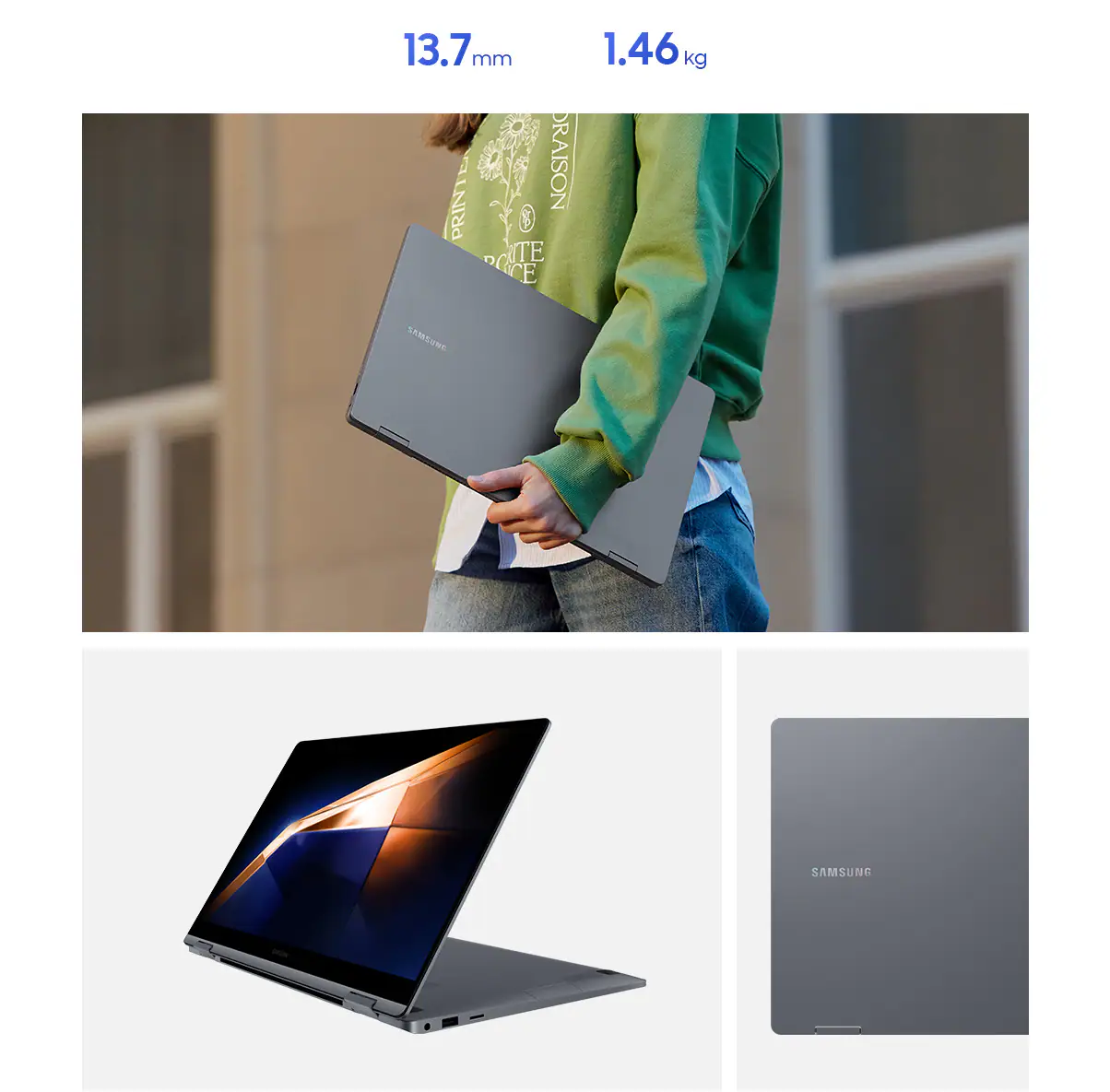
Pack it Up. Pack it in. So Light and So Thin

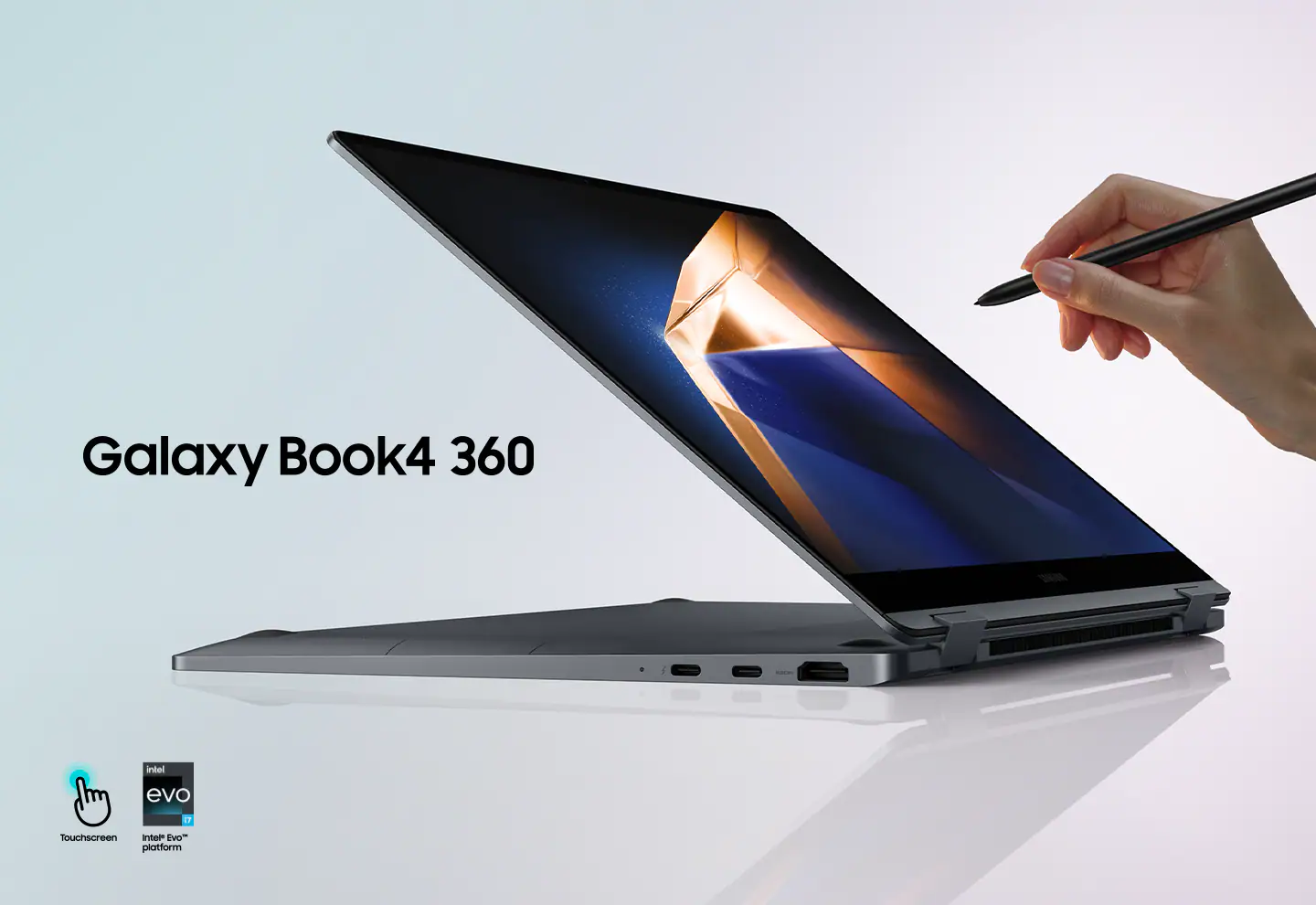
Galaxy Book4 360 is your versatile 2-in-1 workmate for productivity on the move. Super-thin, light and flexible all around, it easily fits into your everyday routine — and your backpack.

  • 13.7mm
  • 1.46kg

*Thickness, weight and colour availability vary by model, configuration and country.

**Screen image simulated for illustrative purposes.
Super Vivid Colours. Super AMOLED Display

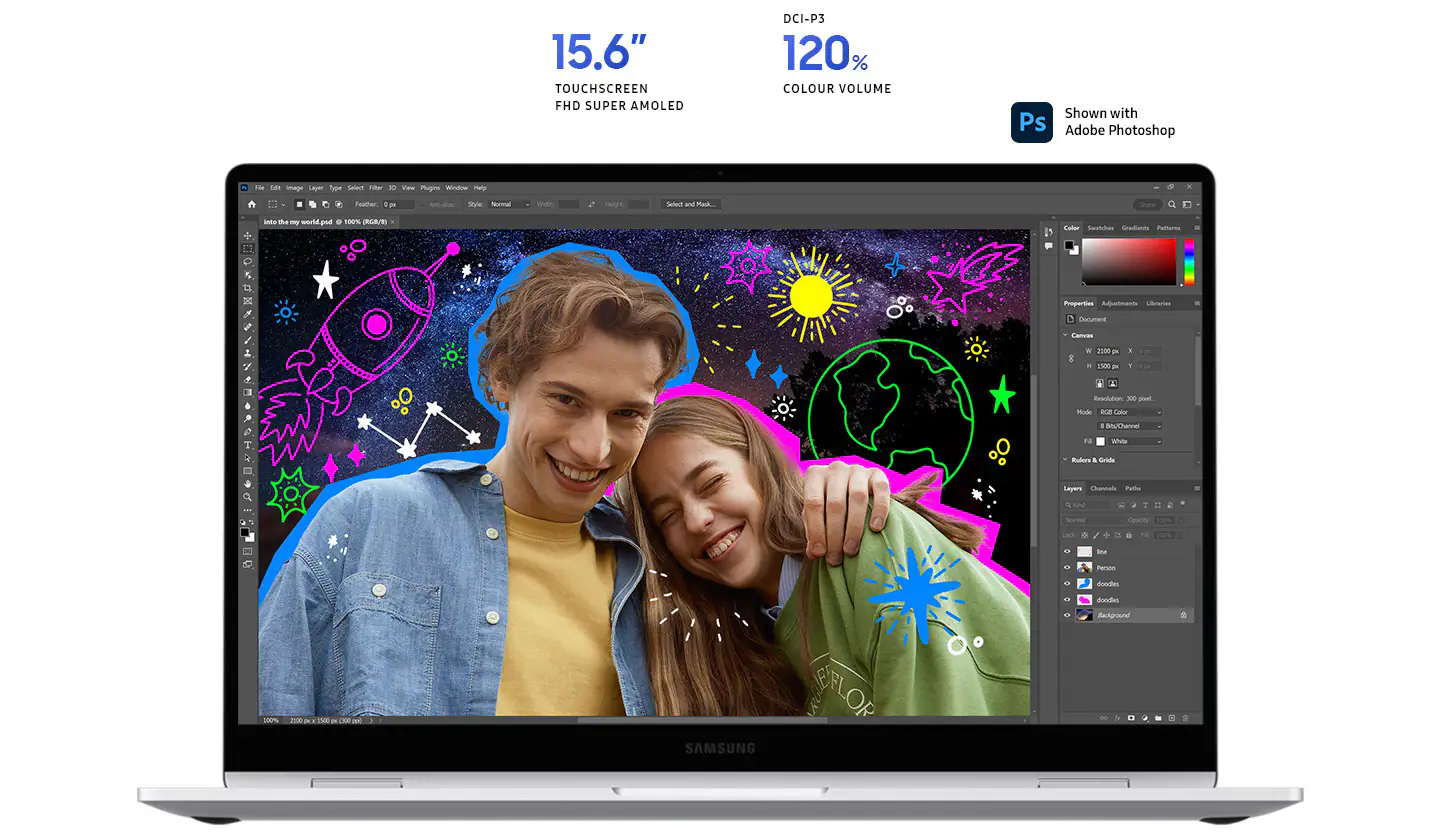
Dive into the cinematic visuals of the 15.6" Super AMOLED display. Rich, vivid colours and the fast response time turn your games and streams into a spectacle that keeps you on the edge of your seat. Enjoy all the fun with extra eye care thanks to reduced blue light emission.

*Actual UX/UI may vary.

**Screen size is measured diagonally as a full rectangle without accounting for the rounded corners. Actual viewable area is less due to the rounded corners.

***Blue light emission is reduced compared with conventional LCD displays.

**** The Super AMOLED display used in Galaxy Book4 360 has received the "Eye Care" certification from SGS based on its ability to drastically reduce the harmful effects of blue light. The Super AMOLED display used in Galaxy Book4 360 has received the "Gaming Performance" certification from SGS, by recording respectively 0.2ms or less and 0.0005 nits or less in response time and perfect black. 
Key-Bored? Use Touchscreen

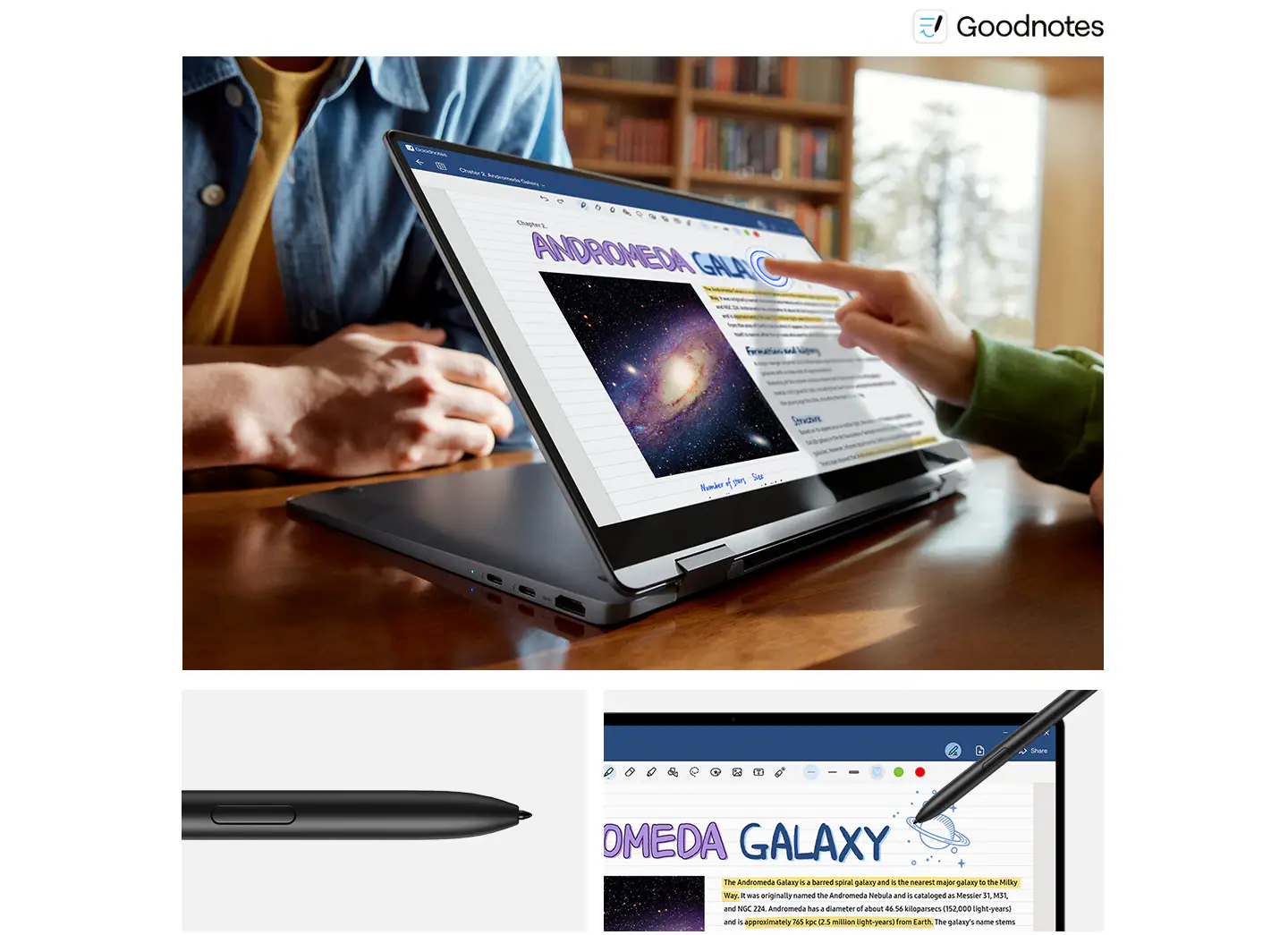
Tap your way around with intuitive multi-touch gestures on Galaxy Book4 360's responsive touchscreen. When inspiration strikes, flip the screen and grab the S Pen to sketch, note down ideas or fine-tune your masterworks with precision.

*Screen image simulated for illustrative purposes. Actual UX/UI may vary.

**S Pen inbox availability may vary by country or region.
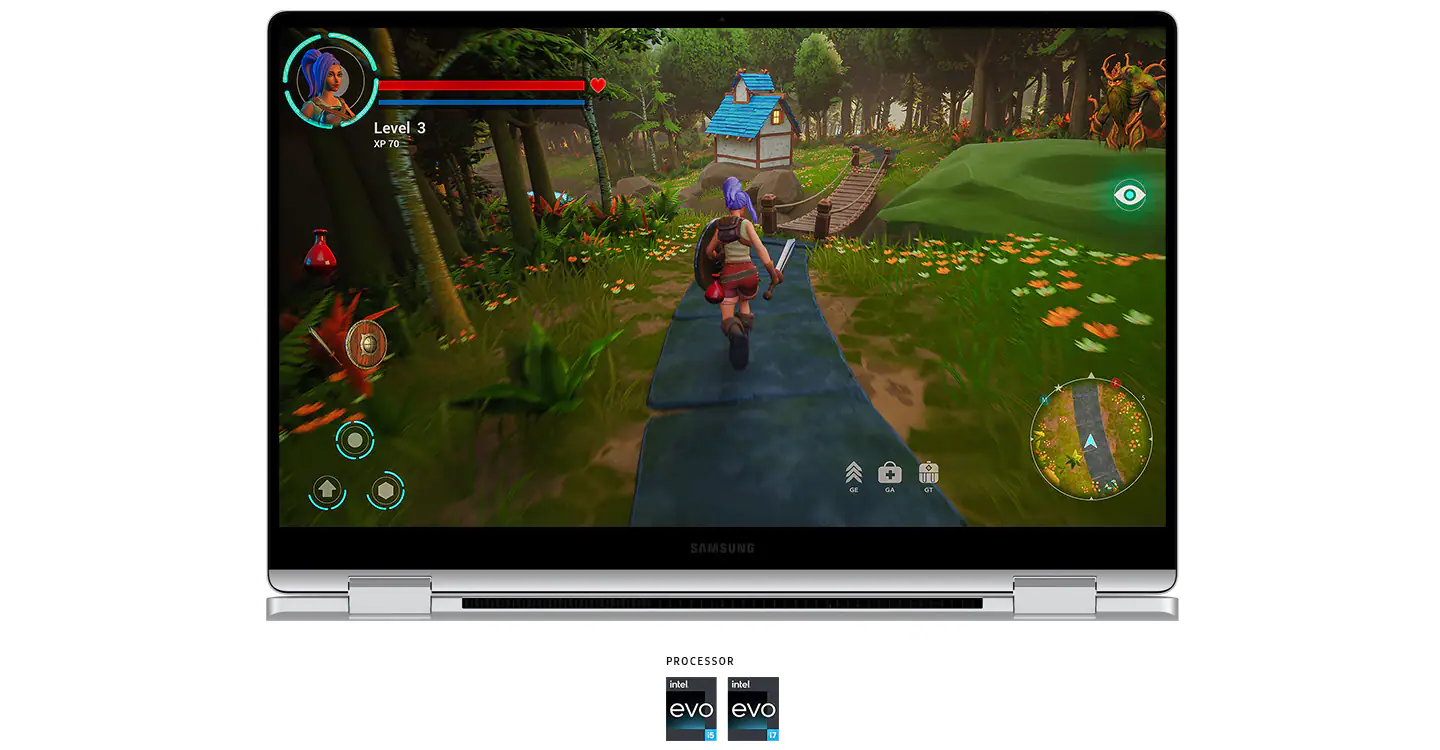
Powerhouse Performance on the Go

The next-gen Intel Core 7/5 processor combines with powerful Intel® graphics to deliver peak performance for both work and play. Speed through projects to stay on top of your to-dos, then engage in action-packed, fast-paced gaming when you're ready to unwind.

*CPU and GPU specifications vary depending on country or region

**Screen image simulated for illustrative purposes.
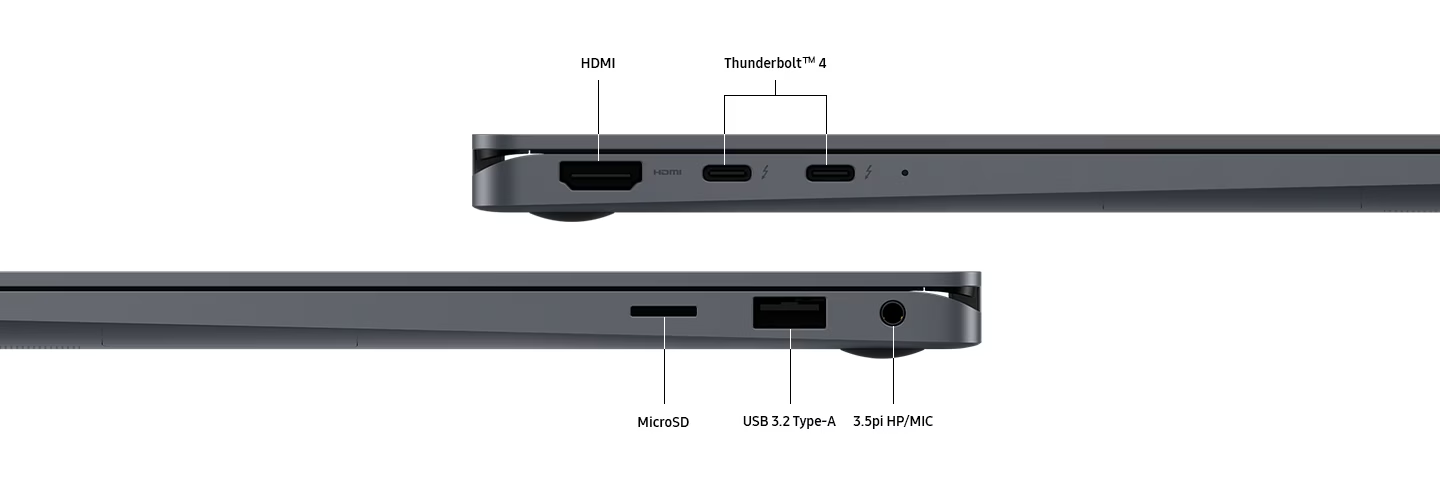
Ports Here. There. Everywhere

Versatile built-in ports let you hook up multiple devices to your Galaxy Book4 360, hassle and dongle-free. Enjoy lightning-fast data transfers with two Thunderbolt 4 ports and connect easily via HDMI, USB 3.2 Type-A, microSD and 3.5pi HP/MIC.
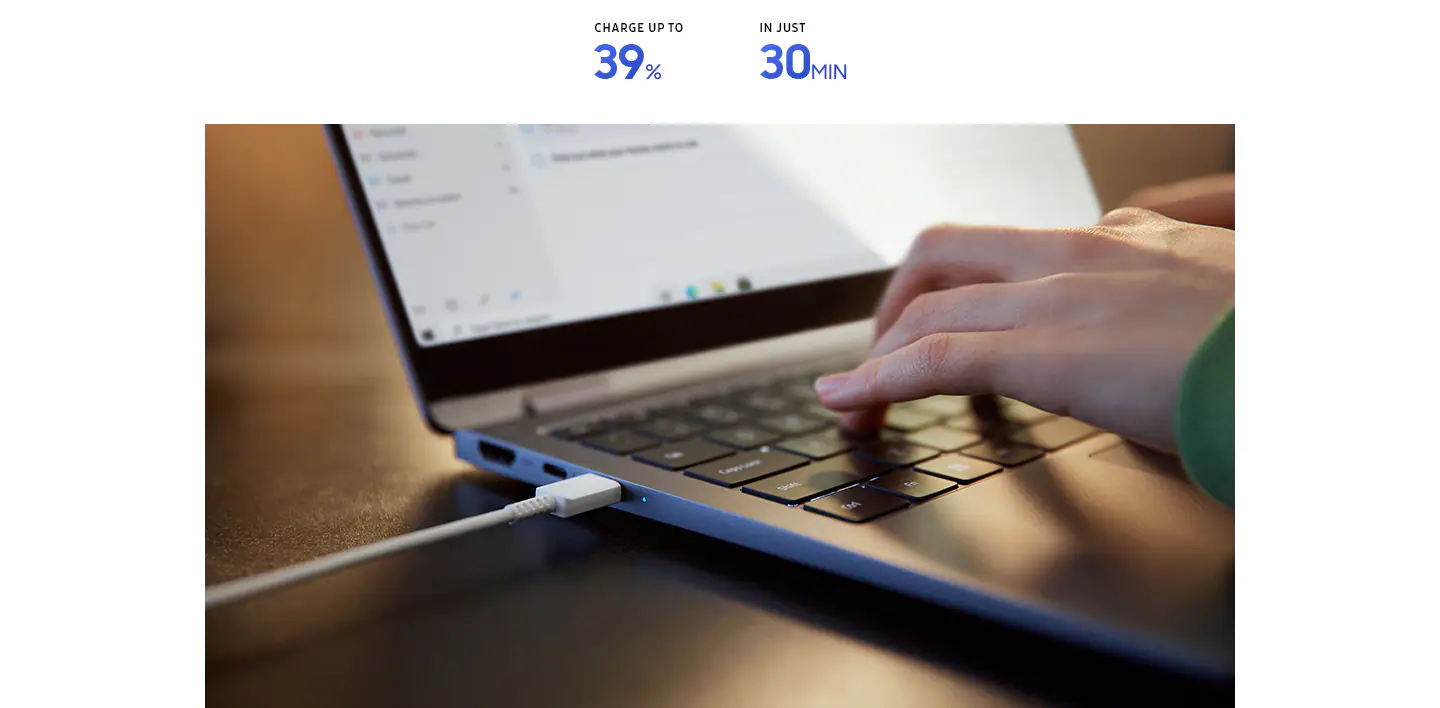
Super Compact, Super Fast Charger

The 68Wh (typical) battery gives you enough power to keep going throughout the day. To get a quick boost, plug in the universal USB-C charger that's light and compact and power up your Galaxy Book4 360 in a flash.

*Typical value of battery capacity tested under third-party laboratory condition. Typical value is the estimated average value considering the deviation in battery capacity among the battery samples tested under IEC 61960 standard. Rated (minimum) capacity is 67 Wh.

**Based on results from internal lab tests for local video playback time conducted by Samsung. Tested with results from a pre-release version of the device using inbox 65W charger under settings (1080p video playback from video files stored on the device's local storage, player-videos & TV with full screen, brightness-150nits, wired earphone with default volume, airplane mode on, keyboard backlight off) without connection to Wi-Fi or mobile network, measuring the time until the device is discharged to 2%. Battery life varies significantly depending on settings, network environment, usage patterns and other factors. Actual charging speed may also vary depending on the actual usage, charging conditions and other factors.

***Battery capacity and amount of charge after a 30-minute charge vary by configuration.

****The inbox charger and data cable are USB Type-C.
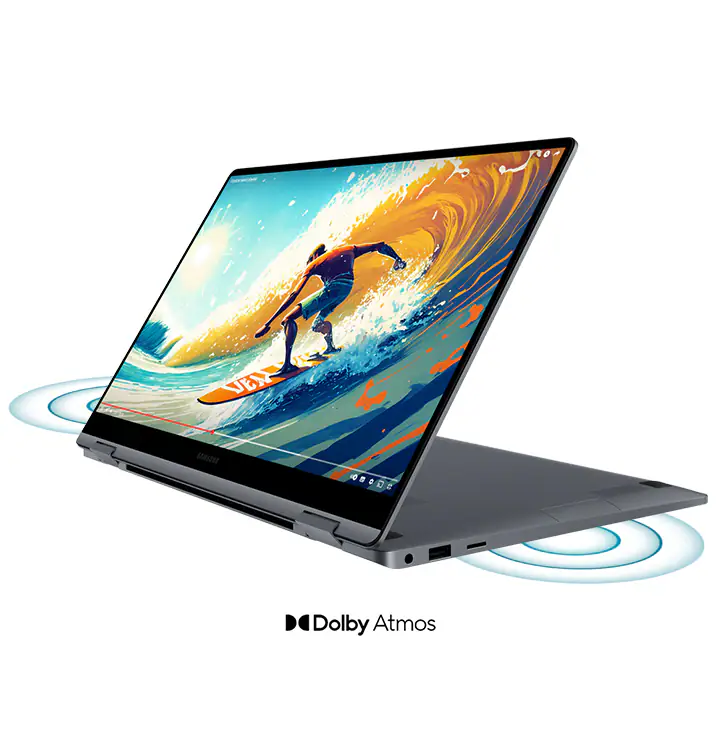
Dolby Atmos. Sound that Speaks Volumes

Upgrade your audio experience with the clear, deep sound of the dual-speaker system on Galaxy Book4 360. Both speakers are tuned with Dolby Atmos, delivering immersive surround sound from your favorite tracks and shows.

*The dual-speaker system on Galaxy Book4 360 features two stereo speakers.
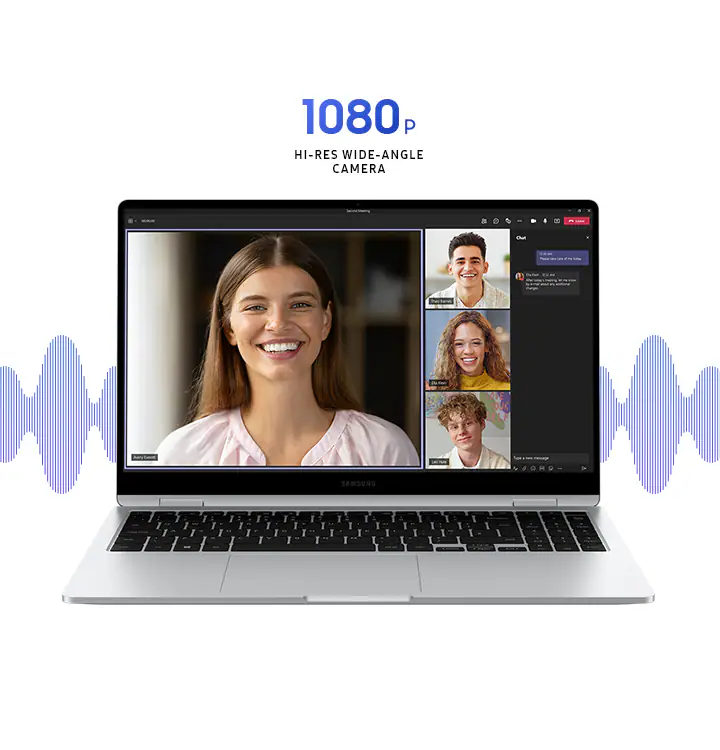
Wide-Angle Camera. Wise Choice

Get ready to take center stage in video calls with the 1080p wide-angle webcam and high-quality mics with AI noise canceling.

*Screen simulation shows Microsoft Teams video calling with chat and polling. Microsoft Teams is licensed separately. Features and app availability may vary by region. Actual UX/UI may vary.
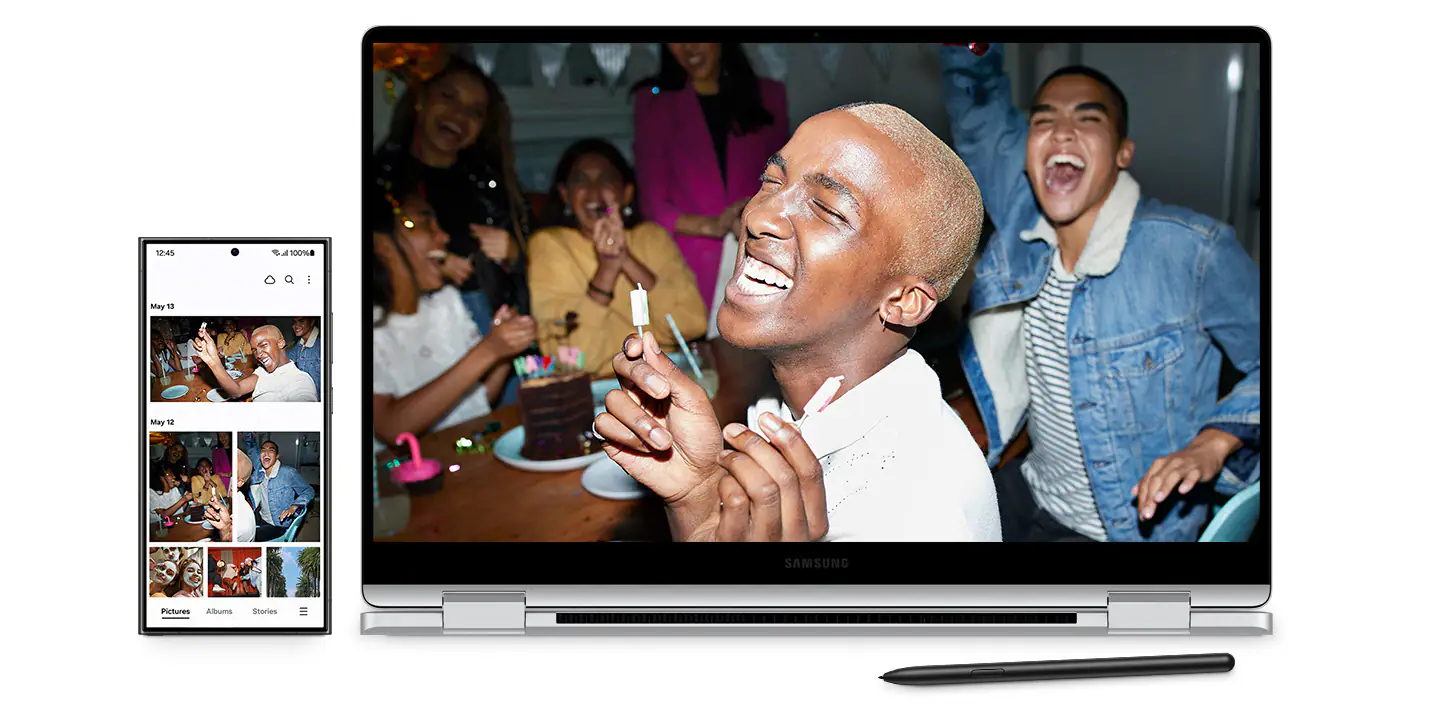
Samsung Galaxy Ecosystem

*S Pen inbox availability may vary by country or region.
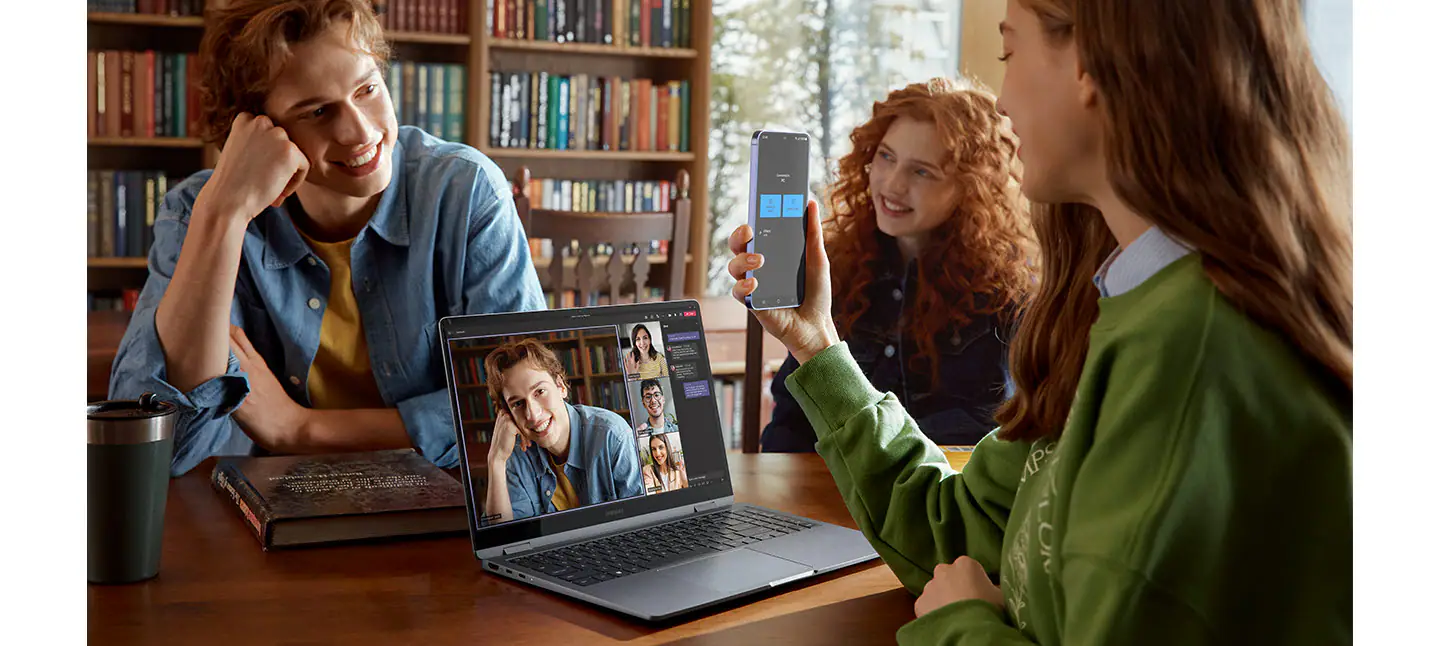
Use Your Phone as a Connected Camera

Upgrade your video calls from standard laptop webcam to stunning clarity using your Samsung Galaxy smartphone as a connected camera. Connect seamlessly to your Galaxy Book4 360, switch between front and rear cameras to find your angle, and enjoy a high-quality picture with enhanced video effects in video applications.

*To use phone as a connected camera service, users must link their Samsung Galaxy device to their Windows PC through ‘Link to Windows’ on mobile devices and the Microsoft Phone Link App on PC and follow the set-up prompts, including being signed into the same Microsoft account. PC (Microsoft Phone Link App) requires Windows 11 24H1 or above and Phone requires OneUI 1.0 or above. Microsoft Phone Link requires Samsung Galaxy device to be on the same Wi-Fi network as the PC. Some related features may vary by device.

**Galaxy S24 Plus and Galaxy Book4 360 sold separately.

****Windows feature availability and rollout timing vary by country and device. Requires Microsoft account to log in.
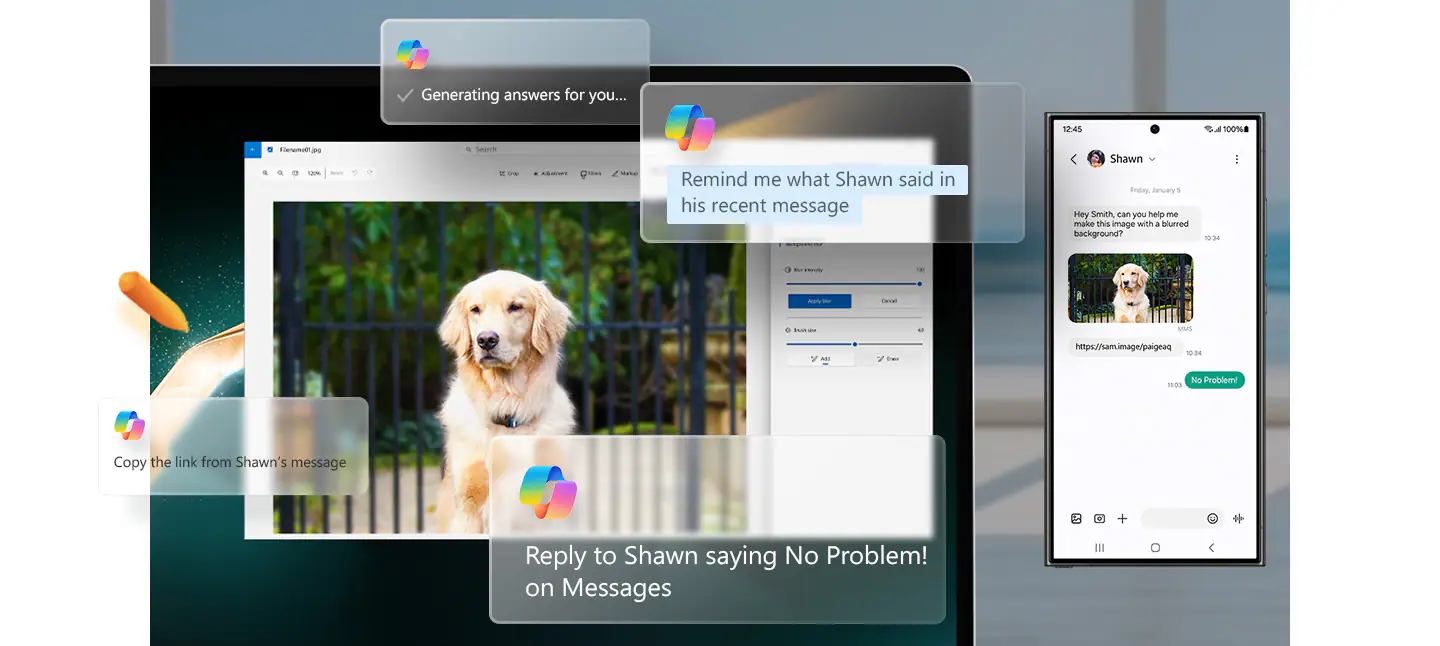
Copilot. Your Own Personalised AI

Stay on top of your tasks via quick chat prompts with Copilot's personalised AI assistance. Plus, get smarter communication tools — access contacts and send messages effortlessly from your PC or Samsung Galaxy mobile device with a simple chat command.

*Screen image simulated for illustrative purposes. Actual UX/UI may be different.

**Galaxy S24 Ultra and Galaxy Book4 360 sold separately.

***Copilot in Windows feature availability and rollout timing may vary by country and device. Requires Microsoft account to log in.

****MMS messaging in Copilot in Windows will be supported within the first half of 2024.
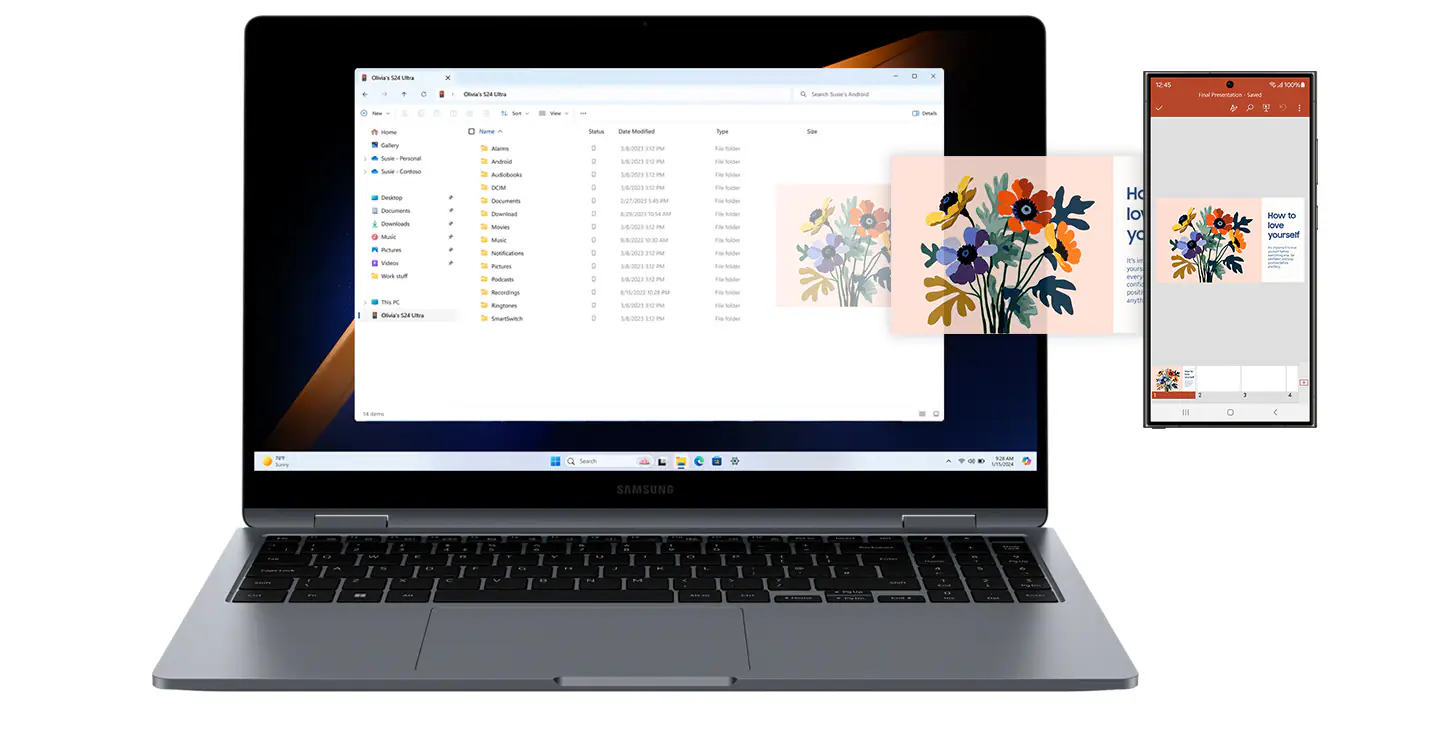
Connect Your Phone and PC for Seamless Access

Get direct access to content on your phone right from your laptop with File Explorer. Simply set up the wireless connection between your devices and you're set — search for the files and photos you need, then open them seamlessly from your PC.

*Screen image simulated for illustrative purposes. Actual UX/UI may be different.

**Galaxy S24 Ultra and Galaxy Book4 360 sold separately.

***File Explorer in Windows feature availability and rollout timing may vary by country and device. Requires Microsoft account to log in.

****Seamless access between phone and PC will be supported within the first half of 2024.
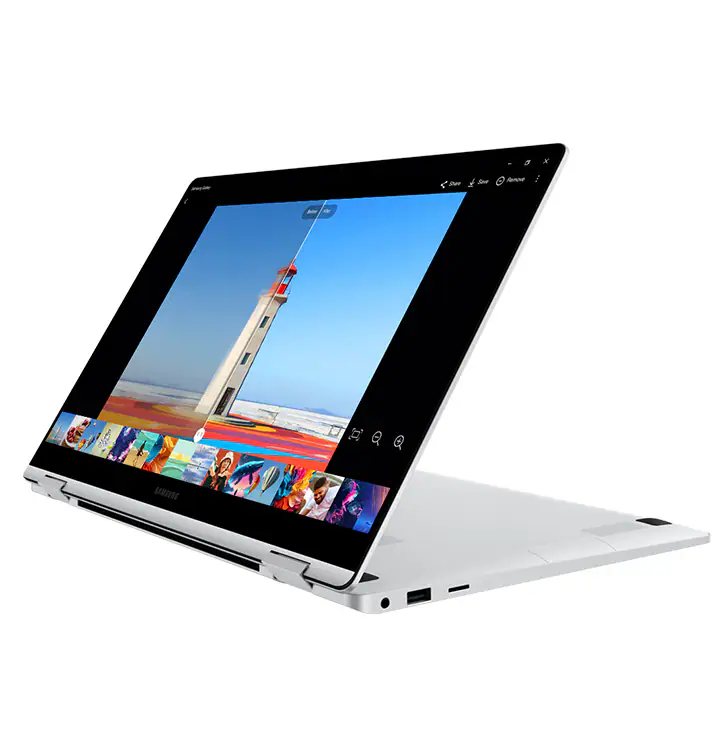
Meet Your AI Photo Editing Ally: Photo Remaster

The AI-powered Photo Remaster tool lets you breathe new life into old photos and low-quality images. Using a smart algorithm, the feature allows you to clean up blurry photos, as well as remove unwanted light and shade from your snaps with just a tap.

Actual UX/UI may vary.
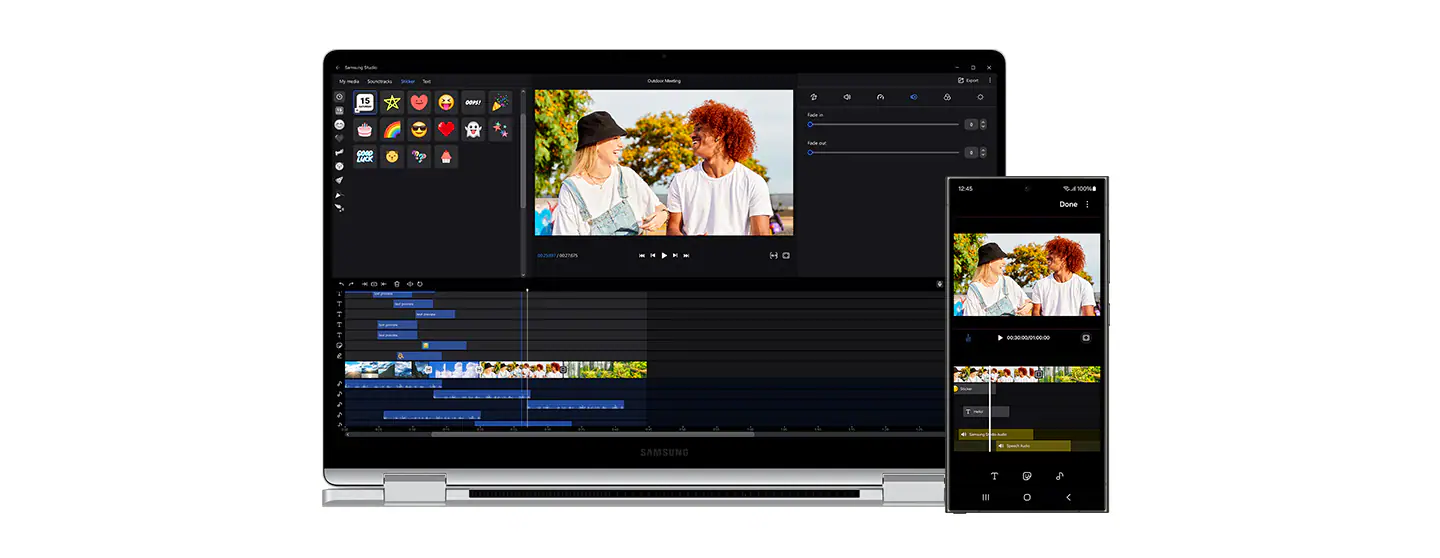
Samsung Studio. Create and Edit Seamlessly

Create and edit your next masterpiece across devices with Samsung Studio. Shoot a video and start cutting on one of your Samsung Galaxy mobile devices, then export easily via Quick Share to add final touches with precision on the big screen of Galaxy Book4 360.

*Share project is available on Samsung Galaxy smartphones and Galaxy Tab devices updated to One UI 6.1 or later versions and with the Samsung Studio mobile app installed. When sharing a project from a mobile device to PC, the sharing method such as Quick Share can be selected from a list by opening the Share project menu. The received file can be opened on PC by loading the project after selecting the Import project menu in the Samsung Studio PC app.

**Samsung Studio PC app usage may require an app update from the Microsoft Store.
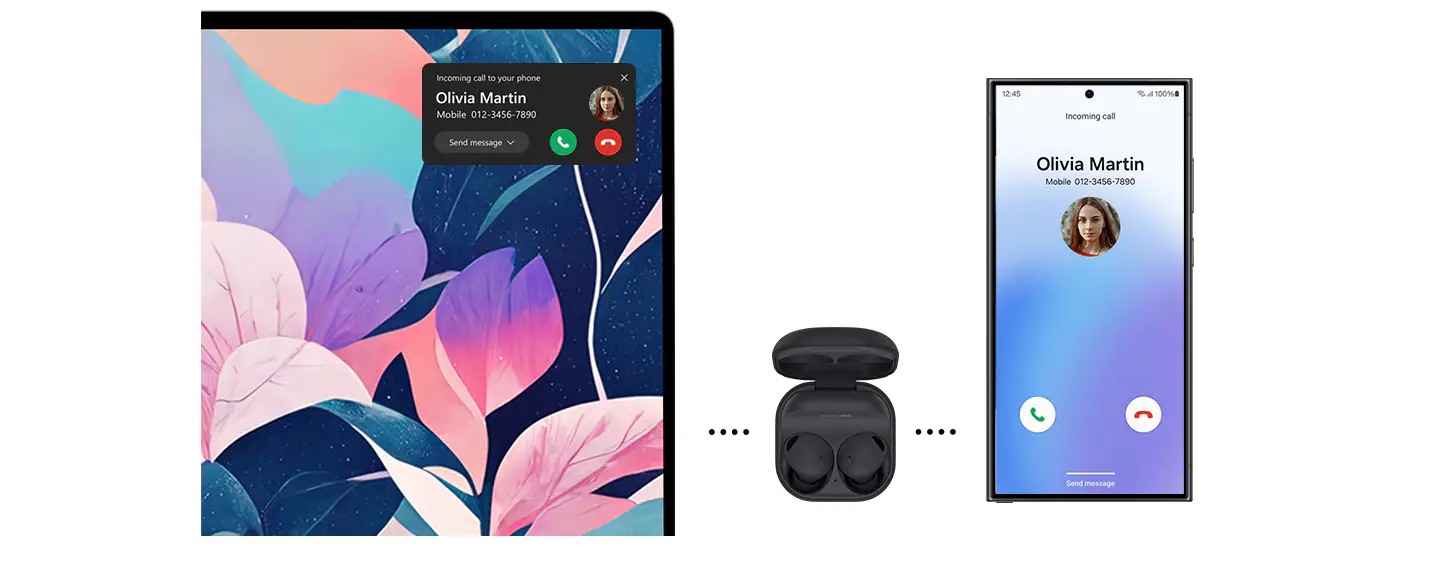
Buds Auto Switch Keeps You Flowin'

Your sound follows you seamlessly from one device to another when paired with Galaxy Buds. If you get a call while on Galaxy Book4 360, your Buds will switch automatically to your phone without missing a beat. When done, continue enjoying the clear LE Audio back on your laptop.

*Samsung Galaxy Buds2 Pro sold separately.

**Available on Samsung Galaxy Buds2 Pro updated to the latest firmware version, Samsung Galaxy smartphones and Galaxy Tab devices with One UI 4.1.1 or later versions and Galaxy Book series devices with One UI 6.0 or later versions installed.

***Buds Auto Switch feature availability and rollout timing may vary by country.
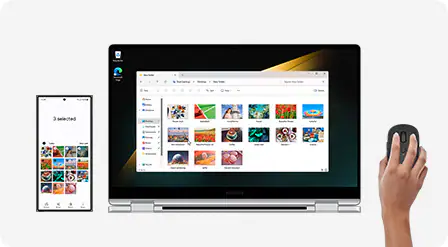
It's All Under Control with Multi Control

Manage your creative projects with flexibility across devices with Multi Control. Use your Galaxy Book4 360's keyboard with a mouse to navigate through content on your smartphone or Galaxy Tab. Drag and drop or copy and paste text, images and files between devices to put your ideas together.

*Mouse sold separately.

**Samsung Galaxy devices must be connected to the same network.

***Samsung Multi Control is available on Samsung Galaxy smartphones and Galaxy Tab devices with One UI 5.1.1 or later versions and Galaxy Book series devices with Samsung Settings v1.2 or later versions installed. Some models may have limited feature support.

****Some apps may not support this feature.

*****Galaxy S24 Ultra and Galaxy Book4 360 sold separately.
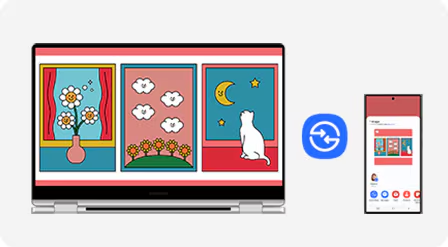
Quick Share. File Transfer at Your Fingertips

Share your inspiring concepts and finished masterworks to other Samsung Galaxy devices in a flash via Quick Share. If you need to send something more personal, the private sharing feature protects your sensitive data by encrypting it with blockchain technology.

*Available on devices with One UI 2.1 or above, with Android Q OS version or higher installed. Bluetooth Low Energy and Wi-Fi connection are both required for Quick Share. Supports Galaxy Books, including Qualcomm-based PCs released in 2020 and later, and Windows PCs with Intel Bluetooth/Wi-Fi from other manufacturers. (OS: Windows 10 2004 version or higher, Bluetooth driver: Intel 22.50.02 or higher, Wi-Fi driver: Intel 22.50.07 or higher). Number of devices Quick Share can share to at the same time may vary depending on the Wi-Fi chip hardware of the sharing device. Actual speed may vary depending on device, network condition and user environment. The transferable type, number, capacity and expiry date of files, as well as the number of simultaneous file shares in Private Share may be limited.
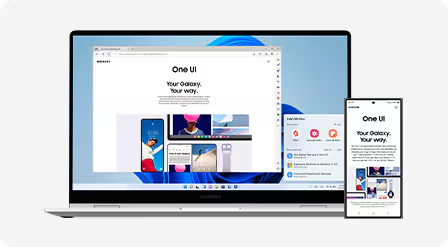
Unleash Your Mobile Experience on Your PC

The Phone Link app lets you access notifications, calls, messages, recently viewed webpages and even your Samsung Galaxy device's mobile hotspot right from your Galaxy Book4 360. Launch recently used mobile apps directly from your PC for a quick and seamless workflow across devices.

*The Samsung Galaxy device and PC must be linked via ‘Link to Windows’ and ‘Microsoft Phone Link’ apps and signed into the same Microsoft account. Link to Windows preloaded on select Samsung Galaxy devices. Tablets require One UI 5.1.1 or above, PCs require Windows 10 or above. It is recommended that the mobile device and PC are on the same Wi-Fi network. Some mobile apps may restrict content to be shared on other screens. Features may vary by device. Tablets do not include Call/Message features. 'Recent Websites' only available when using Samsung Internet app on Samsung Galaxy smartphones with One UI 3.1.1 or above (Samsung Galaxy S, Note, Z Fold, Z Flip), tablets with One UI 5.1.1 or above (only Tab S models, not Tab FE or Tab Lite models) and Windows PCs with Windows 10 20H1 or above. Requires latest app updates to Microsoft Phone Link/Link to Windows/Samsung Internet.

Product Features:
  • Security: TPM, Fingerprint reader
  • Power: 68 Wh (Typical), 65 W USB Type-C adapter
  • Internal dual array digital mic
  • Accelerometer sensor
  • Gyro sensor
Specs
General
Brand Samsung
USB Ports 1
Wi-Fi
  • Wi-Fi 6E
Wireless Connectivity
  • Bluetooth 5.3
Ports & Connections
  • MicroSD Card Reader
  • HDMI
  • 3.5mm headphone jack
  • 2 x Thunderbolt 4
  • USB 3.2 (Type-A)
Product Category
  • Laptops
Product Type Laptop
Product Colour Grey
Processor
Processor Range Intel Core 7
Processor Model Core 7 150U
Processor Speed 5.4 GHz
Cache Memory Size 12 MB
Sound
Audio Software Dolby Atmos
Speaker Type
  • Dual Speakers
  • 2W stereo speakers with Dolby® Atmos®
Display
Screen Type AMOLED
Screen Size (Display) 15.6"
Screen Resolution 1920 x 1080px
Touch Screen Yes
Memory
RAM 16 GB
RAM Type LPDDR5
Storage
Storage Type NVMe SSD
Total Storage Capacity 512
SSD Capacity 512 GB
Platform
Operating System Windows 11
Operating System Version Windows 11 Home
Graphics
Graphics Card Brand Intel
Battery & Power
Power Source Battery
Camera
Webcam 1080p FHD Camera
Dimensions
Height 13.7 mm
Width 355.4 mm
Depth 228 mm
Weight 1.46 kg
Reviews
Samsung Galaxy Book4 360 15.6" Intel Core 7 | 16GB | 512GB | Grey is rated 4.3 out of 5 by 43.
Rated 4 out of 5 by from Amazing samsung product [This review was collected as part of a promotion.] Samsung brand has been a favourite for the last couple of years years, having the opportunity of trying this laptop was great - from the optimal size of 15.6 inch screen to the slim design and lightweight, i'm loving it all! The design is modern, easy to use and i love how fast charging works on this one and a full battery lasts a good couple of hours. Connectivity is easy between all my other samsung devices and the graphics are awsome - amazing quality in screen - either for games or just netflix. The only improvement needed is the sound, i was expecting a bit better performance on the speakers.
Date published: 2024-04-30
Rated 5 out of 5 by from Sleek Stylish Design [This review was collected as part of a promotion.] The Samsung Galaxy Book4 is a great device. It sleek stylish design and dark grey wrap look great. Given the size of the laptop the weight is surprisingly light, making it easy to carry around. The screen resolution is fantastic and the ability to connect the laptop to other devices like the Samsung TV enhances the user experience, allowing you to share and stream content on a larger screen. The long lasting battery makes it great for using whilst travelling and when charging may be difficult and the keyboard is east to use, with a very reactive scroll pad. I'd highly recommend the device to anyone.
Date published: 2024-04-30
Rated 1 out of 5 by from DO NOT GETT this labtop [This review was collected as part of a promotion.] Screen crack by it shelf, and they refuse to cover it under warranty, Only Had it since January 21. Alot of other people are having the same issue.
Date published: 2025-02-10
Rated 1 out of 5 by from Keybord The keyboard is too sensitive, especially the a and 1 keys that put in 2 charaacters when pressed as you can ee from the mistkes or they do not put in anything. I want to rturn it but cnnot be without compter for my wwork. It is rrubbih the kybord is defective. Caan I return o get one tht woks.
Date published: 2024-11-20
Rated 4 out of 5 by from Great laptop It's a lovely laptop! But I have one issue. There have been several updates to the fingerprint reader. These have sometimes removed it, sometimes replaced it. I contacted your "help" who were not helpful! It was inactivated again just trecently with a further update.
Date published: 2024-07-19
Rated 3 out of 5 by from Good laptop if you need to use as a tablet [This review was collected as part of a promotion.] I really liked the concept of this laptop where it could have a dual use as a tablet and laptop. It comes with a large price tag compared to other manufacturers and i'm not sure if it delivers on the price tag. I do love how slim it is and how quickly it boots up. The screen is pretty big at 15.6", i found that it was too big and maybe a 14" screen would have been better for me. One disappoint for me was the Samsung software overlaid on the basic Microsoft OS. I wish there was an option on initial boot to choose if you wanted it.
Date published: 2024-04-08
Rated 5 out of 5 by from Amazing! This laptop is Amazinggggggggg Totally worth every pence! I love it.
Date published: 2024-06-03
Rated 1 out of 5 by from Absolutely Horrible The build quality is absolutely horrible, the back plate keeps popping off, the whole computer is really slow
Date published: 2024-12-08
  • y_2025, m_12, d_5, h_11
  • bvseo_bulk, prod_bvrr, vn_bulk_3.0.42
  • cp_1, bvpage1
  • co_hasreviews, tv_7, tr_36
  • loc_en_IE, sid_269639, prod, sort_[SortEntry(order=RELEVANCE, direction=DESCENDING)]
  • clientName_harvey-norman-en_ie
  • bvseo_sdk, p_sdk, 3.2.1
  • CLOUD, getContent, 171.24ms
  • REVIEWS, PRODUCT
Fulfilment & Returns
Delivery:
  • We offer a comprehensive nationwide delivery service; we aim to deliver all orders as quickly as possible.
  • Computers & Electrical – 5 to 7 days on stocked items.
  • Furniture & Bedding – 7 days stock items, Non Stock varies with supplier.
  • Harvey Norman Customer Direct: please refer to each individual product description page for accurate lead times.
  • Note: Delivery times for rural areas may vary depending on routes and availability.

Free Click & Collect In Store

Can’t wait for delivery or don’t want to pay additional delivery charges? It’s incredibly simple to collect your online order in store and get your hands on your product quickly and easily. Simply select the Click & Collect option and head to your nearest Harvey Norman store to collect your order.

  1. During checkout, select “Click & Collect” and select your preferred store.
  2. After your order is placed, you will receive an order acknowledgement email with your order number.
  3. Once the store has confirmed your order and reserved the stock, you will receive an email to inform you that your order is “Ready for collection”. If you want to use "Contactless Click & Collect" select this option on this email.
  4. Bring your order number to the store you selected for Click & Collect, along with photo ID and the credit card you used to make the order.
  5. Speak to one of our staff and your order should be processed in minutes.
  6. If availing of Contactless Click & Collect, please click the link in your email “ready to pick up” to let the store know you are on your way. When you have parked in the designated parking bay, open your email, and choose the “I’m here” option and a member of staff will bring your purchase out to your car.

Easy returns

Store Purchases: For all items purchased from a physical store, please return to your local Harvey Norman Store. Please see Terms & Conditions here.

Online Purchases: For all items purchased via our Online Store (website), please contact our Online Customer Service Team at online.customerservice@ie.harveynorman.com where a dedicated Customer Service Agent will guide you through the process.

Product Care

Protect your purchase with Product Care. Get a brand new replacement if your product suffers an eligible fault through our hassle free support process, plus enjoy a range of exclusive benefits like a product health check and free prints each year so you experience your new product even more.

Discover all of the benefits Product Care brings you:

Protection

With Product Care you can relax knowing your purchase is protected. After an assessment, if your product suffers a fault covered by the terms of your plan, we’ll arrange to have a brand new replacement delivered to your doorstep.

Support

Our range of support options ensure you experience an easy and hassle free process when you need to talk to us about your Product Care plan. Whether you are experiencing a fault, or wanting to redeem your entitlements, we will provide you with guidance and support every step of the way.

Advantage

Having Product Care with your purchase means you can enjoy a range of special benefits that are exclusive to you and will help you enjoy the experience of your new product even more.

Flexible Payments
humm Logo

Spread the cost of your technology over 12 or 24 months and get what you really want today.

  • No Deposit

  • Approval in Minutes

  • Get approved from €250 up to €5,000

How to Shop Online With humm Finance

  • Shop for the items (not applicable to certain items) you want.

  • At the checkout, select ‘Checkout with humm’.

  • This redirects you to humm website.

  • Fill the required details and get approved in minutes.

  • Receive approval number by text & email.

  • Complete transaction and the item(s) is yours!

Questions & Answers
  • bvseo_sdk, p_sdk, 3.2.1
  • CLOUD, getContent, 83.48ms
  • QUESTIONS, PRODUCT
  • bvseo-msg: HTTP status code of 404 was returned;

Please confirm your selection

Store Picker

Travel Mode

Stores