Check out the video:
ASUS Zenbook DUOL Let’s DUO it
ASUS Zenbook DUO is a revolutionary dual-screen laptop, with two full-size OLED touchscreens[1], detachable full-size keyboard and built-in kickstand, - expertly combining multitasking versatility with superb mobility. With dual 14-inch 3K OLED 120 Hz displays, you can instantly expand your workspace to up to 19.8 inches. Outstanding performance is assured with up to an AI-powered Intel Core Ultra 9 processor and 32 GB LPDDR5x memory, plus up to a 2 TB PCIe 4.0 SSD. Paired with dedicated smart software, intuitive gesture control and an enhanced-lifespan 75 Wh battery, the easy-to-use Zenbook DUO maximises productivity, with zero fuss. Come on — Let’s DUO it.
Check out the video:
Portable Duo! Dual 14” Full-size 3k OLED Touchscreens
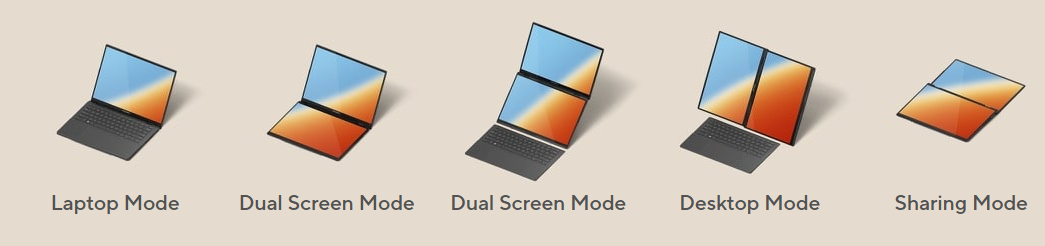
Versatile Modes
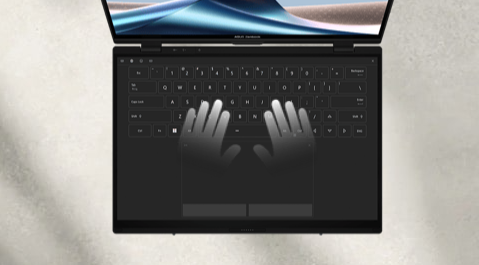
Intuitive Design – Just Like Your Smartphone!
Effective gestures and smart software.
Check out the video:
Detachable Full-Size Ergosense Keyboard and Touchpad
4096-pressure-level stylus support. Snap-on magnetic design(Automatic Positioning Magnet).
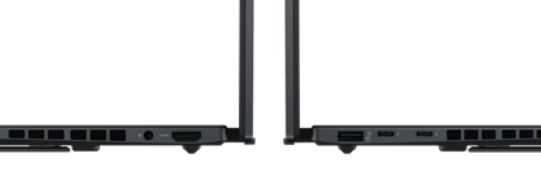
Full I/O Ports
- Thunderbolt 4 x 2, USB 3.2 Type-A x 1
- HDMI 2.1 (TMDS) and audio jack
Check out the video:
Check out the video:
ASUS ZENBOOK DUO (2024) Software Video
Check out the video:
ASUS ZENBOOK DUO (2024) Feature Review
T3
New Asus Zenbook Duo looks set to be the best dual touchscreen laptop yet.
Trusted Reviews: The Asus Zenbook Duo (2024) looks to be one of the most promising dual-screen laptops yet, with a more polished package than its rivals thanks to the full-size keyboard, built-in.
ASUS just perfected one of my favorite laptops of recent years and my first thought is WOW.
Dual Screens Done Right
Expert Reviews: Asus' Zenbook Duo (2024) dual-screen laptop is a game changer.
Asus new laptop has two screens and a removable keyboard.
Trusted Reviews: It's potentially the most polished we've seen yet.
Expert Reviews: A great laptop for work, rest or play.
ASUS knocks it out of the park with a dual-screened delight.
Tom's Guide
The Asus Zenbook Duo perfects the dual-screen laptop formula with two gorgeous 14-inch OLED displays, and it has transformed this skeptic's mind with its prime multitaskin.
PC Gamer
The Asus Zenbook Duo OLED 2024 edition is a splendid machine, capable of things other laptops can't manage.
Window's Central
Keeping its aesthetics subtle and classy, ASUS has refined the Zenbook Duo to near perfection.
Whats Best?
I think it's one of the best laptops I've ever used.
Asus machine is best yet at being a laptop on the go and a dual-screen productivity beast at the desk.
Choosing the ASUS Zenbook Duo 2024 is a choice in favor of a future where the boundaries between desktop power and laptop mobility blur.
Let's Duo It
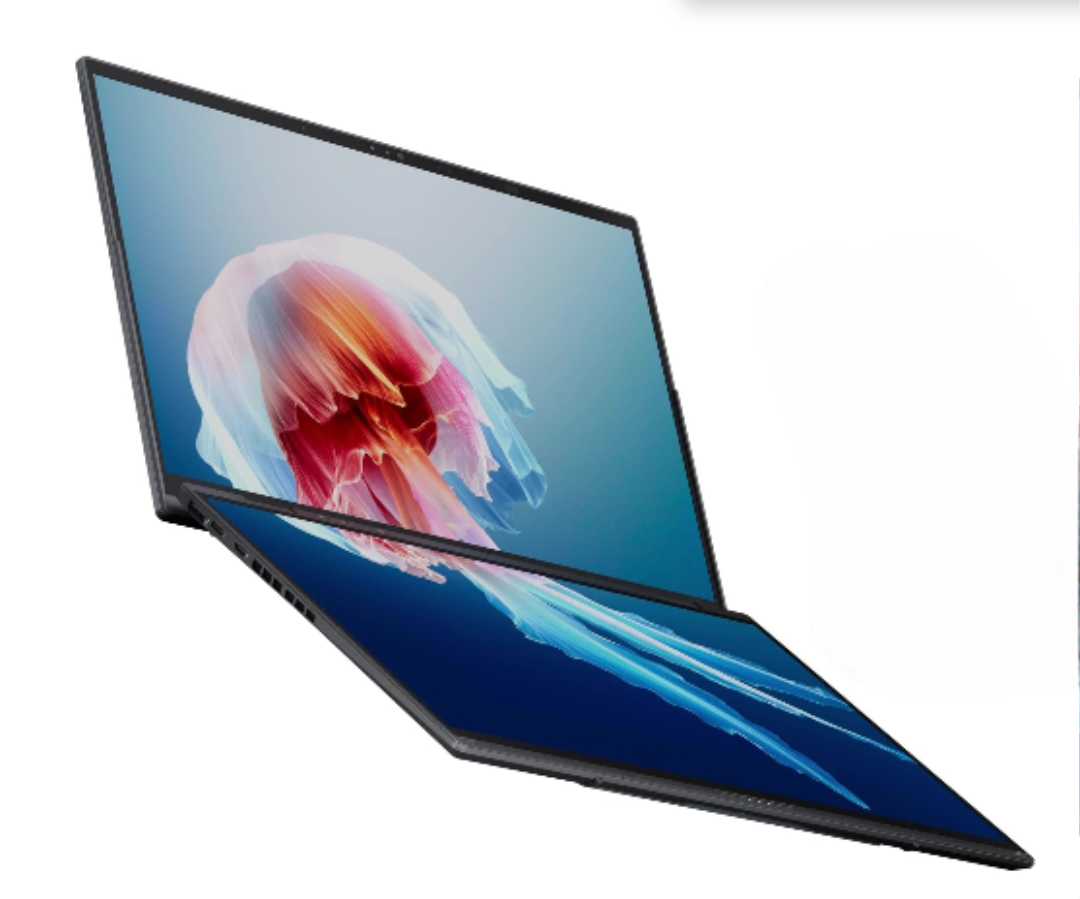
Portable DUO: Compact With a Big Vision
Two stunning 14-inch ASUS Lumina OLED touchscreens[2] provide up to 19.8 inches of workspace, instantly — all in one incredibly versatile, easily portable device.
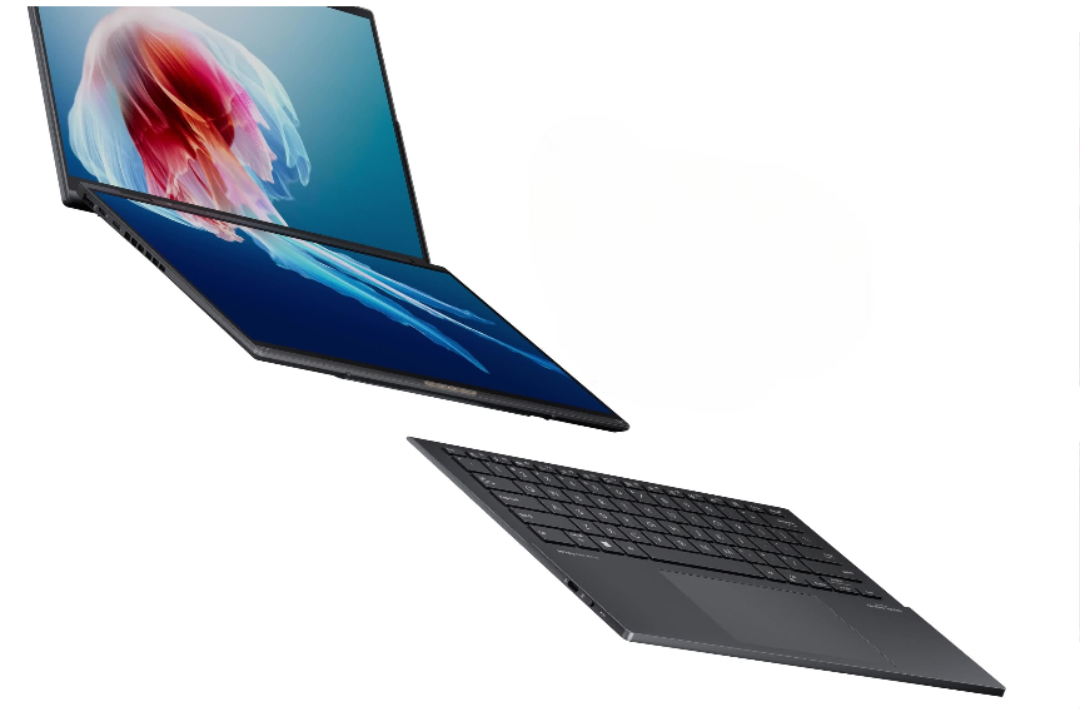
Easily Charge and Connect with Keyboard
- Pogo pin connection - power and pair in one click
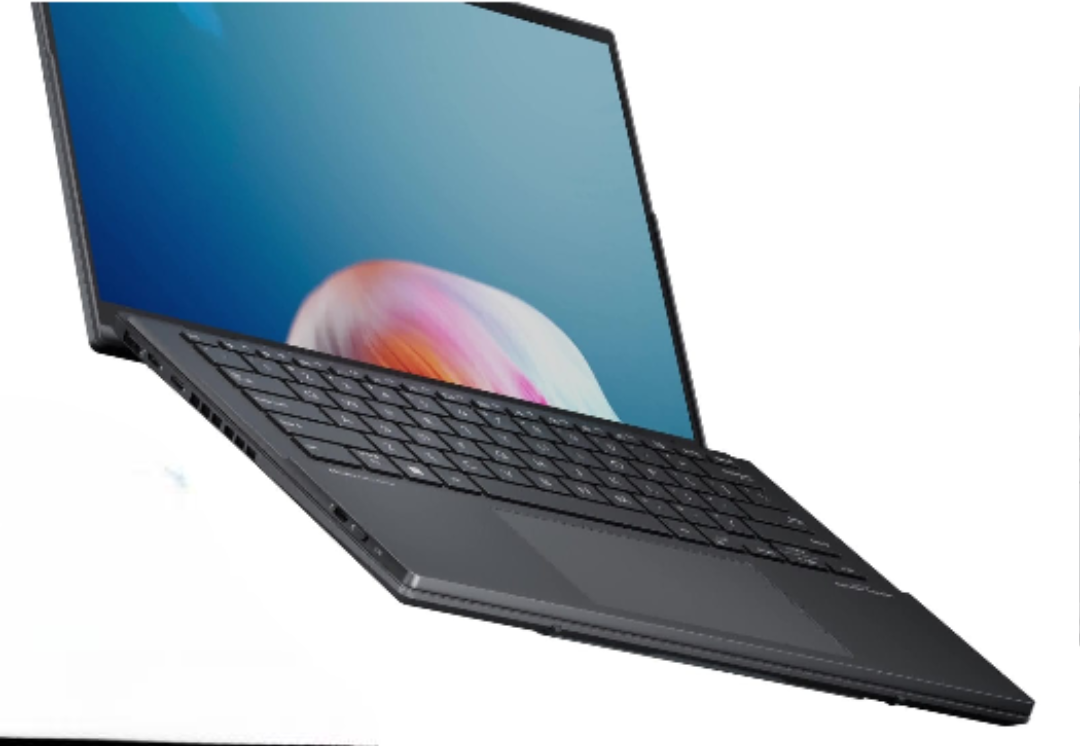
Detachable Full-Size Keyboard
- Emoji Hotkey
- Quiet keyboard
- Anti-fingerprint touchpad
- Bluetooth connection
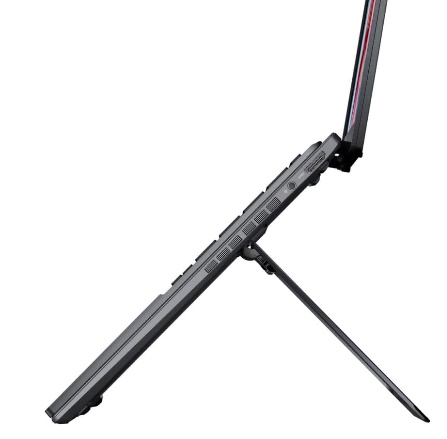
Built-in Kickstand
- 40°-70° viewing angle, adjustable height
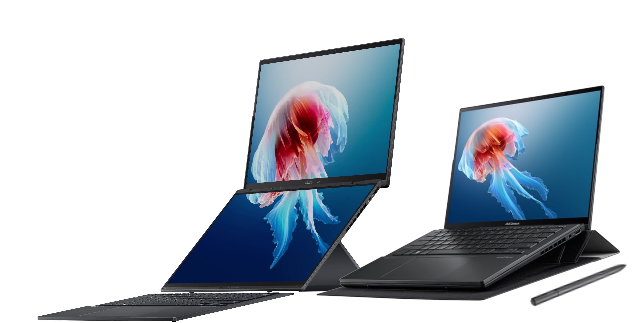
Elegant and Stylish Sleeve[1]
Enjoy the optional 12° viewing angle, and space to store your Zenbook DUO and ASUS Pen 2.0.
Pencil Drawing, On a Laptop
With the sensitivity of 4096 pressure levels, ASUS Pen 2.0[3] (optional) allows you to accurately reproduce the finest lines and shading.
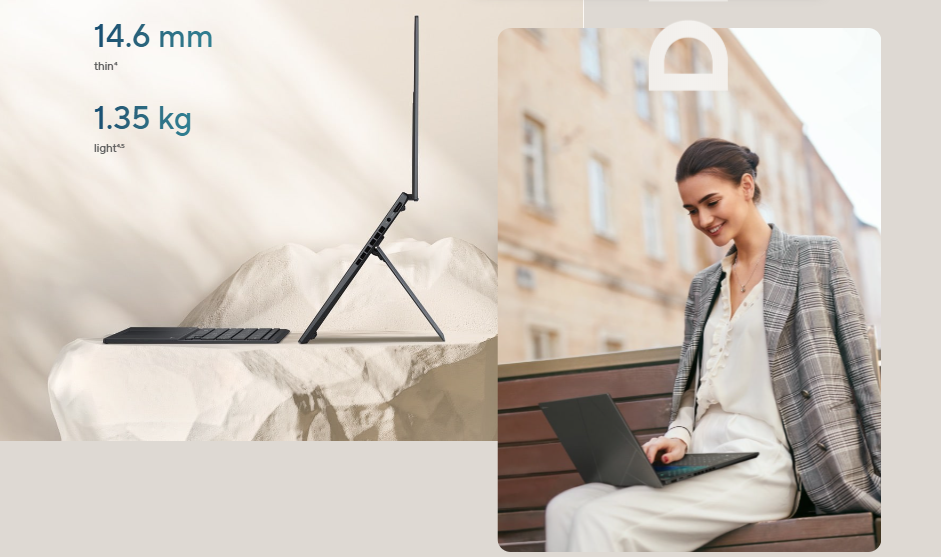
Multi-screen Mobility: The Perfect Laptop for Digital Nomads
Zenbook DUO seamlessly blends the efficiency of a traditional laptop with the versatility of a multi-screen device - while still prioritizing exceptional portability.
- 14.6 mm thin[4]
- 1.35 kg light[4,5]
Versatility
Versatility: Redefining Productivity
The versatile dual-screen design feels like using a desktop on the go, putting a huge workspace in ultraportable form.
Check out the video:
Dual-Screen Mode (With Bluetooth keyboard)
Double your screen real estate, and reference one screen while working on another. This eliminates the need to constantly switch tabs or windows, reducing interruptions and helping you maintain your focus on the task at hand.
Check out the video:
Dual-Screen Mode (With Virtual Keyboard)
The lower screen can be configured as a full-size virtual keyboard. With two screens, you can be more productive and enjoy more immersive entertainment.
Check out the video:
Sharing Mode
Easily share content in meetings and presentations business. Just lay Zenbook DUO flat and everyone can view the screens without having to huddle around, fostering better engagement and discussion.
Check out the video:
Laptop Mode
Drop the ASUS ErgoSense Bluetooth keyboard and touchpad onto the lower display and enjoy a traditional laptop-style experience, replete with a 14-inch display and tall 16:10 aspect ratio.
Check out the video:
Desktop Mode
Perfect for programmers, researchers and writers - and many more besides. Display your productivity apps on one screen while the other shows reference materials, documentation or research sources.
Intuitive Design: Smartphone-Like Gesture Control
Delightful software features put convenience at your fingertips.
Check out the video:
Virtual Keyboard
Tap with six fingers to summon the full-size virtual keyboard and touchpad on the second panel.
Easy Access Tools
Swipe down with six fingers to access a panel of handy utilities, including handwriting, Quick Key, Control Panel and Number Key. You can also manage these with a two-finger swipe.
Virtual Touchpad
Tap with three fingers tap to summon the virtual touchpad on the second panel.
Easily Expand to Full-screen
Swipe outward with five fingers to maximize the current window to fill both screens.
Assign Windows to Your Preferred Screen
Drag an app onto the App Switcher icon to launch the app, then choose its default screen.
Check out the video:
Display: DUAL 3K 120 Hz OLED
Dual 16:10 14-inch 3K (2880 by 1800) ASUS Lumina OLED touch displays enlarge your outlook, with up to 500 nits brightness, and 91% screen-to-body ratio.

More Accurate
ASUS Lumina OLED offers industry-standard colors, deep blacks, and exceptional detail.

More Adaptive
ASUS Lumina OLED provides customizable visuals, power-saving solution and sharpened playback.

More Reliable
ASUS Lumina OLED ensures eye protection, burn-in prevention and panel durability.

Leading 120 Hz Motion Clarity
More frames per second, so fast-moving visuals are smoother and clearer than ever.

Perfect Brightness and Color Tone!
The ambient light color sensor auto-adjusts for changes in the environment brightness and color temperature.
Corning Gorilla Glass
A display surface that’s six times more durable than ordinary laptop glass.
Performance: Powerfully Production
Zenbook DUO delivers powerful performance and AI Ready features. The blistering fast processor, dedicated NPU and graphics makes tasks easier with nowadays AI enhancement. Its up to 2 TB SSD storage, 32 GB RAM and WiFi 6E[6] allow you explore more.
Windows 11 Pro
- Up to Intel Core Ultra 9 processor
- Build-in Intel Arc graphics
- Intel AI Boost NPU
- Up to 5.1 GHz with total 16 cores
- Up to 35 W CPU TDP[7]
Windows 11 Your Time is Valuable
So, don’t waste it doing things the hard way. Windows 11 brings a fresh experience with new ways to get things done in a fast, fun, and easy kind of way.
* Screen simulated, subject to change. Feature availability and rollout timing varies by market and device.
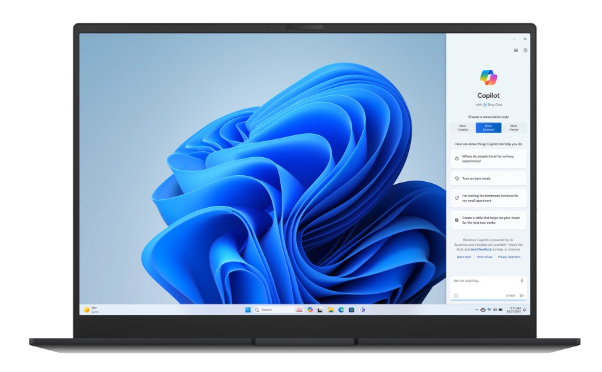
Copilot in Windows
Help is always at hand: Help is always at hand Copilot in Windows complements your capabilities and creativity with intelligent assistance and relevant answers. [8]
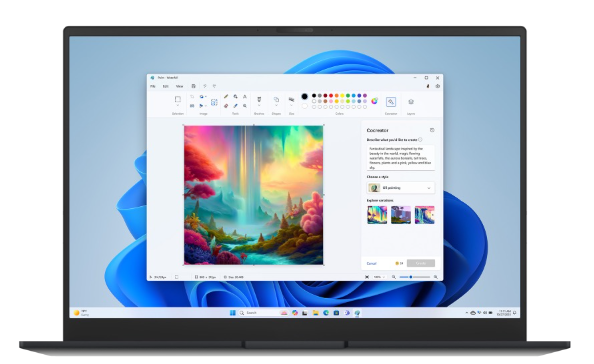
Paint
For images, and imagination: Paint now comes with new tools to help you edit photos like a pro and create art like a visionary. [15]
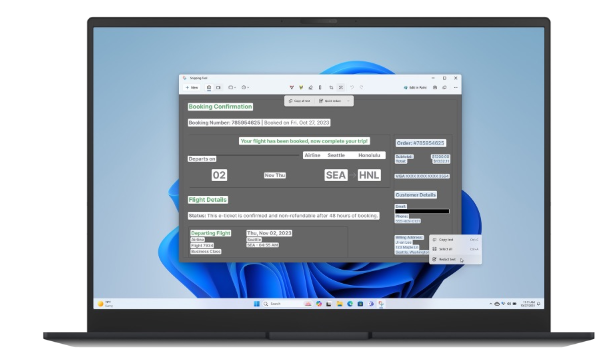
Snipping Tool
Nothing's as Clear as a Screenshot: Capture exactly what's on your screen with Snipping Tool and Screen Recorder. Then, edit and share it with others. [15]
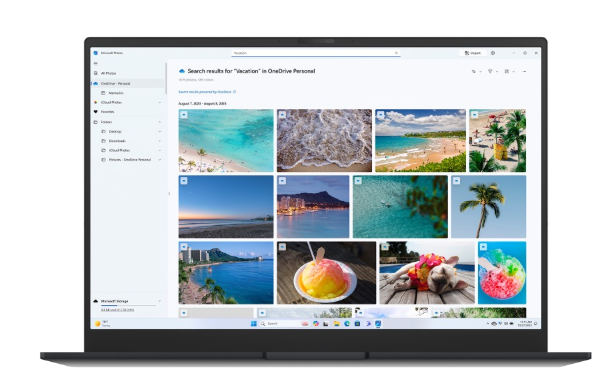
Photos
For the moments worth remembering: The Photos app makes it simple to organize, edit, and revisit life's magical moments. [15]
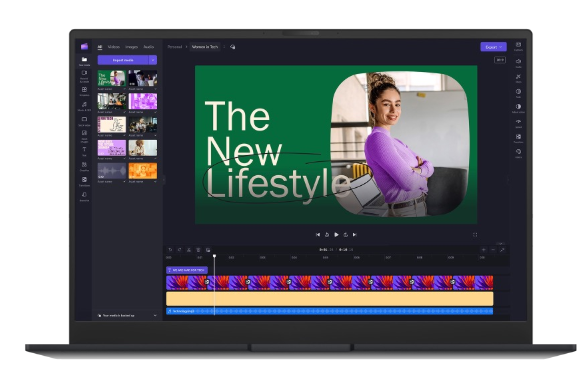
Clipchamp
Inspiring ideas: When it comes to storytelling, editing matters just as much as scenes. Microsoft Clipchamp can help you make it all come together.15
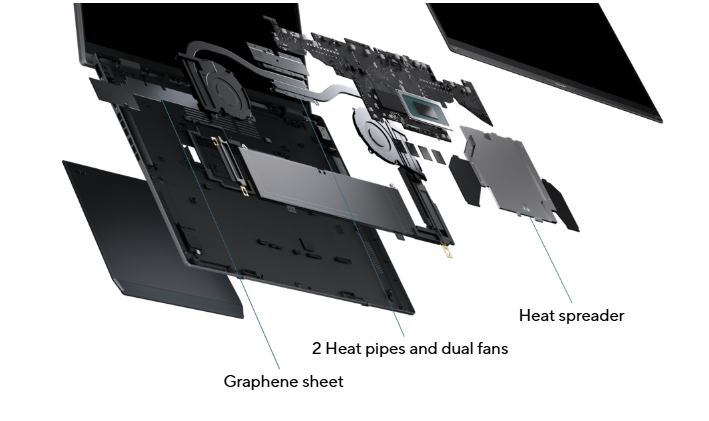
Thermal Technology: Advanced Cooling System
All these powerful components need to be cooled effectively in order to reach their full potential. Zenbook DUO adds a heat spreader between the motherboard and the OLED panel as part of the advanced cooling system, which allows the CPU and GPU to run at up to a 35 W combined TDP, without throttling!
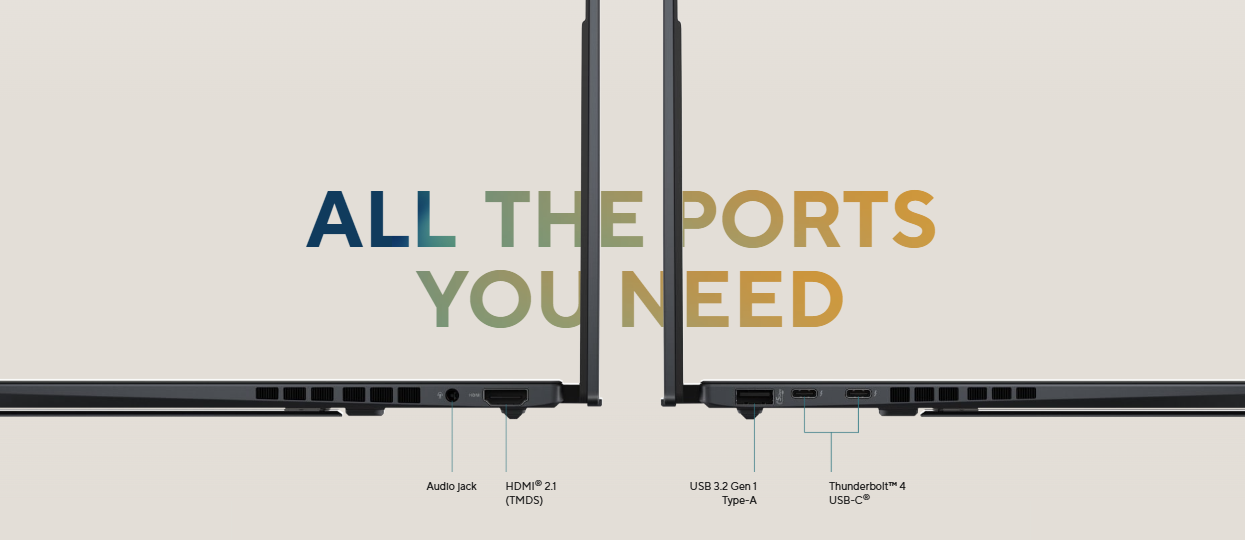
Connectivity: All the Ports You Need
ASUS Zenbook DUO packs in all the connections you need. The two ultrafast Thunderbolt 4 USB-C ports support fast charging, two 4K 60 Hz or one 8K 60Hz external displays, and up to 40 Gbps data transfers.

Battery: Long-Lasting Battery
There’s no need to panic if power outlets are in short supply: Zenbook DUO’s long-lasting 75 Wh battery can keep you productive for up to 8 hours. And when it’s time to charge, there’s no need to slow down — in just 49 minutes you can top it up to a 60% charge level. The redesigned 75 Wh high-capacity battery has an eco-friendly extended lifespan that supports up to 20% more charging cycles than the previous generation.
- 75Wh Battery capacity
- Up to 1.2x battery lifespan[9]
- 60% in 49 mins Fast-charge technology

- Single screen[10]: Up to 13.5 hrs video playback, Up to 8.8 hrs PCMark 10(Modern Office mode)
- Dual screen[10]: Up to 10.5 hrs video playback, Up to 8 hrs PCMark 10(Modern Office mode)
Smart Conferencing: ASUS AiSense Camera and AI Noise Cancelation
Take back control of your meetings with Asus innovative camera system and ASUS AI Noise-Canceling Technology, with new algorithms to make your conference calls even more productive.

Best Online Meeting Experience
The ASUS AiSense camera makes sure that you always look your best during virtual conferences.
Hear and be Heard Clearly
Two-Way AI Noise Cancelation leverages a massive deep-learning database to reduce background noise for microphone and audio.
Security: Your Privacy, Asus Priority
Stay secure with the camera privacy shield and fast, password-free face login.

Unlock, Instantly
Windows Hello Infrared (IR) camera allows you to unlock your laptop quickly and securely.

Audio: Great Audio Experience
Enjoy enhanced listening experiences with a smart amplifier and ASUS Audio Booster.

Environment Made for the Earth. Made for you
ASUS is committed to driving progress toward a more sustainable future. Zenbook DUO incorporates sustainable materials in the product and its packaging. Top ecolabels and compliance, including EPEAT Gold[11], ENERGY STAR and RoHS, prove Asus commitment to protecting the earth and giving you the best.

90% Post-Industrial Recycled (PIR) Magnesium-Aluminum Alloy
Designed with the Earth in mind using 90% PIR magnesium-aluminum alloy on the lid and base, without compromising quality, functionality, or durability.

FSC-Certified Packaging
All paper packaging is made from FSC-certified materials.

43% More Efficient Than Energy Star
ASUS Zenbook DUO exceeds the Energy Star energy efficiency standard by 43%[12] to reduce its electricity consumption, greatly reducing its carbon footprint.
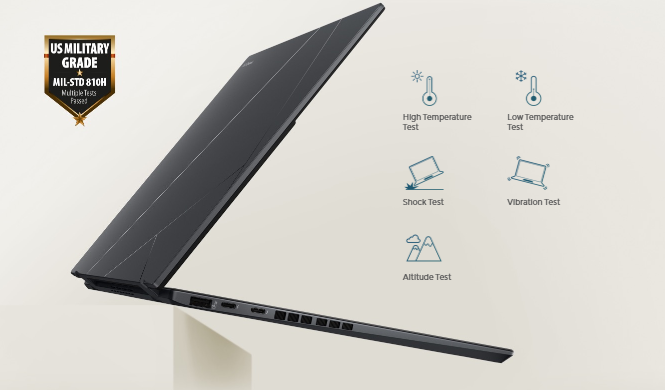
Military Grade: US Military-Grade Laptop Durability
ASUS consumer laptops meet the ultra-demanding MIL-STD 810H military standard[13] for reliability and durability, undergoing a punishing test regime that includes extended tests for operation in harsh environments. These factors also help improve the laptops’ longevity and hence their sustainability, so you can work, travel or relax with the confidence that your ASUS laptop is ready for the real world - today, and long into the future.
Notes:
1.Product and accessories specifications may differ from country to country. We recommend that you check with your local dealers for the specifications of the products available in your country.
2.The visual appearance of OLED displays may change over the product’s lifetime. This is expected behavior that can include image persistence or burn-in, where the display shows a faint remnant of an image even after a new image appears on the screen. This tends to occur only in extreme use cases, such as when a static, high-contrast image is continuously displayed for prolonged periods of time. ASUS laptops with an OLED display minimize this risk by setting Windows’s Dark mode as default, as well as shortening the idle time before the screen is turned off — both on mains (AC) and battery (DC) power. This dual approach minimizes the potential for burn-in to maximize the lifespan of your OLED display lifespan, and also reduces unnecessary power draw for optimal battery life. We also recommended adjust the brightness of your OLED display to complement the ambient lighting in your environment, rather than keeping the screen at maximum brightness at all times. You should also ensure that you have an animated, dark-background screensaver enabled in the Windows Settings tool.
3.The availability and warranty for bundled accessories/stylus vary according to country and territory. Please check with your local ASUS retailer for details.
4.Without keyboard.
5.Weight might vary by specifications.
6.WiFi 6E availability may vary by country and their specific regulations. Feature only supported by Windows 11 or later.
7.The figures are based on theoretical performance. Actual performance may vary in real-world situations.
8.Copilot in Windows (in preview) is rolling out gradually within the latest update to Windows 11 in select global markets. Timing of availability varies by device and market.
9.This data is derived from ASUS laboratory testing, which involves simulating daily charging frequency as the testing standard. The actual lifespan of the battery may differ depending on factors such as product configuration, usage patterns, operational conditions, and power management settings. Over time, the battery’s longevity will naturally decrease.
10.Battery tests conducted by ASUS on December 13, 2023 using the 1080p Video Playback scenario and PC MARK10. Test configuration: Zenbook UX8406MA, OLED panel, Intel Core Ultra 9-185H processor, 2 TB SSD, 32 GB RAM. Test settings: WiFi enabled but disconnected (not connected to any access point), Windows Power Plan set to Balanced, display brightness set to 150 cd/m2. Actual battery life may vary depending on product configuration, usage, operational conditions and power management settings. Battery life will decrease over the lifetime of the battery.
11.EPEAT registered where applicable. EPEAT registration varies by country.
12.Percentage varies according to device configuration.
13.The testing regime includes the requirements of both military-grade standards and ASUS quality tests, and varies depending on device. MIL-STD-810 testing is conducted on selected ASUS products only. Note that the MIL-STD-810 testing helps to ensure the quality of ASUS products but does not indicate a particular fitness for military use. The test is performed under laboratory conditions. Any damage caused by attempts to replicate these test conditions would be considered accidental, and would not be covered by the standard ASUS warranty. Additional coverage is available with ASUS Premium Care.
MyASUS Features
- System diagnosis
- Battery health charging
- Fan Profile
- Splendid
- Tru2Life
- Function key lock
- WiFi SmartConnect
- TaskFirst
- Live update
- ASUS OLED Care
- AI Noise Canceling
Disclaimer
This product has only been tested for compatibility with the Windows 11 operating system, and may encounter compatibility issues if Windows 10 or older OS versions are installed.
Product Features:
- Battery: 75WHrs, 4S1P
- Power supply: TYPE-C, 65W AC Adapter, Output: 20V DC, 3.25A, 65W, Input: 100-240V AC 50/60GHz universal
- Camera: FHD camera with IR function to support Windows Hello
- Keyboard & Touchpad: Soft Keyboard, 1.4mm Key-travel, Precision touchpad
- Neural processor: Intel AI Boost NPU up to 13TOPS