Game Changer: GeForce RTX 50 Series Laptops: Powered by NVIDIA Blackwell and Al
Ultimate Gaming Performance and Visuals
Over 700 games and applications use RTX to deliver realistic graphics, incredibly fast performance, and cutting-edge new Al features like DLSS 4.
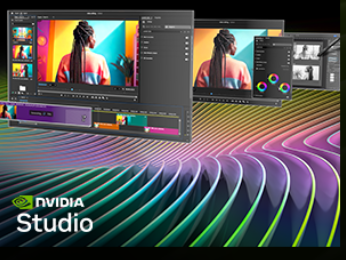
Your Creative Al-Advantage
Experience accelerations in top creative apps, NVIDIA Studio Drivers for maximum stability, and exclusive RTX tools for Al-assisted creative workflows.
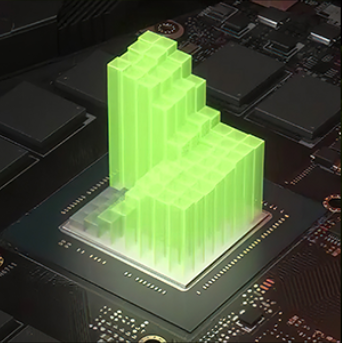
Al-Optimized Power and Performance
NVIDIA Blackwell Max-Q is designed from the ground up for maximum efficiency, delivering a massive leap in performance and battery life.
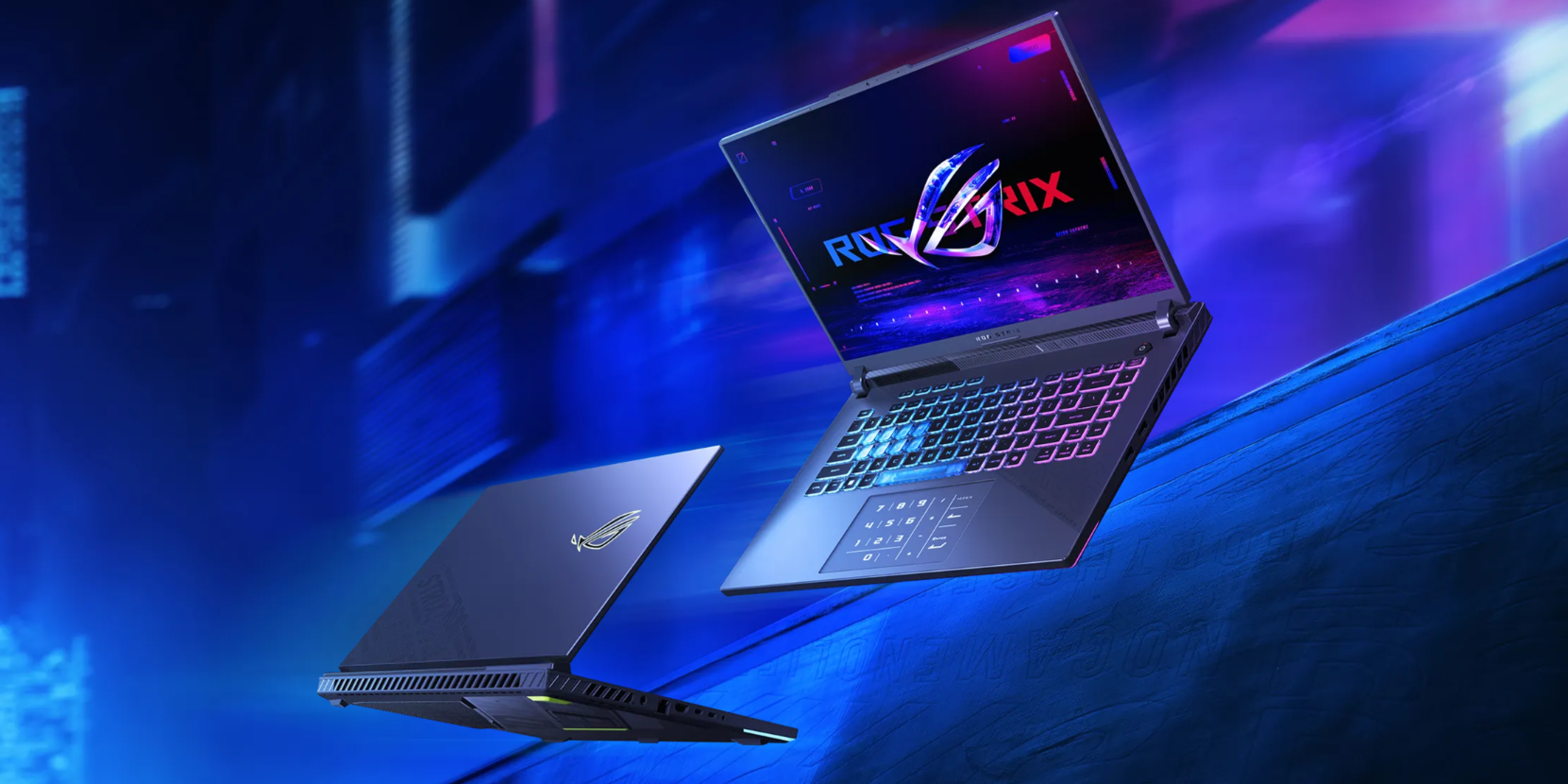
Rog Strix G16: Unite Your Squad. Rise To Victory
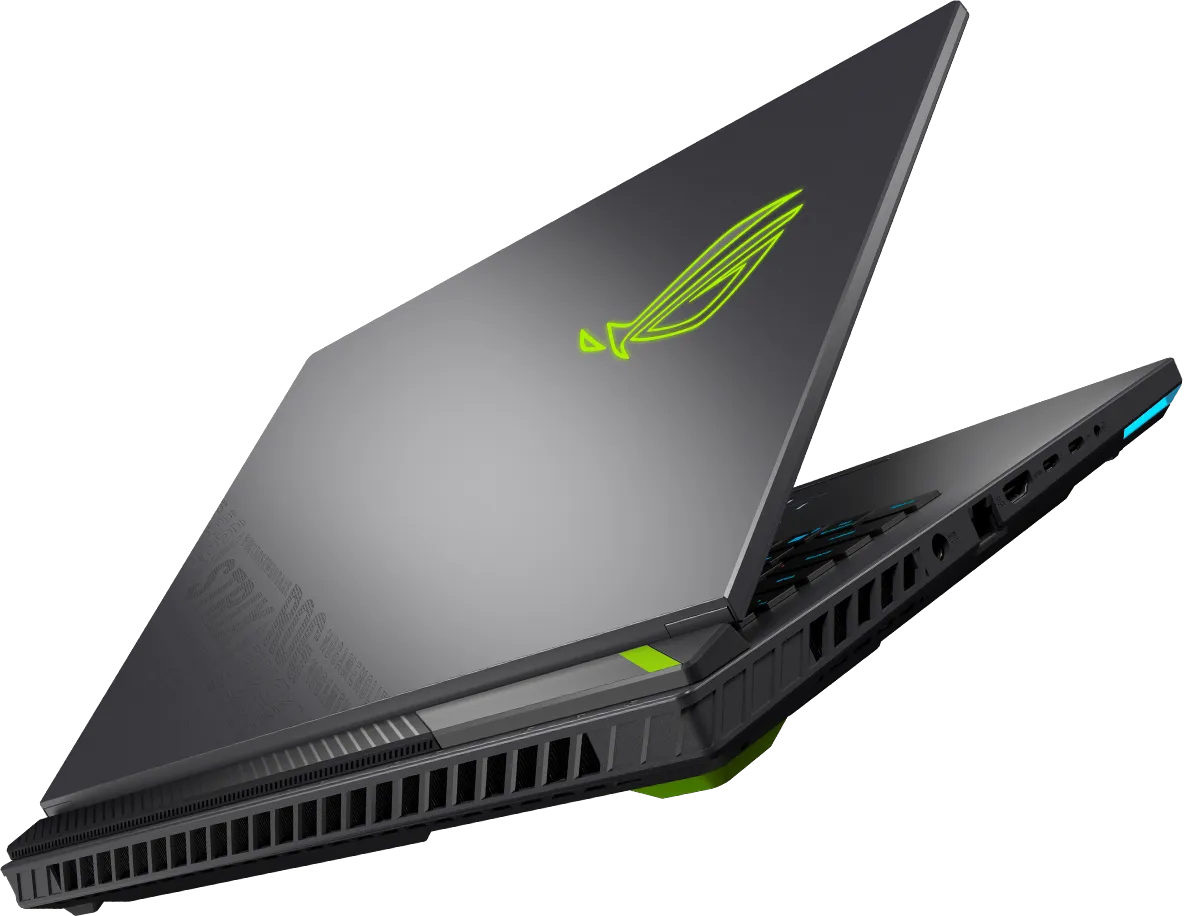
Reach new heights of Windows 11 Pro gaming with the 2025 ROG Strix G16, boasting up to an AMD Ryzen 9 9955HX3D processor and up to an NVIDIA GeForce RTX 5070 Ti Laptop GPU with a max TDP of 140W.
Power Up Your Play
Draw more frames and win more games with the brand new Strix G16 and Windows 11 Pro. Powered by up to an AMD Ryzen 9 9955HX3D processor and up to an NVIDIA GeForce RTX 5070 Ti Laptop GPU boasting a max TGP of 140W with Dynamic Boost, be ready to dominate the competition in all of the latest games. With up to 32GB of 5600MHz DDR5 RAM and PCIe Gen 4.0 SSD storage, and the ability to upgrade one slot to a PCIe Gen 5 drive*, large game libraries and intense multitasking sessions are a breeze for this gaming machine.
*The maximum read/write speed of Gen 5 SSDs may vary
**Support manual setup PCIe NVME RAID 0
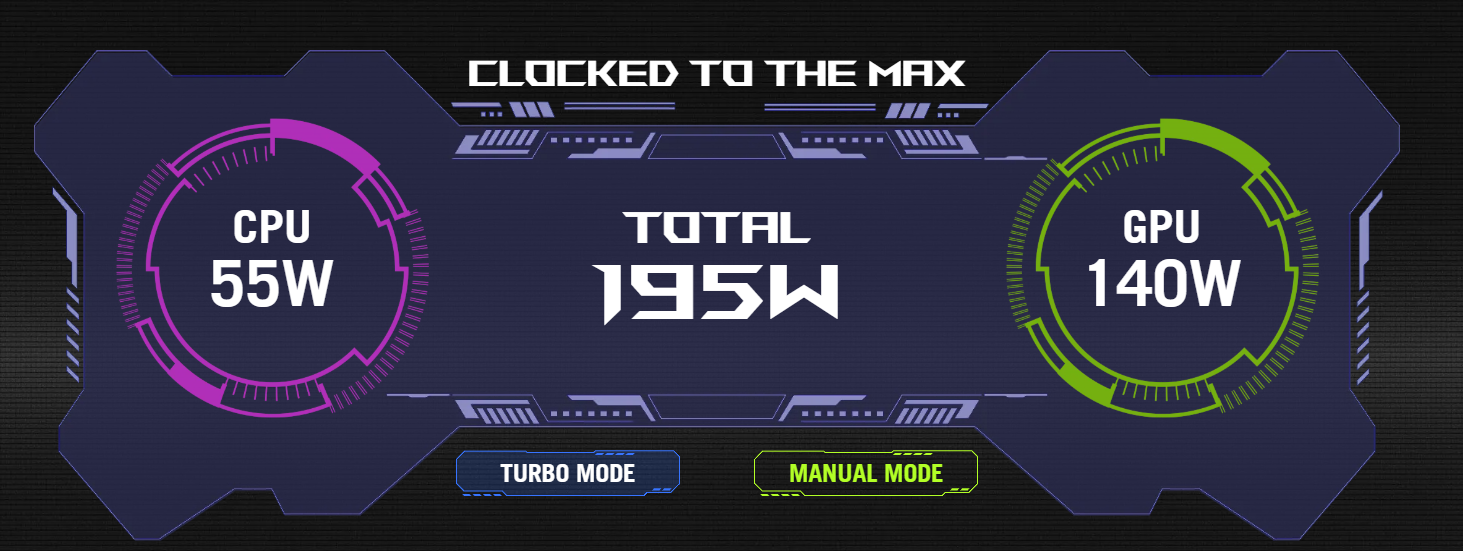
The Strix G16 comes with some of the world’s most powerful gaming hardware straight from the factory. But ROG wasn’t finished tuning the performance of this device. In Turbo mode, AMD Ryzen 9 9955HX3D processor has a power budget of 55W, while we've boosted NVIDIA GeForce RTX 5070 Ti Laptop GPU to an impressive 140W power envelope. When configured in Manual mode, the CPU can be allocated an additional 20W, for an incredible total system power budget of 215W. Trust ROG to deliver the ultimate gaming machine.
*Total system power budget of models with NVIDIA GeForce RTX 5070 Ti Laptop GPU

CPU: Do It All
Power through any game or project with AMD Ryzen 9 9955HX3D processor.

GPU Power Unleashed
Top-tier components require power, especially when it comes to maximizing your GPU’s performance. NVIDIA GeForce RTX 5070 Ti Laptop GPU is fully unleashed with a max TGP of 140W, thanks to the extra 25W available with Dynamic Boost.

Blazing Fast DDR5 Memory
The Strix G16 leverages cutting-edge DDR5 5600MHz memory modules with 17% faster speeds than the 4800MHz kits. This ultra-fast memory makes all aspects of the laptop feel snappy, from intense gaming to light web browsing.
Better. Faster. Stronger
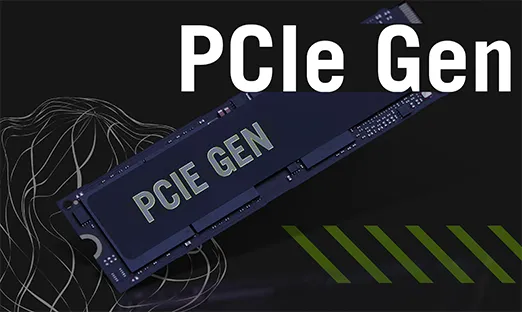
Take on even the largest projects with confidence thanks to a PCIe Gen 4 SSD configured in RAID 0*. With raw throughput up to 7000MB/s, massive files and detailed game worlds will load in the blink of an eye. One SSD slot on the Strix G16 is also ready to support a PCIe Gen 5 M.2 drive for future upgrades**.
*Support manual setup PCIe NVME RAID 0
**The maximum read/write speed of Gen 5 SSDs may vary

USB4 the Win
The Strix G16 supports dual USB4 ports, offering incredible flexibility and versatility. Both of these ports also support DisplayPort 1.4 with G-SYNC, offering a simple yet powerful connection to an external display. The 40Gbps transfer rate allows for up to a 4K 120Hz signal, and also supports PCIe tunneling, unlocking the ability to leverage external GPUs and other high-speed peripherals. USB4 is also fully compatible with Thunderbolt 3, giving you access to a wide range of high throughput devices.
Game Changer

GeForce RTX 50 Series Laptops: Powered by NVIDIA Blackwell and AI
Supreme Speed. Superior Visuals
DLSS 4 massively increases performance and improves image quality for top games using the power of AI.
Game-Winning Responsiveness
NVIDIA Reflex 2 with Frame Warp gives you the ultimate responsiveness, enhancing target acquisition, reaction time, and aim precision.
True-to-Life Graphics
Experience cinematic quality visuals at unprecedented speed with full ray tracing and breakthrough neural rendering technologies.

Game. Stream. Create
The Strix G series is built from the ground up for gamers — and, of course, game developers. The Strix G16 can run all of the latest game engines, enabling you to unlock your creativity and try your hand at making the next great game. Whether you’re a digital artist, streamer, video editor, or dabble with animation and game development, the Strix G16 has all the horsepower you need to take your creations to the next level. Featuring up to an AMD Ryzen 9 9955HX3D processor and up to NVIDIA GeForce RTX 5070 Ti Laptop GPU, complex projects on popular development tools like Unity and Autodesk run like a dream. You have what it takes to be the best on the battlefield, but are you ready to design the next one?
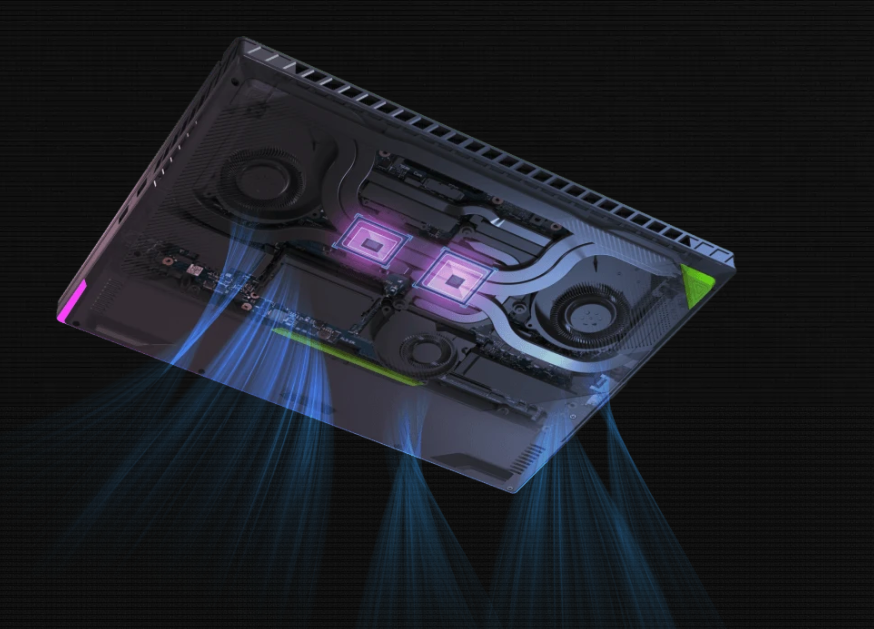
Groundbreaking Cooling
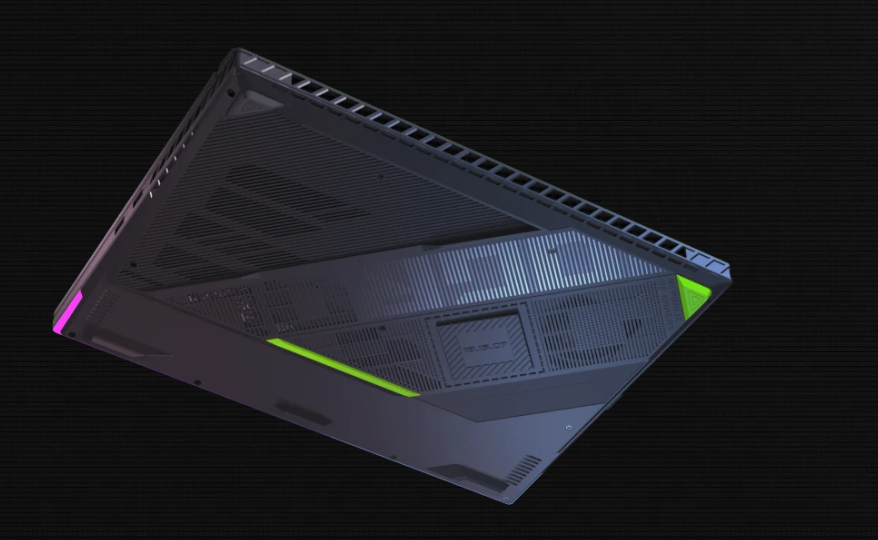
To accommodate such powerful components, the Strix G16’s chassis and motherboard were both designed to accommodate asus full-width heatsink, whose fins were moved even closer to the exhaust vents for more efficient cooling. The full-width heatsink is built from three different sections, surrounding the motherboard with densely-packed fins for a total surface area of 174,183mm²*. This design maximizes the available pathing for hot air to escape the machine and drastically increases overall airflow.
Finally, most gaming laptops have a dual fan cooling system, but the G16 was able to push the performance envelope even further with the a third fan that helps keep the GPU and VRAM cool. Paired with seven high-efficiency heatpipes and Conductonaut Extreme liquid metal on GPU*, the G16’s cooling system is a marvel of engineering.
*Models with RTX 5070 Ti GPU only
Full-Width Heatsink: Full-Surround Vents
Hot air needs somewhere to go, so we redesigned the G16's exhaust vents to give it the best flow possible. In addition to making the entire rear of the machine an exhaust vent, the G16 retains its side vents, giving it ample opportunity to move hot air out of the system. The chassis itself was also moved even closer to the heatsinks, giving hot air a straight-line path out of the machine and avoid any recirculation.
Tri-Fan Technology: Full-Width Heatsink
The Strix G16 features 373 heatsink fins, with each stack lined with ultra-thin copper as slim as 0.1mm. This allows for higher density and lower air resistance, providing a total surface area of 174,183mm²*. This full-width design is double the size of a typical laptop heatsink and covers the entire rear of the machine.
Models with RTX 5070 Ti GPU only
Conductonaut Extreme Liquid Metal: Tri-Fan Technology
At the heart of every great laptop is a great cooling solution. Asus Tri-Fan Technology directs air through precisely calculated cutouts in the chassis, sending airflow directly towards internal components to keep them cool in all conditions. A third auxiliary fan also helps to send additional heat from the GPU directly to the heatsinks, keeping the machine cool during long video renders or gaming sessions.
Up to 7 Comprehensive Heatpipes: Conductonaut Extreme Liquid Metal
The Strix G16 features Thermal Grizzly's cutting-edge Conductonaut Extreme liquid metal*, which improves heat transfer from the GPU. Compared to traditional thermal pastes. Used exclusively by ROG, this material offers the highest thermal transfer available on a laptop.
Conductonaut Extreme liquid metal is applied to the GPU on models with a RTX 5070 Ti Laptop GPU only.
*Temperature improvements compared to the previous gen thermal compound, as tested internally by ASUS. Thermal conductivity compared to industry standard.
OdB Ambient Cooling: Up to 7 Comprehensive Heatpipes
The Strix G16's comprehensive thermal design includes an extended heat spreader that absorbs heat from the CPU, GPU, VRAM, and VRM. With 7 heatpipes and an increase in total coverage from 26% to 33% of the motherboard compared to the previous design, this extensive thermal solution helps sustain and extend the overall performance, reliability, and lifespan of the system.
5
Dust Filter: OdB Ambient Cooling
Enjoy truly silent cooling under light workloads with OdB Technology. In the Silent operating mode, the cooling system switches off all fans during everyday tasks to dissipate heat passively. This lets you concentrate on your work and immerse yourself in movies with less distraction. If CPU or GPU temperatures increase, the fans automatically switch on again.
0.1mm Ultra-thin Fins: Dust Filter
The ROG Strix G16 features a dust filter on its intake vents. Dust and fibers can collect inside the machine, trapping heat and causing degraded performance over time. A filter helps keep dust out, allowing the CPU and GPU to breathe easier for years of smooth and stable operation
Internal testing in a simulated dusty environment.
CoolZone Keyboard: 0.1mm Ultra-thin Fins
Thermal energy is dissipated by three heatsinks, each lined with ultra-thin copper fins as slim as 0.1mm. These fins are half the size of typical solutions, allowing for higher density and increased heat dissipation, as well as lower air resistance to allow for smoother flow. With up to 373 heatsink fins totaling 174,183mm²* of surface area, heat flows out of the system incredibly efficiently, letting your components boost higher, for longer.
Models with RTX 5070 Ti GPU only
Scenario Profiles: CoolZone Keyboard
Extended gaming sessions can heat up internal components and make the keyboard warm to the touch. To keep your fingers cool, small vents around the WASD keys let the fans draw cool air into the chassis from above.
Full-Surround Vents: Scenario Profiles
Asus Silent, Performance, and Turbo modes are just the beginning.
Scenario Profiles allow your system to automatically switch between these modes based on the application you're running, alongside other vital system settings. Switch between lighting configurations automatically, disable the Windows key and touchpad during games, and automate to your heart's content.
Armoury Crate makes adjustments in an instant to best fit the task at hand.

Rog Nebula Display: See Clearly
You can’t beat the enemy if you don’t see them coming. The Strix G16 has ultra-fast panel options for every scenario, making sure you’ll never miss a moment. One of the offerings is asus gorgeous ROG Nebula display. A QHD 16:10 panel with 500 nits of brightness, 100% DCI-P3 coverage and 3ms response times, this panel has pixel-perfect precision even in the most frenetic firefights. Exclusive for the 240Hz screen, we added an Ambient Contrast Ratio (ACR) layer to reduce reflections and enhance contrast. The Strix G16 is also available with a Full HD 165Hz panel. Each option offers fantastic color, Dolby Vision, Adaptive-Sync support, and a 90% screen-to-body ratio for a stellar gaming and viewing experience.

TÃœV Rheinland Certification
Nebula Displays are TÃœV Rheinland Certified, ensuring they are low blue light compliant and flicker-free, preventing eyestrain during long gaming or content creation sessions.

NVIDIA G-Sync
Nothing breaks in-game immersion like stuttering and tearing.
GPUs render frames at variable rates, but displays usually refresh at a constant clip, so they can get out of sync, causing visible hitching and artifacts that pull you out of the action.
With NVIDIA G-SYNC, the refresh rate of the display synchronizes with the GPU's frame rate to eliminate visual tearing, minimize stuttering, and reduce input lag. Get ready to experience gameplay that looks and feels more natural than ever.
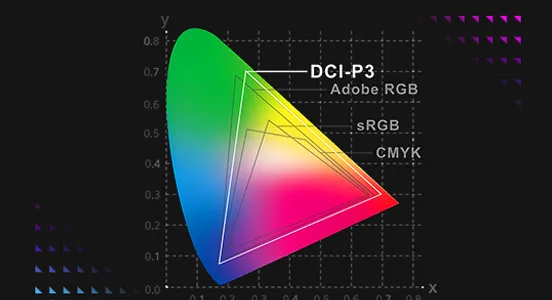
100% DCI-P3 Color Coverage
While the sRGB color space is the standard for most digital visuals, it only represents about 75% of the DCI-P3 spectrum used for professional filmmaking. Displays with complete DCI-P3 coverage offer a wide color gamut for more vibrant images, letting you see films and other media exactly the way they were meant to be experienced.
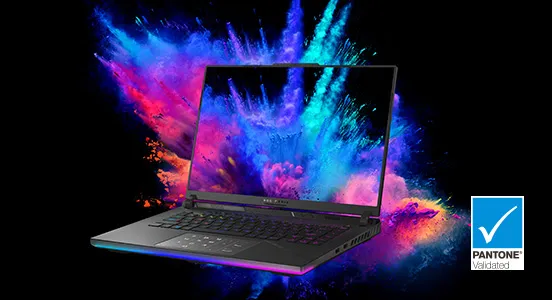
Pantone Color Validation
Each IPS-level display is factory-calibrated to ensure that colors are accurate to the Pantone palette. Artists, designers, and content creators can add high-quality content to their portfolios and enjoy richer gaming visuals all on the same machine.

Dolby Vision Technology
Scene to scene, frame to frame, Dolby Vision makes media look better. The technology improves on standard 4K high dynamic range (HDR) video, dynamically adjusting visuals to make every image in front of you richer, brighter, and livelier.
Creators can film and edit their streams, videos, and other content in a format commonly used by industry professionals.
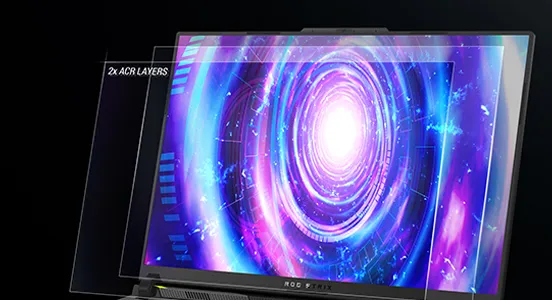
ACR Technology
This year, we added two layers of Ambient Contrast Ratio film to the display, which reduces reflections by 55% and provides up to 4.5x better contrast, ensuring the image stays punchy, vivid, and accurate. A second layer boosts viewing angles for a 180° ultra-clear view, providing an image that looks just as good off-center as it does straight on. This machine doesn't just perform at a high level - it draws you into the visuals, with colors so realistic it's as if you were right in the middle of the action.

Designed to Win.Built for Victory
The Republic of Gamers was built by those who love to play video games. All ROG machines are designed with gamers in mind, from the chassis, lighting integration, software controls, and macro functions. These ROG exclusive features not only give you a competitive advantage, but they make sure you never blend in with the crowd.

Software: Endless Customization
When you want to tweak settings, monitor temperatures, or tinker with your laptop, Armoury Crate is your command center. Real-time monitoring allows you to see what your GPU, CPU and memory are doing. RGB can be adjusted on a game-by-game basis with Aura Sync. Fan and power profiles allow you to change the acoustics, power delivery, and thermal characteristics of the laptop on the fly. And exclusive game deals keep your library topped off at all times.
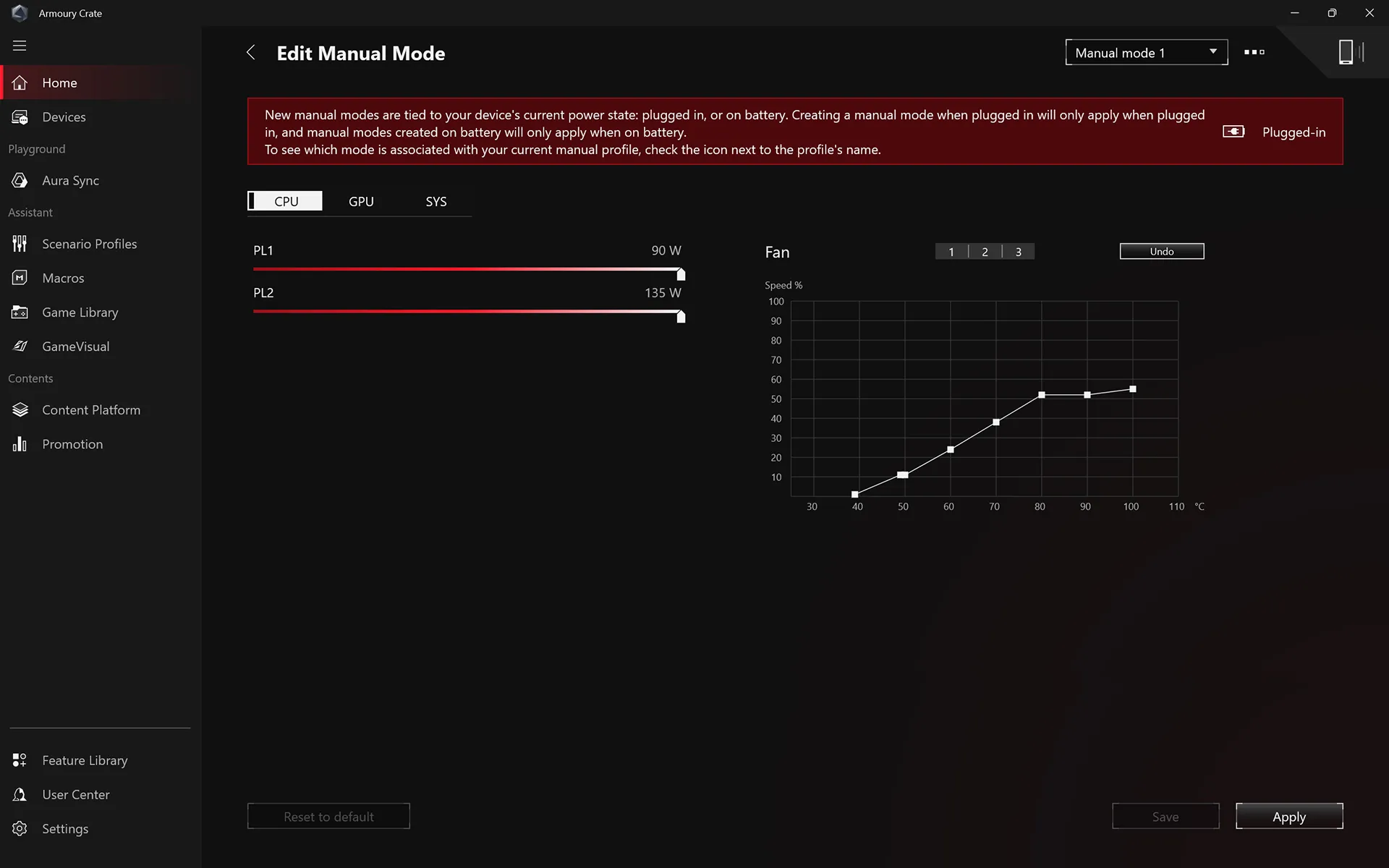
Performance Modes
More than just simple fan curves, Armoury Crate's performance modes serve to transform your machine from a silent, power sipping web browser to a full gaming battlestation with maximum horsepower. And for those that require even more granular control, Manual mode removes all limiters and lets you make a custom profile that suits your exact needs.
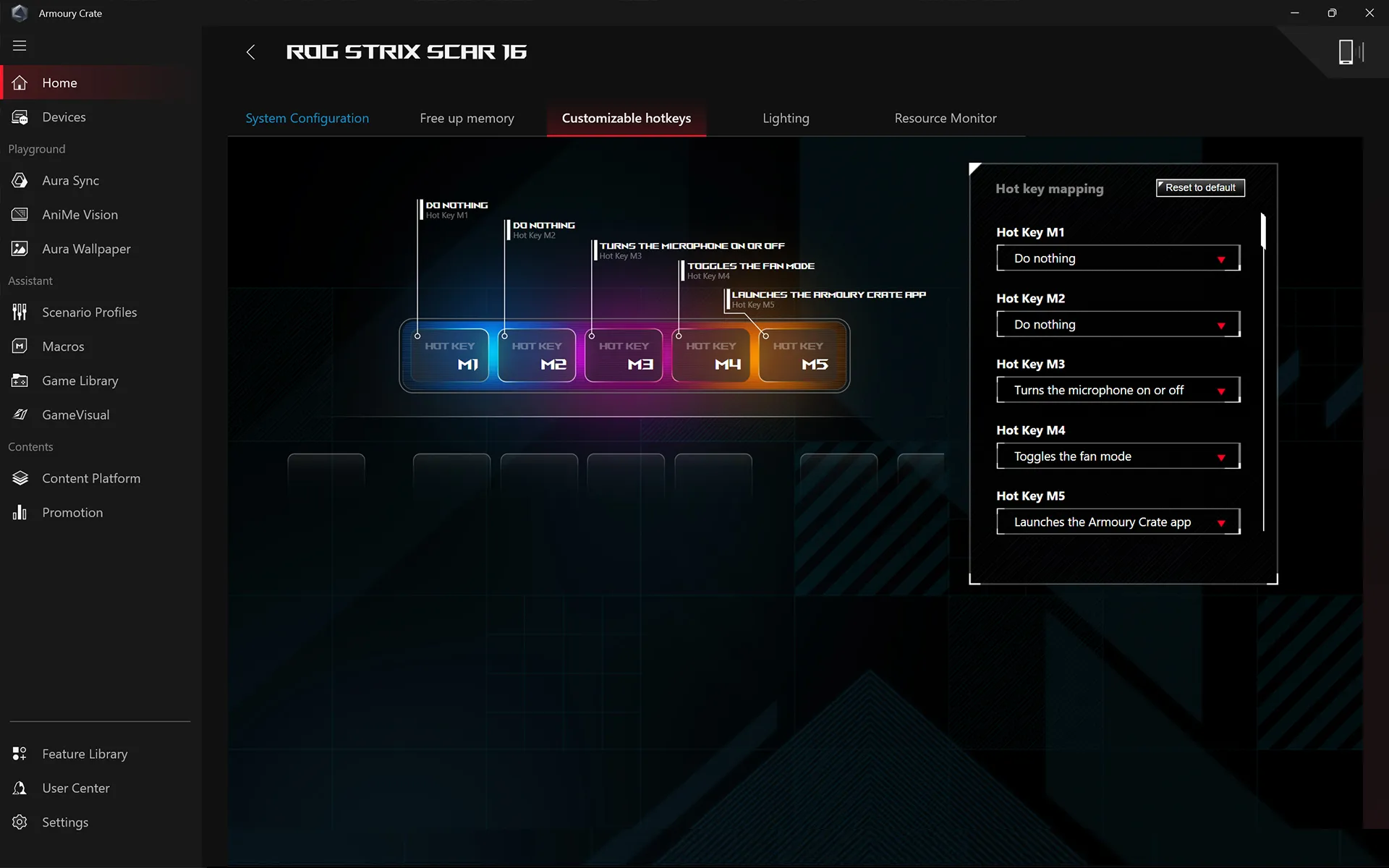
Macro Keys
Armoury Crate also supports full customization of the dedicated hotkeys. By default they act as volume control, microphone mute and a quick launch for Armoury Crate, but with a few adjustments you can make them work for you. Create a function key for quick toggle when needed, a macro for complicated button combinations, or even a quick launch button for the application of your choice. Make your machine uniquely yours.
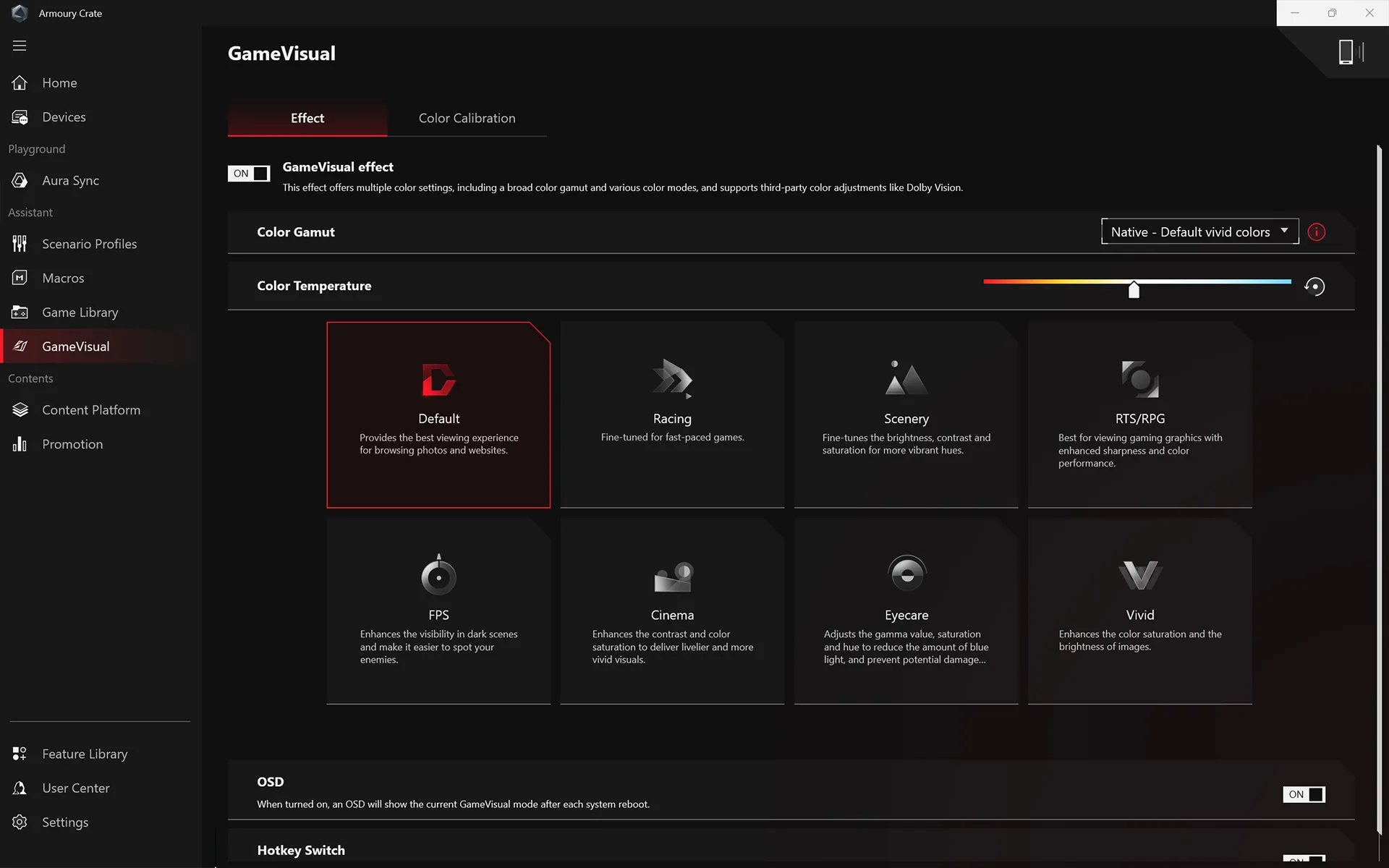
Game Visual
ROG GameVisual software offers six expertly tuned graphic modes designed to optimize your visual experience for specific game genres. First Person Shooter (FPS) mode, for example, enhances visibility in dark environments, allowing you to get the drop on any enemies lurking in the shadows.
Use GameVisual to get the best experience for every game in your library.
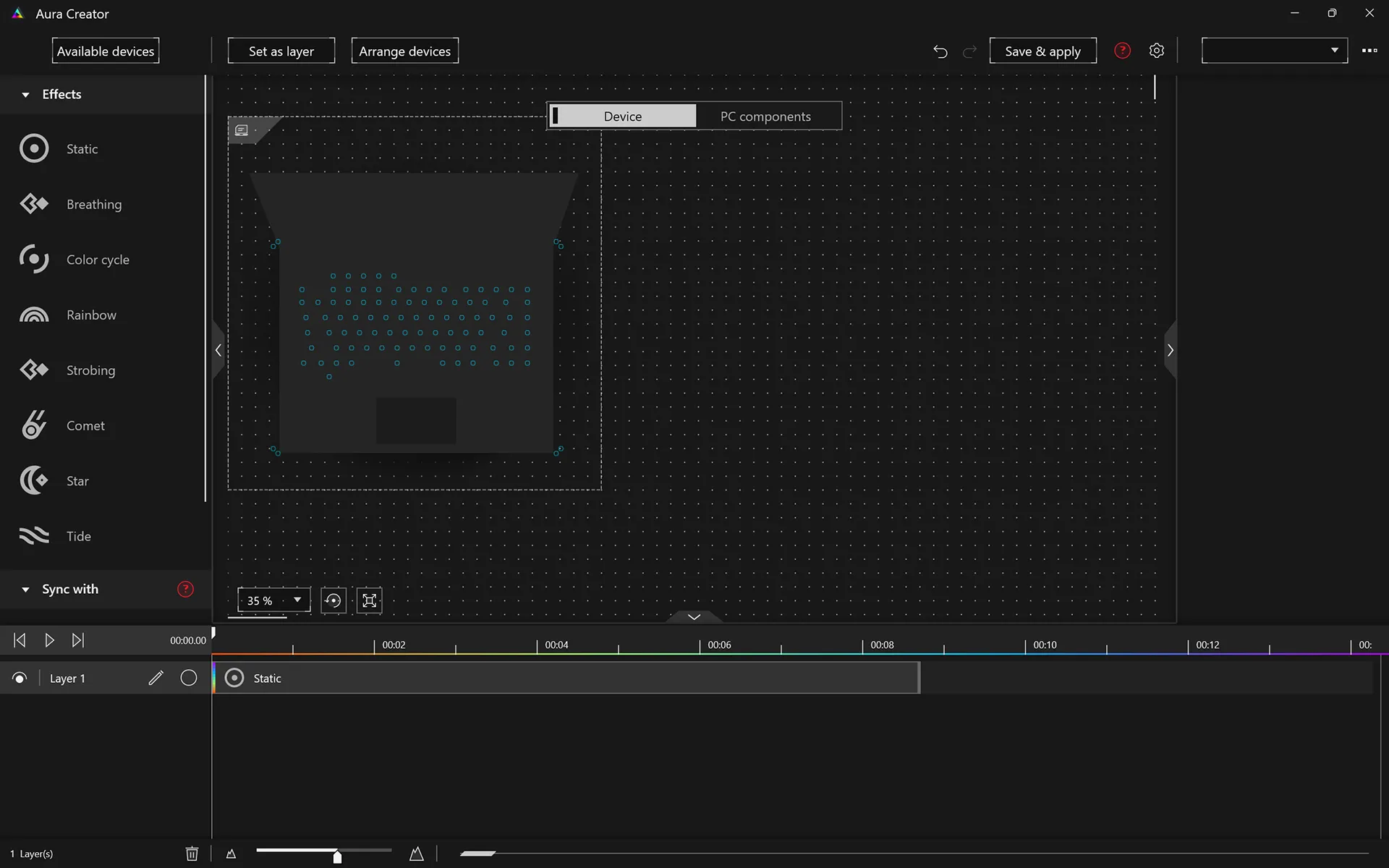
Aura Creator
Customize the RGB lighting on Aura-compatible peripherals to suit your gaming style. Aura Creator's easy-to-use control panel allows you to alter a brilliant spectrum of lighting effects and colors, in addition to swapping preset lighting modes, you can also activate Aura Sync to match colors and effects across multiple devices.

Aura Wallpaper
This brand-new feature in Armoury Crate 5.0 allows you to synchronize an animated desktop wallpaper with your laptop's RGB lighting. Choose between multiple ROG-themed wallpapers and RGB effects to give your rig a completely unified look. Additional wallpapers can be downloaded directly from Armoury Crate, and the application can easily be controlled from the Windows system tray.

Scenario Profiles
Automatic switching between Silent, Performance, and Turbo modes is just the beginning for Scenario Profiles. You can also define application-specific preferences for other vital system settings, like the lighting configuration and whether the Windows key or touchpad are enabled. Armoury Crate makes adjustments in an instant to best fit the task at hand, and you can configure each profile exactly how you want.
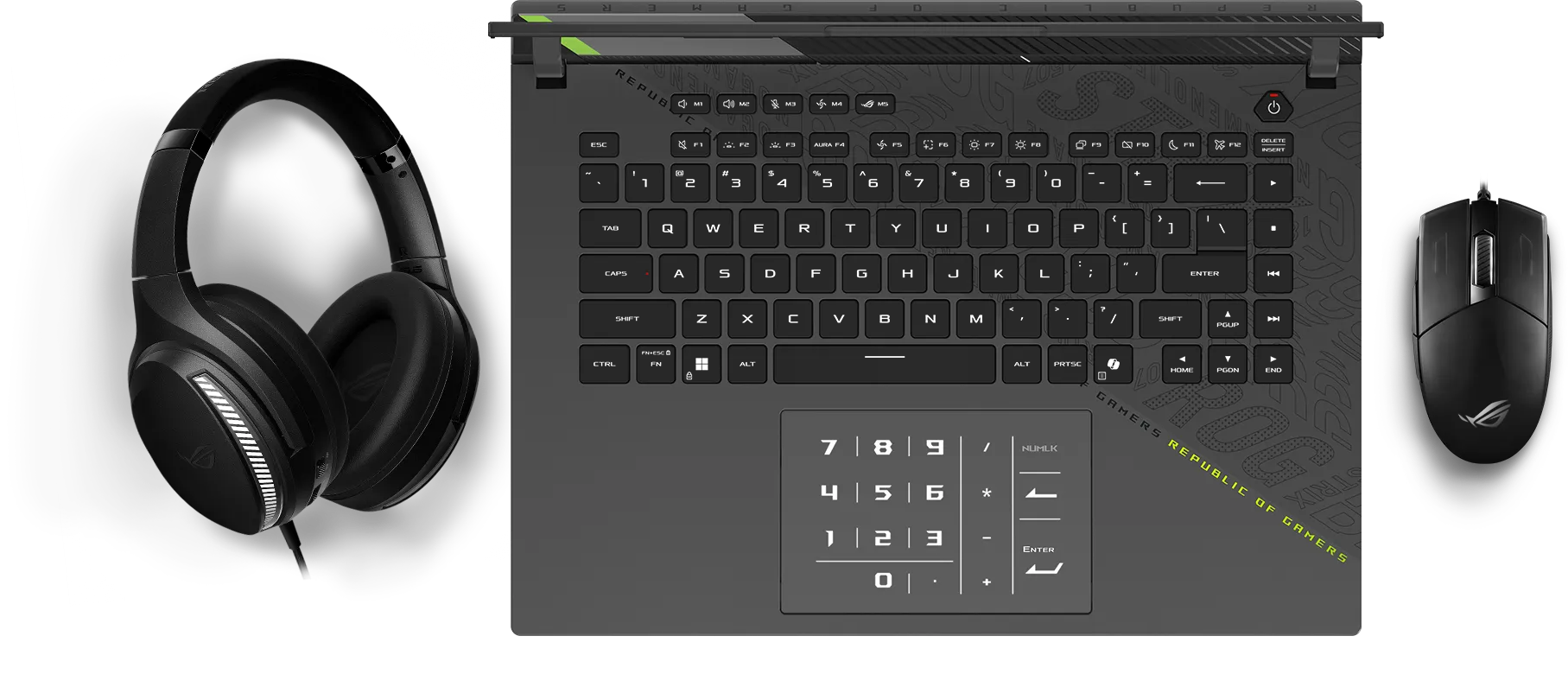
Keyboard: Press the Attack
The difference between victory and defeat can be separated by a single keystroke, so the Strix G16 has a full-size keyboard designed to secure the win. Overstroke technology offers sublime work and play, reducing key actuation and improving responsiveness. Built with gamers in mind, the keyboard features spaced function keys for intuitive identification and dedicated hotkeys for quick access to essential commands. Large arrow keys allow for more accurate control in the heat of battle. A larger touchpad means easier tracking across all of your applications, while per-key RGB lighting lets you choose from millions of colors on every key for endless customization. You can also create game specific layouts via Armoury Crate, making every game feel unique.

Dedicated Hotkeys
Dedicated gaming hotkeys sit just above the left side of the keyboard for quick access to the volume and mic mute controls, operating modes, and Armoury Crate. They are also fully customizable, and can be programmed to launch apps, set as a function key, or used as a macro. The Strix G16 has all the tools you need for victory.
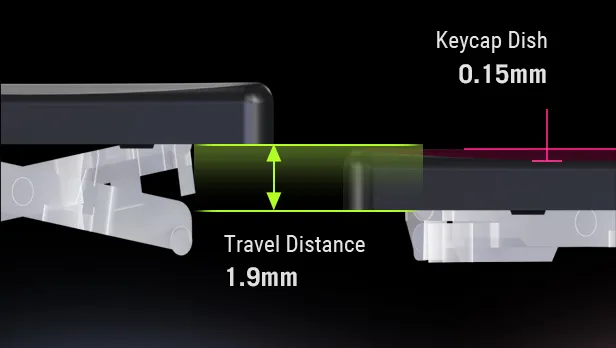
Overstroke Technology
Exclusive ROG Overstroke technology registers keypresses earlier in the stroke, enabling a more responsive experience for serious gaming and work. Triggering earlier means faster, effortless inputs with greater accuracy.
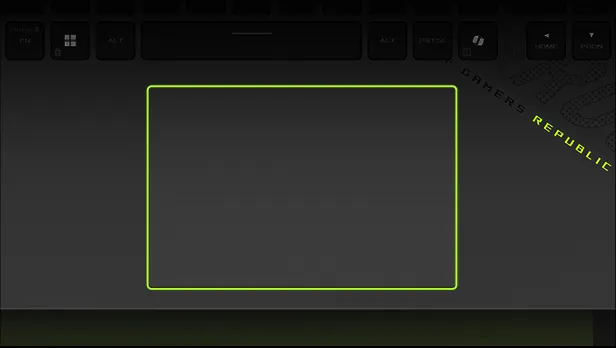
Large Touchpad
Improve everyday comfort and usability with a glass coating for a more premium feel. More space means greater precision along with more comfortable hand movements and gestures while you’re navigating. Despite still being a 15-inch chassis, the Strix G16 also includes a touchpad-based NumberPad, giving you even more options when using your device.
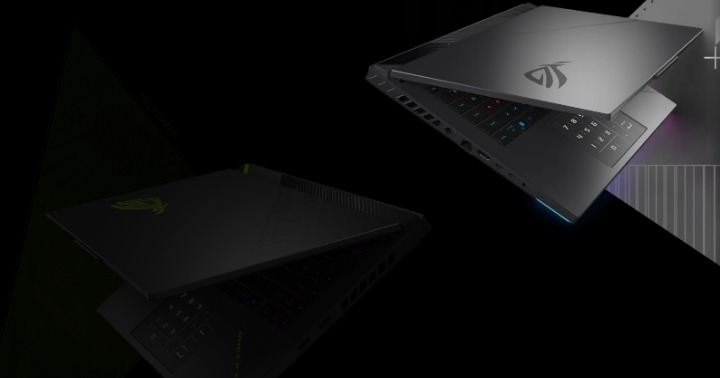
Id Design: Colorize Your Life
Not every gamer is the same, so the Strix G16 comes in two colors to better reflect your sensibilities. For a more stealth look, the classic Eclipse Gray keeps the true power of your machine under wraps. For those who enjoy making a statement, Volt Green is a bold choice that stands out from the crowd.

Subtle Detailing
The Strix G16’s pixel art accents give the chassis more flavor and flair, while still being easily identifiable as an ROG machine from across the room.
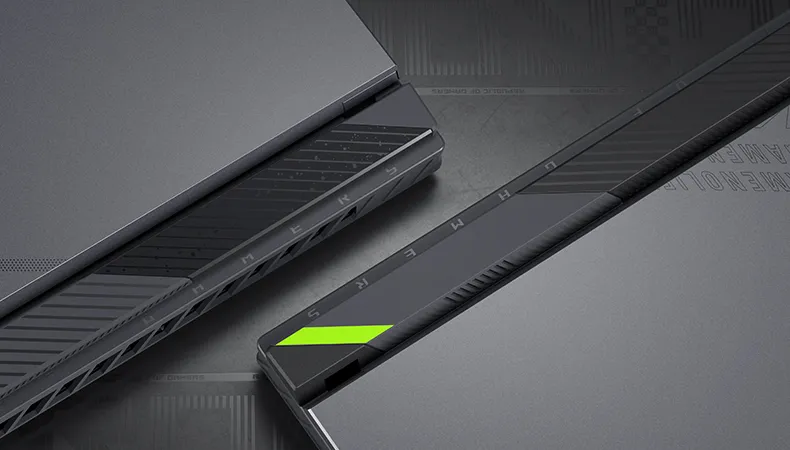
Bold Accents
For added visual interest, the Strix G16 also features a paint specking pattern above the rear exhaust ports. Inspired by graffiti art and the cyberpunk aesthetic, even casual passers-by will notice that the Strix G16 has more attitude than other gaming machines.
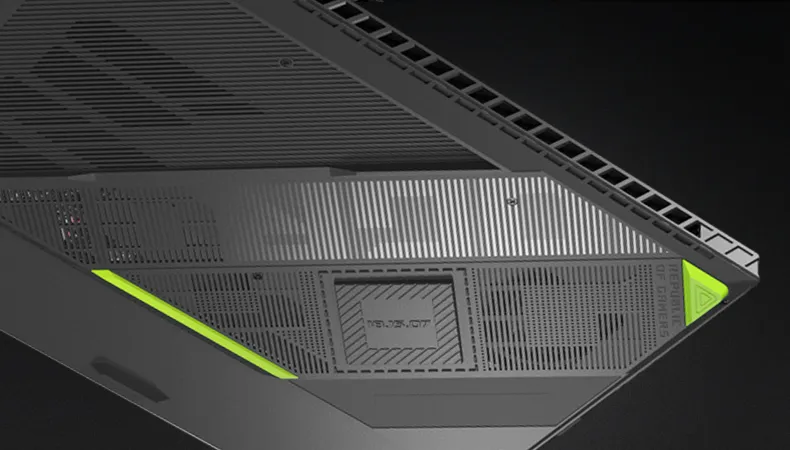
Stun at Every Angle
Thoughtful details set this laptop apart from the competition. Asus 360° design philosophy puts subtle but distinctive elements across every part of the machine. The dot matrix pattern splashed across the lid cuts down to meet cross-hatched vents beneath the base. An expansive rubberized grip holds the laptop firmly in place and makes it easier to carry. Typographic elements around the trim subtly show off your ROG pride.

Studio-quality Sound
Dual Dolby Atmos-powered speakers create an authentic sound stage for your games. Hi-Res audio ensures you hear your music in the same quality it was recorded. Two-Way AI Noise Cancelation processes both incoming and outgoing audio to filter any errant background noises, making sure that your calls, chats and streams come through without distraction.

Two-way AI Noise Cancelation
Asus advanced Two-Way AI Noise Cancelation technology runs on the CPU, which frees up the GPU to hit higher FPS. It works with any input device and also with downstream connections, letting you remove noise from both your own mic input and from incoming feeds. Noise-canceling settings can even be customized per program, filtering specific apps like voice chat without affecting game audio you want to remain untouched.

Immersive Sound
Richer audio draws you more deeply into gameplay and media. Virtual 5.1.2-channel surround sound powered by Dolby Atmos enhances spatial immersion with more nuanced, layered sound effects that you can optimize with specially tuned preset modes for movies and game
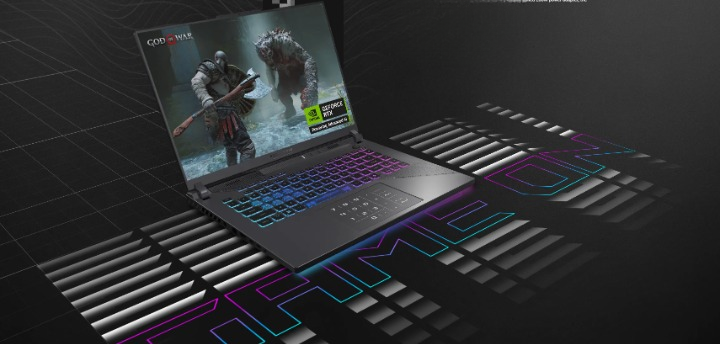
All-day Endurance
The Strix G16 is ready to go the distance. Featuring a 90Wh battery, the laptop can easily browse the web for hours away from the wall before needing a recharge. For flexibility on the go, USB Type-C charging is supported up to 100W. When charging using the supplied 280W power adapter, the G16 can recharge from zero to 50% in just 30 minutes.
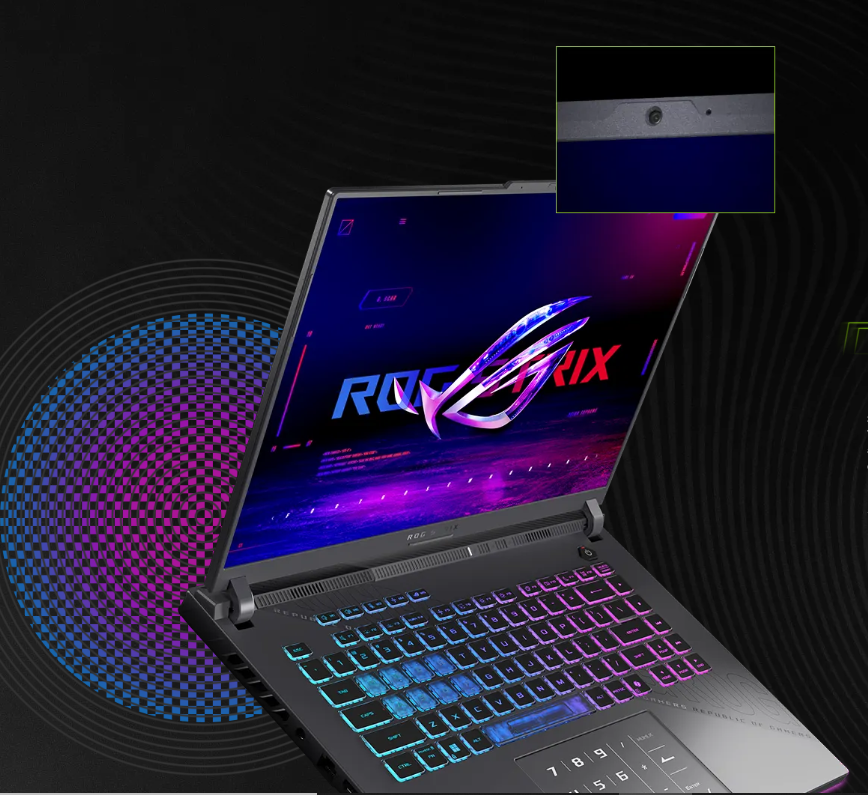
Stay Connected
In modern multiplayer games, a stable internet connection is imperative. The Strix G16 is ready to join the fight with a dedicated RJ45 port, as well as the Wi-Fi 6E wireless standard. On Wi-Fi 6E supported networks, enjoy access to an extra wireless band, free from clutter and interference from your home’s other wireless devices, ensuring you never lag out again.
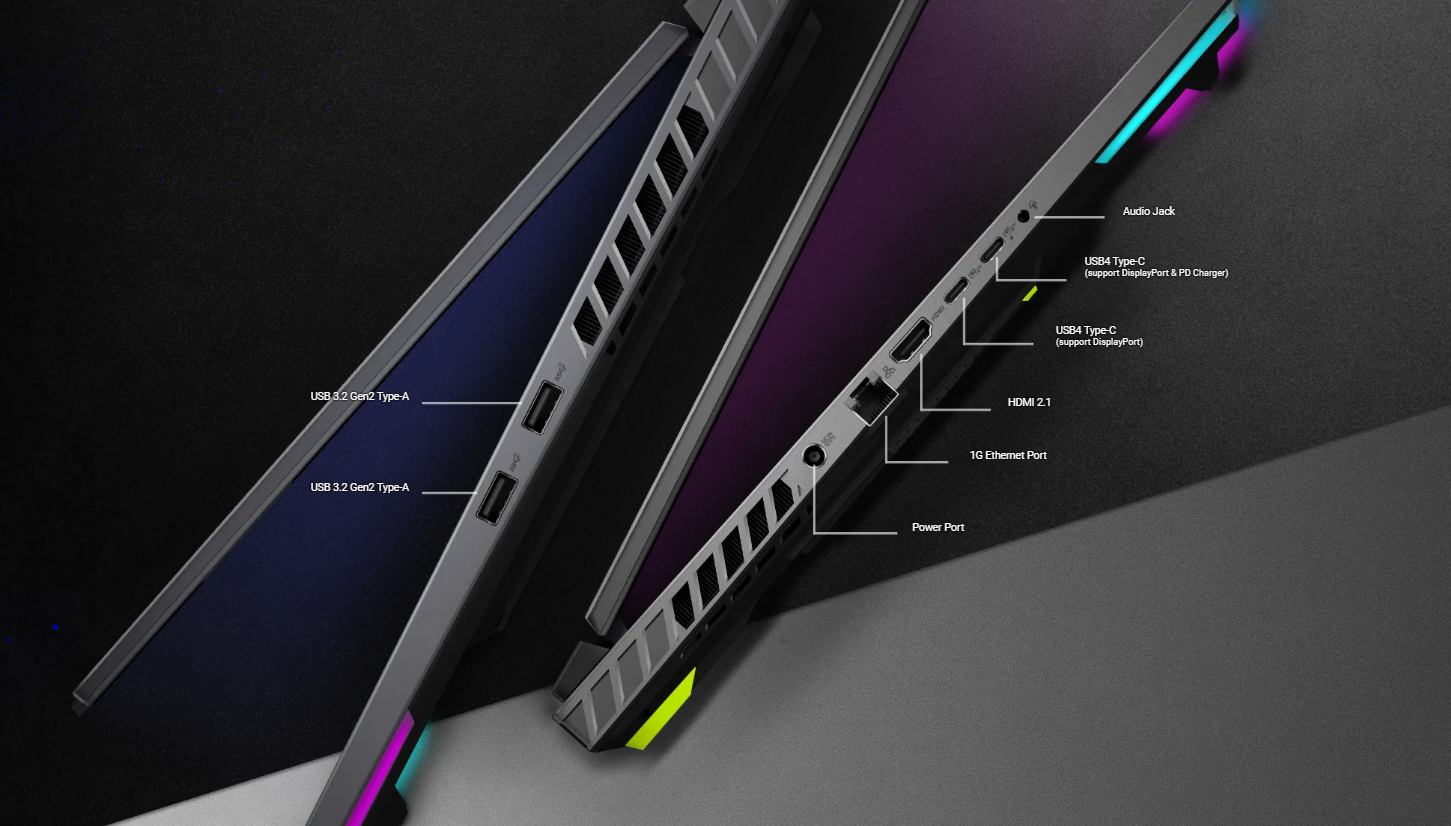
Stay Connected
When you need to plug into the big screen, the dedicated GPU powers an HDMI 2.1 port for the latest TVs and monitors, increasing total bandwidth from 18 to 48Gbps, and supporting up to 4K 120Hz and 8K 60Hz content. Two USB4 Type-C ports allow for plenty of connectivity— for DisplayPort and one for power delivery.
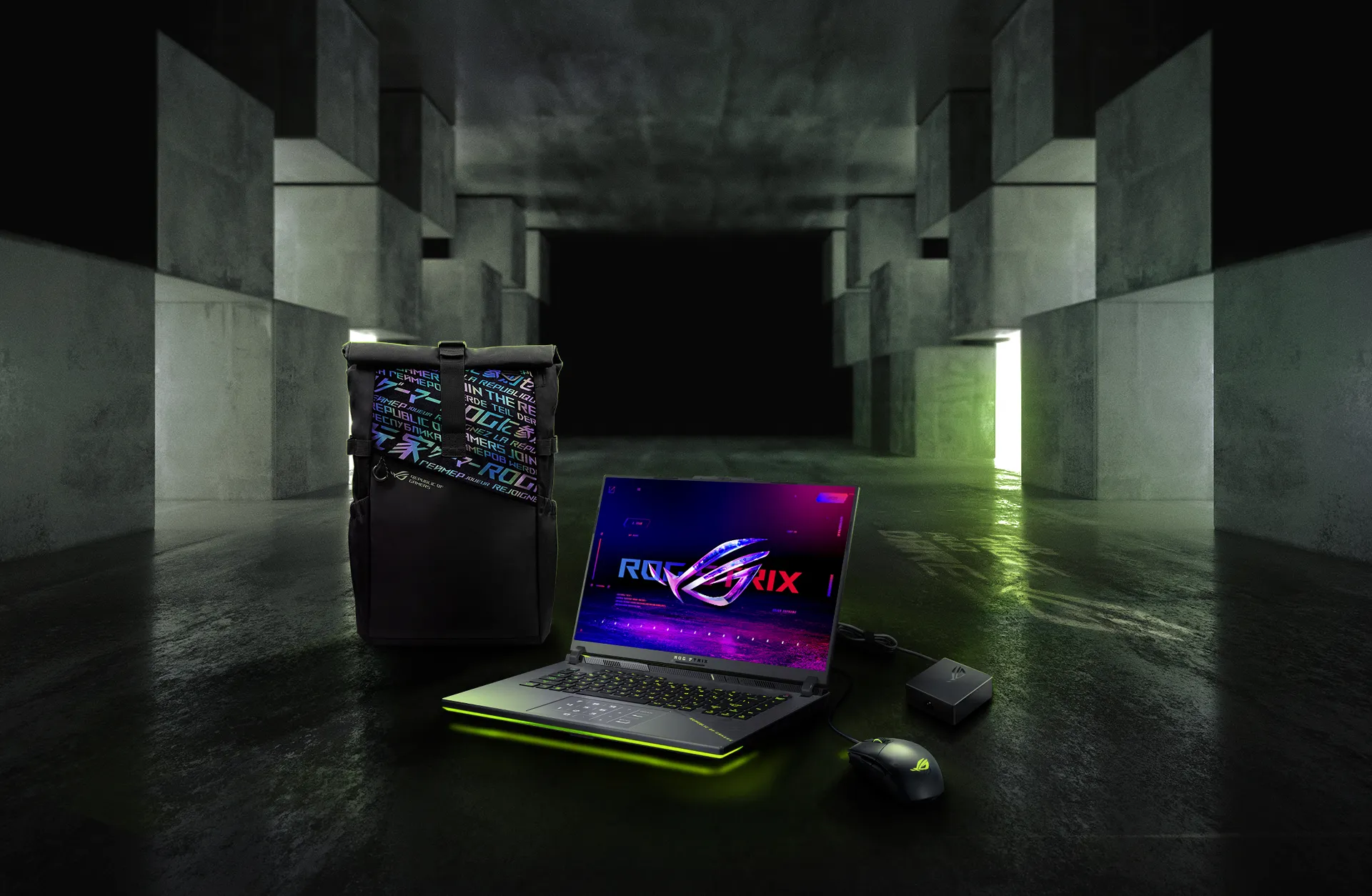
Gear Up: Volt Green
Gear up with a huge array of peripherals from ROG. From wireless gaming mice, to keyboards, headsets, and more, ROG has all the tools you need to assemble the ultimate battlestation.
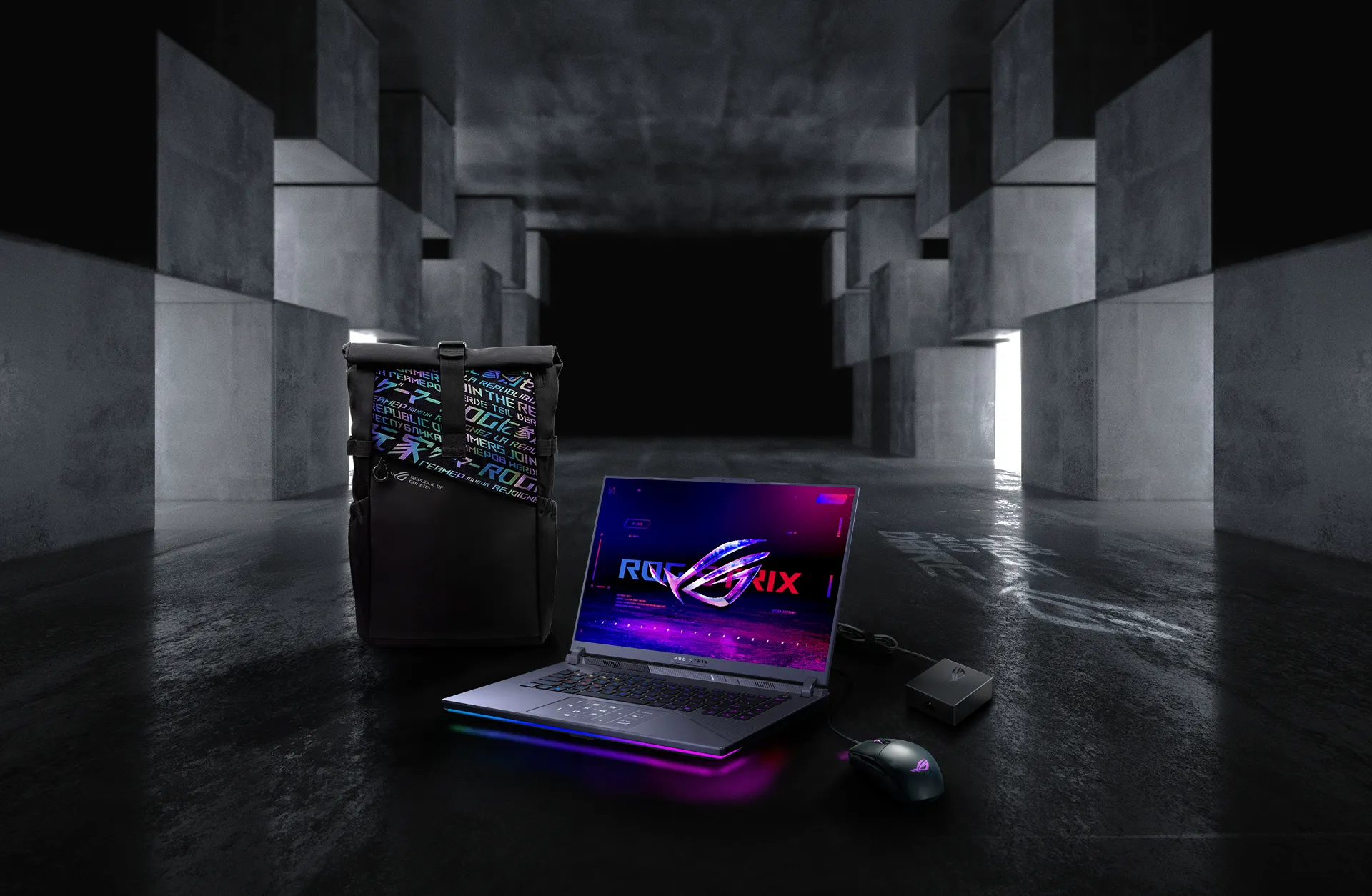
Eclipse Gray

PC Game Pass: Discover Your Next Favourite Game
Play hundreds of PC games on your new ROG devices with 3 months of PC Game Pass.
The specific plan of Game Pass included with your laptop may vary and is subject to availability at the time of production.
Product Features:
- Anti-glare display
- Response time: 3ms
- Expansion slots (includes used): 2x DDR5 SO-DIMM slots, 2x M.2 PCIe
- 1x 3.5mm combo audio jack
- AI noise-canceling technology
- Built-in array microphone
- Aura sync light bar