


Description
WHILE STOCKS LAST
A Processor that Means Business
Stay on top of your to-do list with the latest 13th Gen Intel Core processor. It delivers superior multi-core performance, powering through workloads at incredible speeds.
*CPU and GPU specifications vary depending on model.
**Screen image simulated for illustrative purposes.
***Adobe product screenshots reprinted with permission from Adobe.
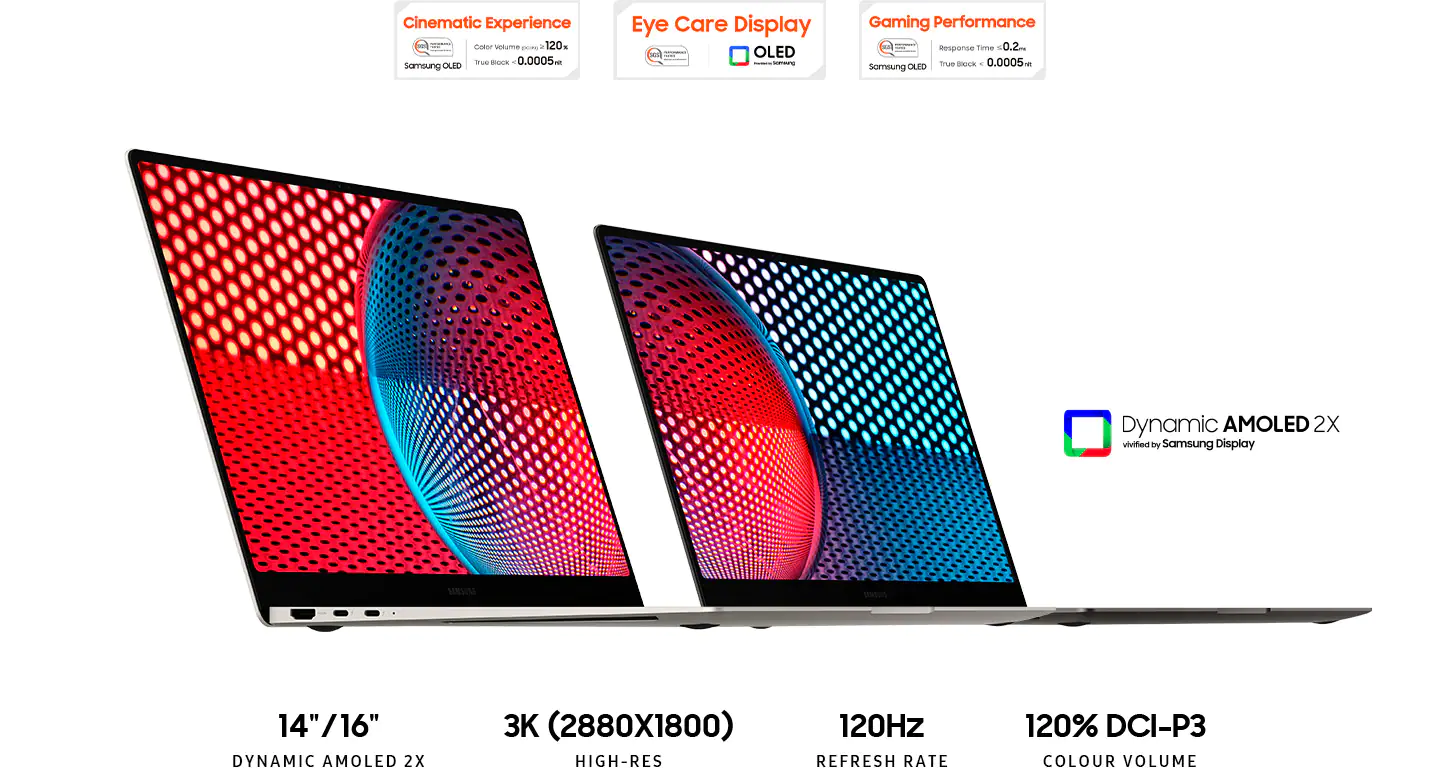
Your Work on Full Display
Get lost in crisp 3K (2880x1800) resolution and super-smooth 120Hz as they deliver a cinematic and seamless viewing experience. Every detail comes to life on the 14 or 16-inch screen.
*Screen size varies by model.
**Screen image simulated for illustrative purposes.
***Screen size is measured diagonally as a full rectangle without accounting for the rounded corners. Actual viewable area is less due to the rounded corners.

Lightweight to Work From Anywhere
Slim enough to fit in your briefcase with a compact aluminium body that weights just under 1.6kg, this power-packed laptop is designed to go where you do. Available in Graphite.
*Thickness, weight and colour availability vary by model and configuration.

More Touchpad. More Possibility
With an expanded touchpad and wide range of built-in ports, get the plugs and versatility you've been searching for - HDMI, USB-A, microSD slot and even two Thunderbolt 4 ports for blazing-fast 40 Gbps file transfers. No dongle needed.
*Touch pad size of 14" model compared with Galaxy Book2 Pro 13.3", 16"" model compared with Galaxy Book2 Pro 15.6" and Galaxy Book2 Pro 360 15.6".
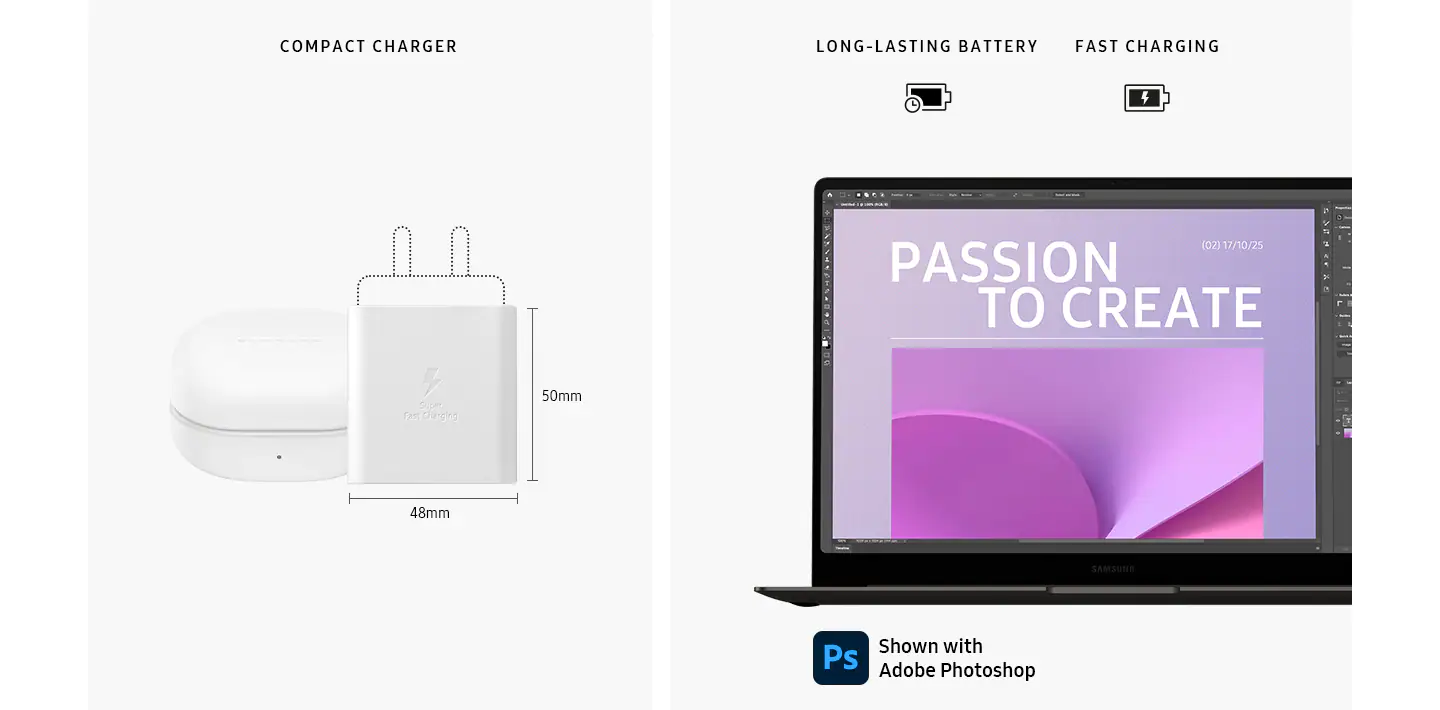
Battery that Lasts Through Overtime
Power through the day's projects with a long-lasting battery. Then grab a coffee as your laptop charges up in a flash — with a light and compact charger that even works with your other Galaxy devices.
*Size comparison with Galaxy Buds2 Pro.
**Adobe product screenshots reprinted with permission from Adobe.

Break Time Sounds Good
From project kickoff to match kickoff, catch everything with the depth and clarity of the quad-speaker system on Galaxy Book3 Pro. The four immersive speakers are tuned with AKG and Dolby Atmos, so every victory sounds better than ever.
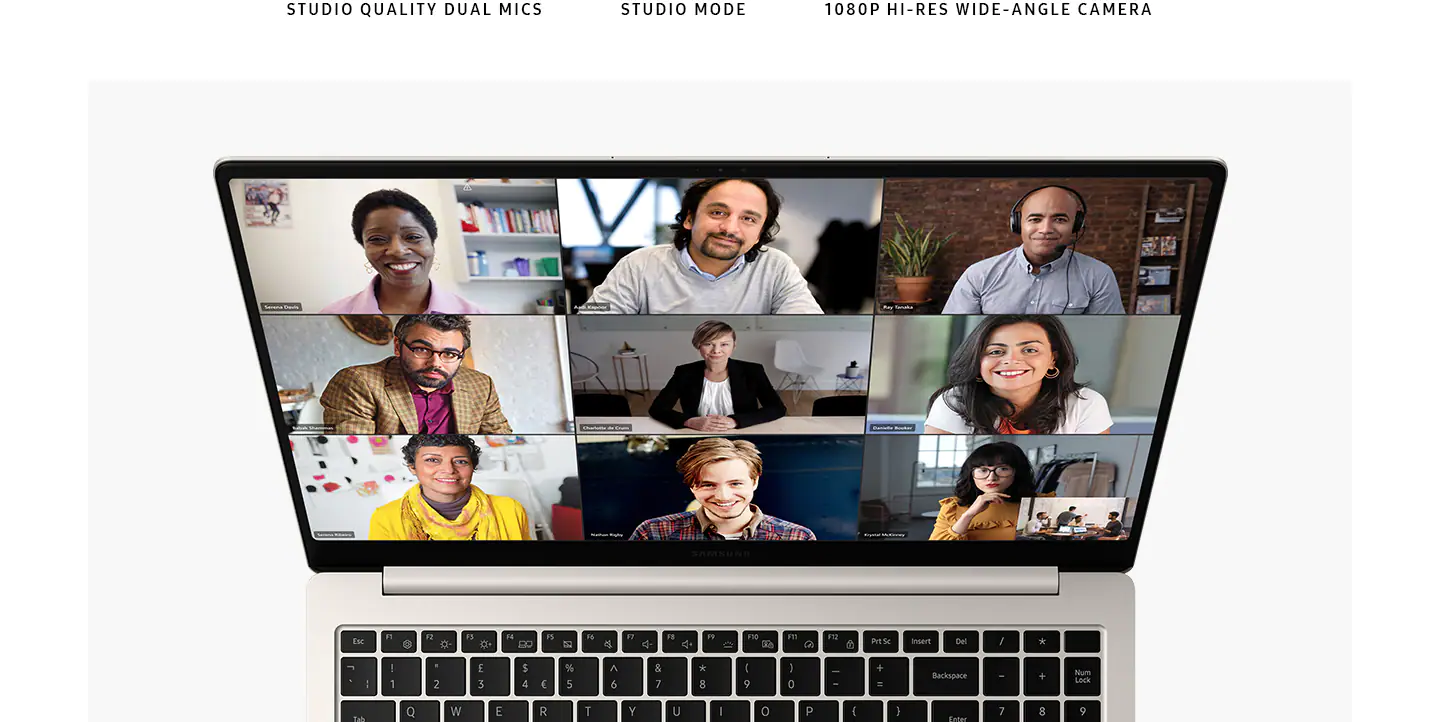
Be the Clearest on the Call with Studio Mode
Smart features — from enhanced AI Noise Cancelling, to Auto Framing and background effects - combine with the wide-angle camera and studio-quality mics to ensure you look and sound professional on every video call.
*Screen image simulated for illustrative purposes.

Secure Wherever You Go
Keep your data safe with Secured-Core PC. Sophisticated layers of security safeguard the hardware and defend the firmware and OS from attacks. Lock down your IDs and biometrics, so you can work safely from anywhere.
*Secured-core PCs require specific configuration by the user to fully enable the highest level of protection against attacks.
**To use Windows Hello requires specialised hardware, including fingerprint reader, illuminated IR sensor or other biometric sensors and capable devices.

Next-Level Networking
Go from sharing project updates to jumping on an video call with the super-fast speeds of Wi-Fi 6E, or hook up to your phone's connection easily via Instant Hotspot to use its data network instead.
*Wi-Fi 6E availability may vary due to OS version, country, location, network conditions and other factors. **Wi-Fi 6E wireless network routers are required and sold separately.
***Instant Hotspot is activated via the Phone Link application on Galaxy Book3 Pro.

Galaxy Ecosystem
*Galaxy S23+, Galaxy Tab S8, Galaxy Watch5, Galaxy Buds2 Pro and S Pen shown are sold separately.

A Seamless Experience Across Galaxy
Galaxy Book Experience puts all of your Galaxy apps and features in one place. Launch to quickly access essential apps, get intelligent app suggestions and easily manage your Samsung account.
*Single Sign-On works on apps including Quick Share, SmartThings, Bixby, Samsung Bluetooth Sync, Samsung Multi Control, Samsung Notes and Samsung Gallery.

Instant Sign-in at Your Fingertip
Memorising passwords is a thing of the past. Using biometrics, Samsung Pass lets you sign into websites instantly with ID and password autofill - it's that simple.
A top close-up view of the right side of a graphite Galaxy Book3 Pro, open and facing forward. On the right, a fingerprint symbol is shown next to the Samsung Pass logo.
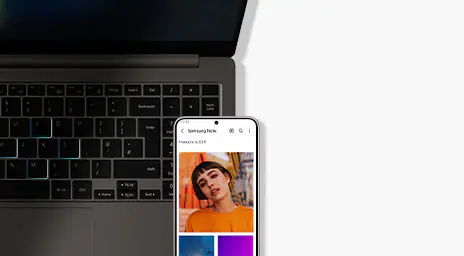
Multi-Tasking, Mastered
Control your Galaxy devices seamlessly across operating systems. Simply sign in with your Samsung account and use your PC to operate your phone or tablet, drag and drop files or copy and paste text and images between devices.
*Galaxy S23+ sold separately.
**Samsung Multi Control requires updated tablets with One UI 4.1 or higher versions and works on Galaxy Book series devices released in 2021 or later with either Samsung Settings v1.5 (Intel) or Samsung Settings v3.3 (ARM). Some models may have limited feature support.
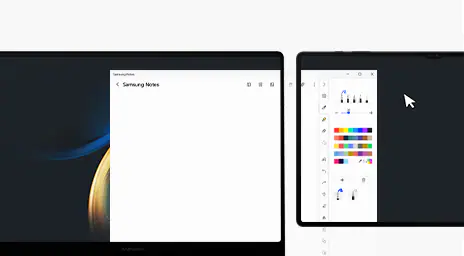
Expand Your Workspace with Second Screen
Second Screen lets you get an instant dual-monitor experience when you place your PC and tablet side by side. Use Extension Mode to drag and rearrange screens, or Duplicate Mode to mirror one to the other.
*Second screen is available on select Galaxy models only, including Galaxy Tab S7, S7+, S7 FE, S8, S8+ and S8 Ultra.
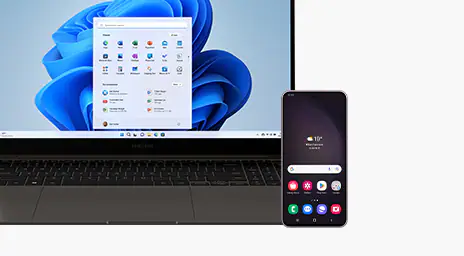
Pick Up Where You Left Off, From Phone to PC
Phone Link puts your recently viewed web pages, texts and even calls right on your PC. No Wi-Fi? Hook up to your phone's data connection via Instant Hotspot.
*Phone Link requires linking a Samsung Galaxy smartphone to a Windows PC through ‘Link to Windows’ app on phone and 'Phone Link' app on PC and following the set-up prompts, including being signed into the same Microsoft account.

Share Quickly, Share Privately
Quick Share lets you seamlessly share files with nearby devices through direct wireless pairing. Need to share something more personal? Private Share makes sure it stays protected by encrypting your files with blockchain technology.
*Available on Galaxy device with One UI 2.1 or later versions installed.
**Quick Share uses Bluetooth Low Energy and Wi-Fi Direct.
***The transferable type, number, capacity and expiry date of files as well as the number of simultaneous file shares in Private Share may be limited.

Switching Made Simple
Transferring your data from your old laptop to your Galaxy Book3 Pro is as simple as one, two, switch.
*Availability of Galaxy Book Smart Switch may vary depending on OS. There may be certain files that cannot be transferred, in which case user will be informed during program execution.
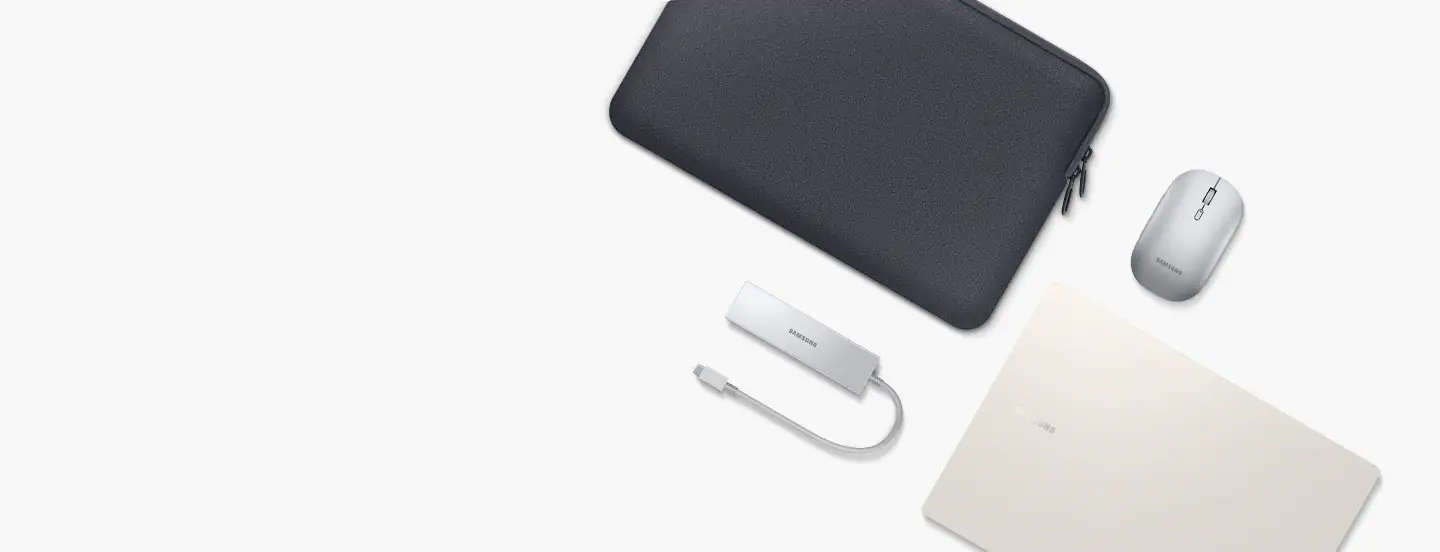
Galaxy Book Accessories
Buy Now https://www.samsung.com/uk/computer-accessories/all-computer-accessories/
Product Features:
- Windows 11 Home (Samsung recommends Windows 11 Pro for business)
- Performance
- Design
Specifications
General
-
Product Category
- Laptops
-
Product Type
- Laptop
-
Specific Product Colour
- Graphite
-
Colour
- Graphite
Connectivity
-
Wi-Fi
- Wi-Fi 6E
-
Wireless Connectivity
- Bluetoothv 5.1
- Wi-Fi 6E
- 802.11 ax 2x2
-
Wireless Ready
- Yes
-
USB Ports
- 1
Renaissance Grade
-
Performance
- 4
-
Thickness
- 1
-
Weight
- 2
Laptop
-
Ports & Connections
- 1 x HDMI
- 1 x USB Type-C
- 1 x USB3.2
- MicroSD Card Reader
- 1 x Headphone Jack
- 2 x Thunderbolt 4
-
Laptop Type
- Book 3 Pro
Processor
-
Processor Range
- Intel Core i5
-
Processor Model
- Core i5-1340P
-
Processor Speed
- 4.6 GHz
-
Cache Memory Size
- 12 MB
Display
-
Display Resolution
- WQXGA+
-
Screen Type
- AMOLED 2X
-
Screen Size (Display)
- 14"
-
Screen Resolution
- 2880 x 1800 px
-
Refresh Rate
- 120 Hz
Memory
-
RAM
- 8 GB
-
RAM Type
- LPDDR5
Storage
-
Storage Type
- NVMe SSD
-
Total Storage Capacity
- 256 GB
-
SSD Capacity
- 256 GB
Platform
-
Operating System
- Windows 11
-
Operating System Version
- Windows 11 Home
Graphics
-
Graphics Card Brand
- Intel
-
Graphics Card Model
- Iris Xe Graphics
Battery & Power
-
Power Source
- Battery
Camera
-
Webcam
- 1080p FHD Camera
Dimensions
-
Width
- 312.3 mm
-
Depth
- 223.8 mm
-
Height
- 11.3 mm
-
Weight
- 1.17 kg
Delivery & Returns
Delivery
We offer a comprehensive nationwide (Republic of Ireland only) delivery service; we aim to deliver all orders as quickly as possible.
| Item Type | Delivered In | Delivered By |
|---|---|---|
| Small Items | 3 - 5 Working days | DPD |
| Large Electrical Items | 3 - 5 Working days | Independent transport company |
| Furniture & Bedding | 3 - 5 Working days | Independent transport company |
| Clearance Items | 5 - 7 Working days | Independent transport company |
| Harvey Norman Customer Direct | Please refer to each individual product description page for accurate lead times. | |
Please note: Delivery times for rural areas may vary depending on routes and availability. If you have ordered any products that involve a lead time, are customised, or made to measure, we will contact you to discuss delivery. For more information regarding delivery and associated costs, please click here.
Free Click & Collect In Store
Can’t wait for delivery or don’t want to pay additional delivery charges? It’s incredibly simple to collect your online order in store and get your hands on your product quickly and easily. Simply select the Click & Collect option and head to your nearest Harvey Norman store to collect your order.
During checkout, select “Click & Collect” and select your preferred store.
After your order is placed, you will receive an order acknowledgement email with your order number.
Once the store has confirmed your order and reserved the stock, you will receive an email to inform you that your order is “Ready for collection”. If you want to use "Contactless Click & Collect" select this option on this email.
Bring your order number to the store you selected for Click & Collect, along with photo ID and the credit card you used to make the order.
Speak to one of our staff and your order should be processed in minutes.
If availing of Contactless Click & Collect, please click the link in your email “ready to pick up” to let the store know you are on your way. When you have parked in the designated parking bay, open your email, and choose the “I’m here” option and a member of staff will bring your purchase out to your car.
Easy returns
Store Purchases: For all items purchased from a physical store, please return to your local Harvey Norman Store. Please see Terms & Conditions here.
Online Purchases: For all items purchased via our Online Store (website), please contact our Online Customer Service Team at [email protected] where a dedicated Customer Service Agent will guide you through the process.
Reviews
Ask a question
WHILE STOCKS LAST
Ex-display Product

Terms and Conditions
By selecting a Product Care policy you have agreed to purchase a policy which is underwritten and provided by AWP P&C S.A. – Dutch Branch, part of the Allianz Group (Allianz), located at Poeldijkstraat 4, 1059 VM Amsterdam, the Netherlands, Corporate identification No 33094603, is registered at the Dutch Authority for Financial Markets (AFM) No 12000535 and is authorised by L’Autorité de Contrôle Prudentiel et de Résolution (ACPR) in France and authorised by the Central Bank of Ireland for conduct of business.
Product Care policies are made available to you on behalf of Allianz by Harvey Norman Trading (Ireland) Limited, trading as Harvey Norman.
Product Care policies are administered by Frith Service Contracts Ltd, Business Number 373654 (trading as Brightside), who is registered and regulated by the Central Bank of Ireland under No C51103.
Harvey Norman does not provide any advice or recommendations about the Product Care insurance policy, nor will it search for and propose other suitable policies. You may find an alternative, equivalent or more suitable insurance policies elsewhere.
By ticking the box below you confirm you have read the Insurance Product Information Document (IPID) and agree to the Terms and Conditions (T&Cs) of Product Care or Product Care Mobile cover which includes details of your rights to cancellation, cooling off period, complaints procedure and privacy notice and that Product Care or Product Care Mobile meets your demands and needs.
Please read the Terms and Conditions and IPID that apply here: Product Care T&Cs | Product Care IPID | Product Care Mobile T&Cs | Product Care Mobile IPID
Delivery to
Delivery
Collect from
Click & Collect
Collect in store
Nearest store with stock
Nearest store with stock
Available services
You may also like
You may also like
Recently viewed
Compare
 Secure Online Shopping