


Description
Check out the video:

Do you think DJing seems difficult? Ever feel like performing as a DJ in front of people sounds tough?

Getting into DJing is super easy! All you need is some gear and a love for music. It’s a fun and awesome way to really enjoy music.

The DDJ-FLX2 is all you need to kick off your DJing journey and enjoy music your way.
Works with Various DJ Applications
The DDJ-FLX2 works with a number of DJ applications, including rekordbox and djay - popular choices among both beginners and professionals. After installing your preferred app on your mobile device, you can connect to the controller and start DJing right away. If you want to challenge yourself to learn more advanced techniques, you can use DJ software, such as Serato DJ Lite, on your PC/Mac.
*Please note that the available music streaming services may vary depending on your DJ application and geographical location.
Supports Music Streaming Services
You can DJ with tracks from music streaming services to suit the the music and DJ style you want to play. The DDJ-FLX2 supports Beatport Streaming, Beatsource Streaming, SoundCloud Go+/DJ, and TIDAL. If you use the djay software/app, you can access Apple Music too.
Easy on Your Smartphone, Professional on Your PC/Mac
You can DJ with your favorite device, whether that’s a smartphone, tablet, or PC/Mac. You don't need to buy a new device just for DJing.
Explore Tutorials
Don't know how to set up or use the DDJ-FLX2? No problem. Extensive tutorials and pop-hint features in DJ your app are available to help you start DJing with confidence.
Mix Support Functions
It’s easy to replicate the seamless song mixing of professional DJs thanks to the Smart CFX* and Smart Fader* features on the DDJ-FLX2.
*Function names and operations may vary depending on your DJ application.
Smart CFX, used with the Performance Pads, enables you to recreate complex and dynamic effect techniques. Smart Fader automatically optimizes control of the volume, BPM, and bass, so you can perform perfect mixes with by simply sliding the crossfader.
Demonstrations:
Check out the video:
#01 Playing with Smart CFX
Check out the video:
#02 Playing with Smart Fader
Check out the video:
#03 Playing with Hot Cues
Check out the video:
#04 Playing with Pad FX
*Except for some Android devices.
Lightweight, Compact Body with User-friendly Features
The DDJ-FLX2 is our lightest and most compact DJ controller. It runs on USB bus power, so there’s no need for an external power supply when you connect it to a PC/Mac or a mobile device* via USB Type-C. You can start DJing easily by playing music through the built-in speakers of your PC/Mac/mobile device. Or, if you plug speakers into the audio output terminals of the DDJ-FLX2, you can throw a loud party with friends.

DDJ-FLX2 compatible DJ applications and music streaming services*[1]
Notes:
*1 Music streaming services may not be available in some countries or regions
*2 Beatport Streaming is not supported by rekordbox for Android
Set Up For Your DJ Style

Smartphone and Speaker Setup
Connect your smartphone/tablet to the DDJ-FLX2 via the USB Type-C cable. Play your mix through the speaker(s) connected to the DDJ-FLX2 via an audio cable.
What You Need
- Smartphone/tablet
- DJ-FLX2
- Speaker(s) (compatible with a wired connection)
- USB Type-C cable (included with the DDJ-FLX2)

PC/Mac Setup
Connect your PC/Mac to the DDJ-FLX2 via the USB Type-C cable and play your mix from the PC/Mac’s built-in speaker. This setup is only available when using rekordbox.
What You Need
- PC/Mac
- DDJ-FLX2
- USB Type-C cable (included with the DDJ-FLX2)

Bluetooth Connection Setup
Connect your smartphone/tablet to the DDJ-FLX2 via the USB Type-C cable. Play your mix through the speaker(s) connected to the DDJ-FLX2 via an audio cable.
What You Need
- Smartphone/Tablet
- DDJ-FLX2
- USB Type-C cable (included with the DDJ-FLX2)
- USB Type-C power adapter or Mobile battery

Pro-Style Setup
Connect your PC/Mac to the DDJ-FLX2 via the USB Type-C cable. Play your mix loudly through the speaker(s) connected via an audio cable.
What You Need
- PC/Mac
- DDJ-FLX2
- Speaker (compatible with wired connection)
- USB Type-C cable (included with DDJ-FLX2)
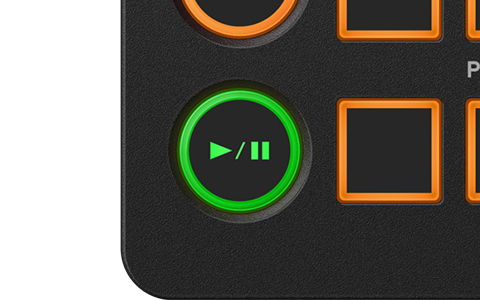
Play
Play/pause the track loaded on each deck.
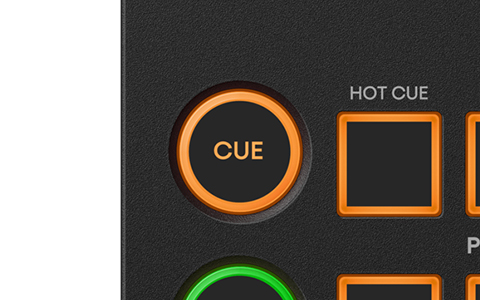
CUE
You can set a cue point in a track and use the CUE button to return to that point. For example, you can set a cue point to play at the beginning of the intro or the chorus, and quickly start playing from that point during a performance.
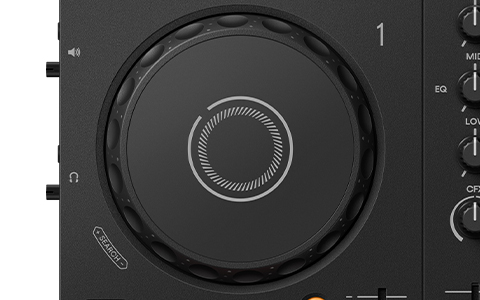
Jog Wheel
For scratching or fine-tuning the playback position of a track while it’s playing.
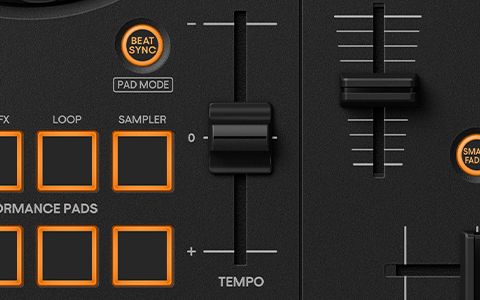
Tempo Slider
Use this to adjust the playback speed (BPM) of a track. By moving the slider up or down, you can speed up or slow down the tempo. This enables you to match the tempo of different tracks and mix them smoothly.
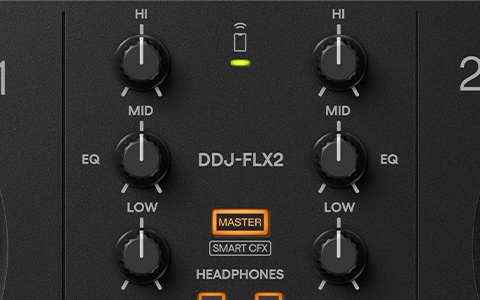
EQ
EQs are for adjusting adjust the volume of specific frequency bands (low, mid, high-range). They can be used to adjust the volume balance of each track, or to emphasise or suppress specific sounds.\
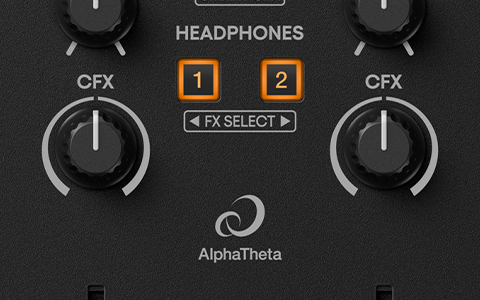
CFX
Apply dynamic effects to a track with a single turn of the knob.
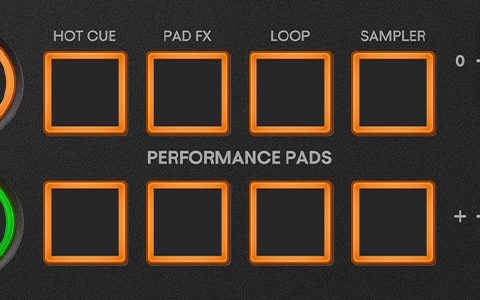
Performance Pads
Use the pads to control the Hot Cue, Pad FX, Sampler, and Loop functions to add your own touch to the music.
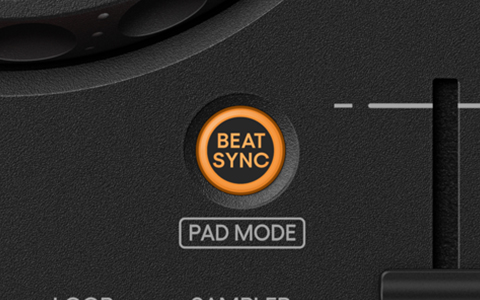
Beat Sync
Automatically matches the playback speed (BPM) of the tracks playing on CH1 and CH2.
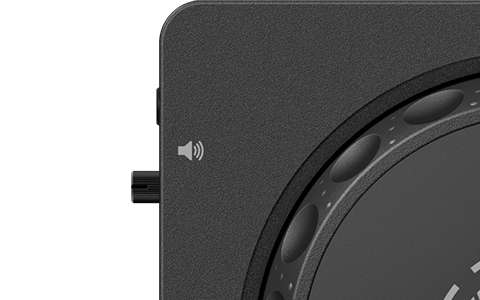
Master Output Terminal
Outputs the DJ mix as the master audio.
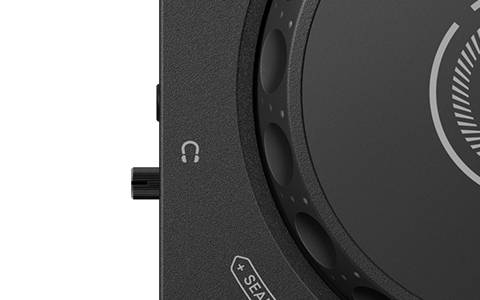
Headphones Output Terminal
Connect headphones for monitoring when preparing your next track.
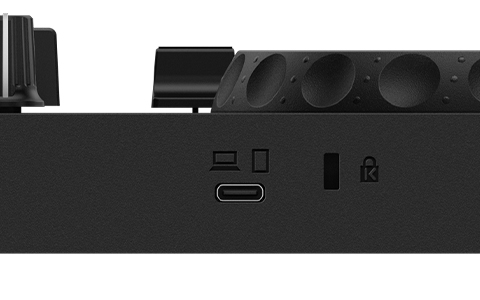
USB Type-C Port
Connects to a smartphone/tablet/PC/Mac or to a power supply.
Compatible Software
- rekordbox for Mac/Windows
- Rekordbox for iOS/Android
- Djay Pro for Mac/Windows
- Djay for iOS/Android
- Serato DJ Lite
- Serato DJ Pro - license needed
What's in the Box:
- USB cable (C to C)
Product Features:
- S/N ratio: 102 dB (USB)
- Total harmonic distortion: 0.006 % (USB)
- Master × 1 (3.5 mm stereo mini jack)
- Phones × 1 (3.5 mm stereo mini jack)
- USB Type-C × 1
- Bluetooth Wireless system: Bluetooth Low Energy
- Bluetooth Maximum transmission distance: Approximately 10 m in unobstructed circumstances
- Bluetooth Frequency band: 2.4 GHz
- Bluetooth Modulation method: FH-SS (Frequency hopping spread spectrum)
- Power supply: USB bus power (When using the unit with mobile devices with ports other than USB Type-C, connect it via Bluetooth.)
- Power Consumption: DC 5 V, 500 mA
Specifications
-
Brand
- Pioneer DJ
Warranty
-
Warranty
- 24 months
Dimensions
-
Weight
- 1.2 kg
-
Width
- 383 mm
-
Depth
- 208 mm
-
Height
- 48 mm
General
-
Product Type
- DJ Controller
-
Product Category
- TV & Audio
Gifts
-
Gift Themes
- For the Music Lover
- For the Techie
- For Kids
Power
-
Voltage
- 5 V
-
Frequency
- 20-20000 Hz
Battery & Power
-
Power Source
- Mains
Compatibility
-
Compatibility
- Laptops
- USB
Audio & Docking Special Features
-
Additional Features
- Wireless
Delivery & Returns
Delivery
We offer a comprehensive nationwide (Republic of Ireland only) delivery service; we aim to deliver all orders as quickly as possible.
| Item Type | Delivered In | Delivered By |
|---|---|---|
| Small Items | 3 - 5 Working days | DPD |
| Large Electrical Items | 3 - 5 Working days | Independent transport company |
| Furniture & Bedding | 3 - 5 Working days | Independent transport company |
| Clearance Items | 5 - 7 Working days | Independent transport company |
| Harvey Norman Customer Direct | Please refer to each individual product description page for accurate lead times. | |
Please note: Delivery times for rural areas may vary depending on routes and availability. If you have ordered any products that involve a lead time, are customised, or made to measure, we will contact you to discuss delivery. For more information regarding delivery and associated costs, please click here.
Free Click & Collect In Store
Can’t wait for delivery or don’t want to pay additional delivery charges? It’s incredibly simple to collect your online order in store and get your hands on your product quickly and easily. Simply select the Click & Collect option and head to your nearest Harvey Norman store to collect your order.
During checkout, select “Click & Collect” and select your preferred store.
After your order is placed, you will receive an order acknowledgement email with your order number.
Once the store has confirmed your order and reserved the stock, you will receive an email to inform you that your order is “Ready for collection”. If you want to use "Contactless Click & Collect" select this option on this email.
Bring your order number to the store you selected for Click & Collect, along with photo ID and the credit card you used to make the order.
Speak to one of our staff and your order should be processed in minutes.
If availing of Contactless Click & Collect, please click the link in your email “ready to pick up” to let the store know you are on your way. When you have parked in the designated parking bay, open your email, and choose the “I’m here” option and a member of staff will bring your purchase out to your car.
Easy returns
Store Purchases: For all items purchased from a physical store, please return to your local Harvey Norman Store. Please see Terms & Conditions here.
Online Purchases: For all items purchased via our Online Store (website), please contact our Online Customer Service Team at [email protected] where a dedicated Customer Service Agent will guide you through the process.
Reviews
Ask a question

Terms and Conditions
By selecting a Product Care policy you have agreed to purchase a policy which is underwritten and provided by AWP P&C S.A. – Dutch Branch, part of the Allianz Group (Allianz), located at Poeldijkstraat 4, 1059 VM Amsterdam, the Netherlands, Corporate identification No 33094603, is registered at the Dutch Authority for Financial Markets (AFM) No 12000535 and is authorised by L’Autorité de Contrôle Prudentiel et de Résolution (ACPR) in France and authorised by the Central Bank of Ireland for conduct of business.
Product Care policies are made available to you on behalf of Allianz by Harvey Norman Trading (Ireland) Limited, trading as Harvey Norman.
Product Care policies are administered by Frith Service Contracts Ltd, Business Number 373654 (trading as Brightside), who is registered and regulated by the Central Bank of Ireland under No C51103.
Harvey Norman does not provide any advice or recommendations about the Product Care insurance policy, nor will it search for and propose other suitable policies. You may find an alternative, equivalent or more suitable insurance policies elsewhere.
By ticking the box below you confirm you have read the Insurance Product Information Document (IPID) and agree to the Terms and Conditions (T&Cs) of Product Care or Product Care Mobile cover which includes details of your rights to cancellation, cooling off period, complaints procedure and privacy notice and that Product Care or Product Care Mobile meets your demands and needs.
Please read the Terms and Conditions and IPID that apply here: Product Care T&Cs | Product Care IPID | Product Care Mobile T&Cs | Product Care Mobile IPID
Delivery to
Delivery
Collect from
Click & Collect
Collect in store
Nearest store with stock
Nearest store with stock
Your legal guarantee rights

Available services
You may also like
You may also like
Recently viewed
Compare
 Secure Online Shopping