


Description
Check out the video:
Powered by a 1-inch CMOS sensor, Osmo Pocket 4 captures stunning 4K/240fps footage [1] and clear low-light shots. It delivers cinematic depth via 14 stops of dynamic range [2] and 10-bit D-Log [3]. Its 2× lossless zoom [4] and 3-axis stabilization bring distant beauty within reach. Just rotate the screen to record!
Enhanced Imaging for Brighter Moments
5D Joystick
- Back (Press once)
- Recenter gimbal (Press twice)
- Flip camera (Press three times)
Two New Buttons
- Switch 1×/2× (press zoom button once)
- Switch to 4× (press zoom button twice)
- Custom preset (press and hold custom button)
2″ Rotatable Touchscreen
- 1000-nit OLED display
- Rotate to capture
1″ CMOS Sensor
- 4K/240fps [1]
- 14-stop dynamic range [2]
- f/2.0 aperture

Superior Image Quality
Osmo Pocket 4’s new 1-inch CMOS and f/2.0 aperture create soft bokeh for dimensional, clear portraits. With 14-stop dynamic range [2] and 10-bit D-Log [3], it captures rich details and authentic colors, even in high-contrast scenes like the seaside or dusk.
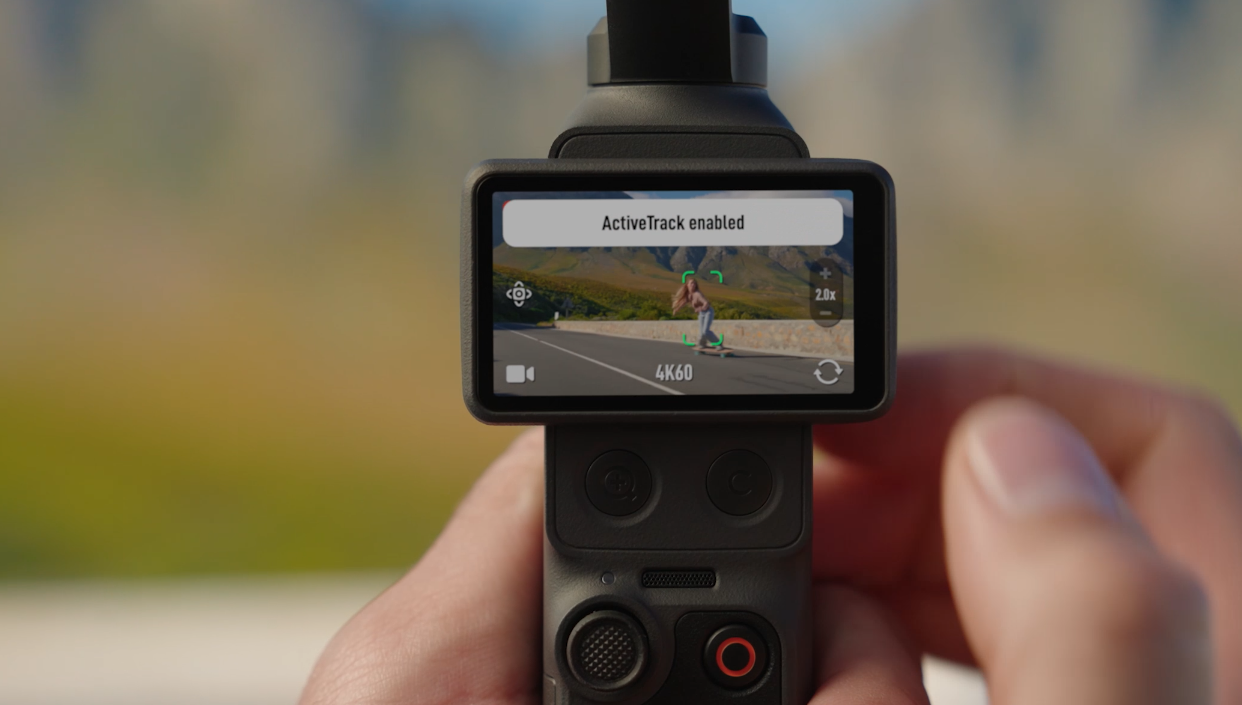
Sharper Views with Lossless Zoom [4]
Enjoy 2× lossless zoom [4] for sharp, clear footage, even from a distance. Simply tap the dedicated zoom button once to switch between 1× and 2× views, capturing each moment just as you imagine.
Ultra HD Slow Motion
Record in 4K/240fps [1] to slow down life’s joyful moments, capturing every frame with smooth, sharp clarity.
Good Times, Always in Frame
Compact and portable, Osmo Pocket 4 records everything from family moments to travel adventures, and is ideal for vlogs and live streams. For a life unscripted, you need a tool that’s ready.
Family Moments
Effortlessly capture smiles and playful moments, preserving the warmth of family time.
Vibrant Landscapes
Enable D-Log [3} for flexible post-editing and true-to-life restoration of every color and light detail.
Vivid Cityscapes
Capture vibrant streets and glowing skylines with sharp, stable footage.
On-the-Go
Compact and durable, it travels with you to capture the people and places that make every journey unforgettable.
Pro-level Creation
Create high-quality vlogs and livestreams with ease using 3-axis stabilization and 4K imaging.
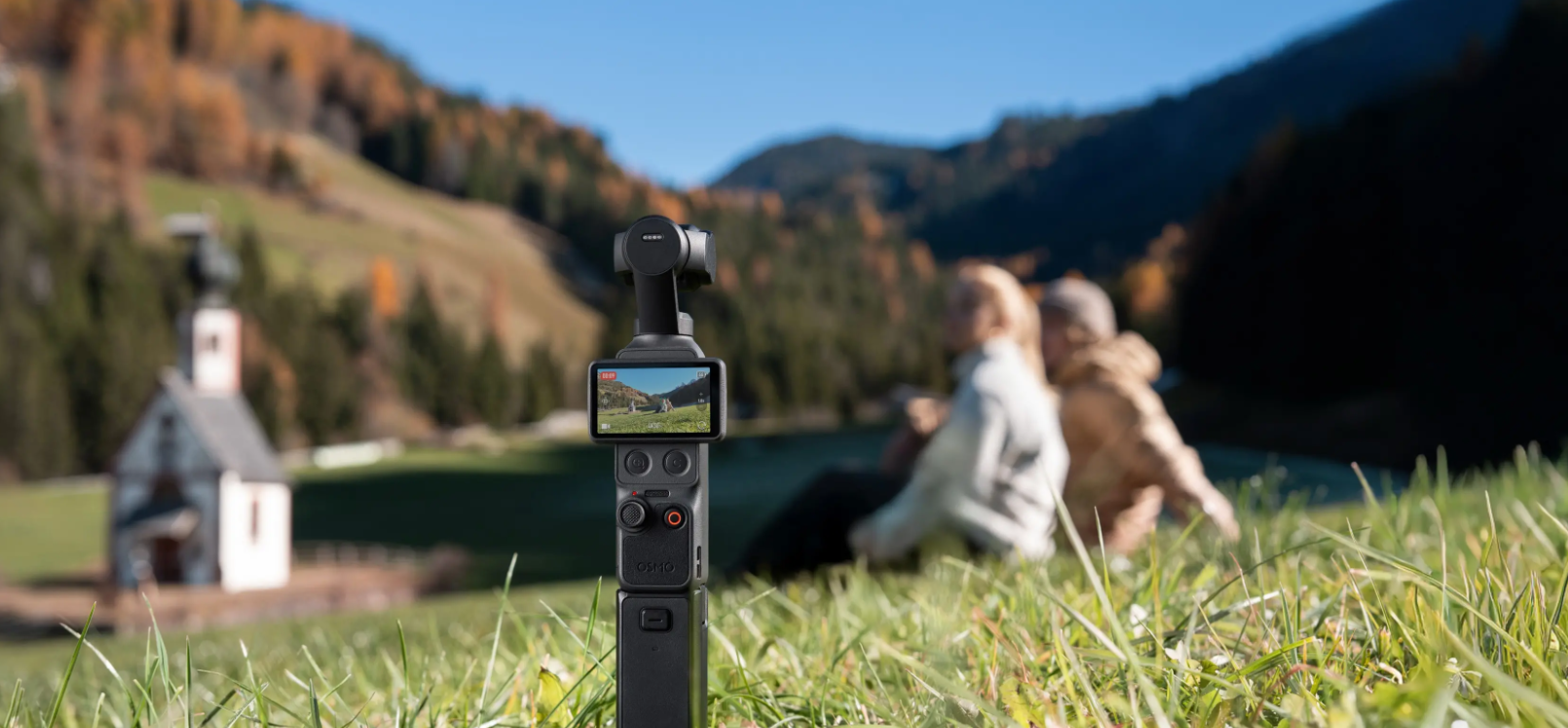
Smart Capture, Standout Shots
Stable Footage on the Move
Walk, film, and create effortlessly with 3-axis stabilization. From playing kids to scenic views, Osmo Pocket 4 keeps every moment steady. Plus, multiple gimbal modes allow for even smoother, silkier camera movements.

3-Axis Stabilization ON
Always in Frame with ActiveTrack [6]
Osmo Pocket 4 supports ActiveTrack 7.0 [6], capable of tracking distant subjects even at 4× zoom. With tracking modes such as Spotlight Follow and Dynamic Framing, capturing cinematic, single-handed shots becomes effortless.
- Spotlight follow
- Dynamic framing
Subject First with Intelligent Autofocus
Intelligent autofocus keeps your subject sharp. Enable “Subject Lock Tracking” [8] to automatically lock onto and track your subject; simply tap a detection box on the screen to switch focus subjects. Alternatively, use “Registered Subject Priority” [8] to prioritize focusing on a pre-registered subject.
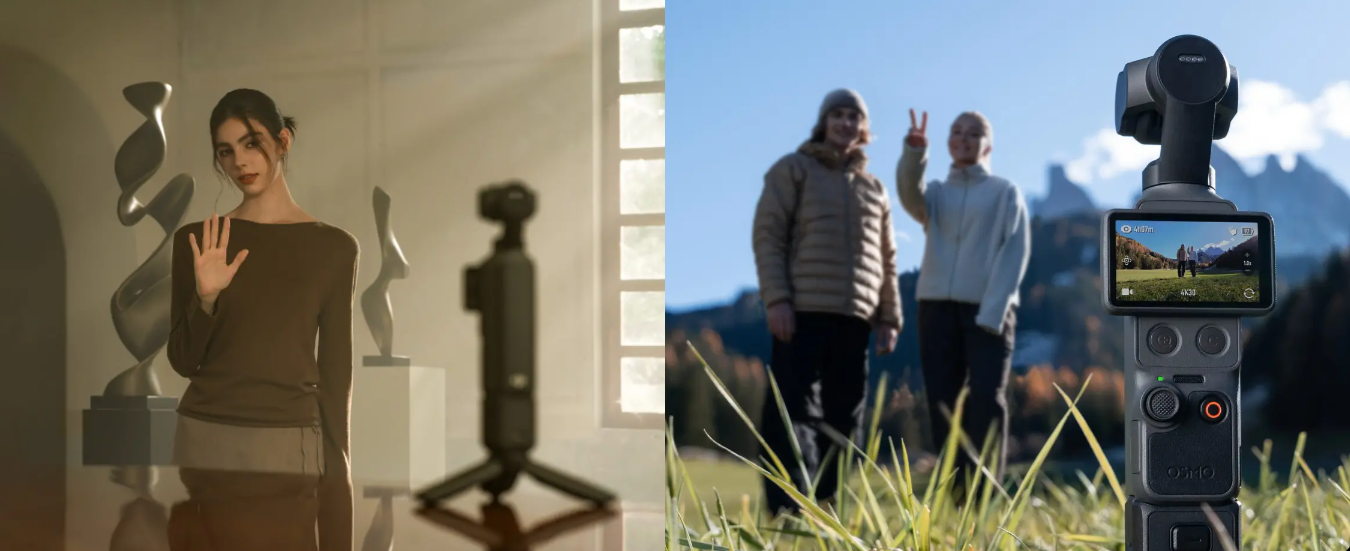
Gesture Control [9] for Quick Shots
Gesture Control [9] on Osmo Pocket 4 places you in charge.
Palm Gesture:
Show your palm to toggle ActiveTrack [6].
“V” Gesture:
Flash a peace sign to take photos or start/stop recording.
More Ways To Create
Slow Shutter Video:
Supports slow-shutter shooting in Video mode. Manually adjust shutter speeds to create motion blur, capturing movement trails and the passage of time for a unique visual experience.
Motionlapse:
Easily set up to four positions for dynamic Motionlapse videos. From city lights to drifting clouds, condense hours into stunning seconds with one tap.
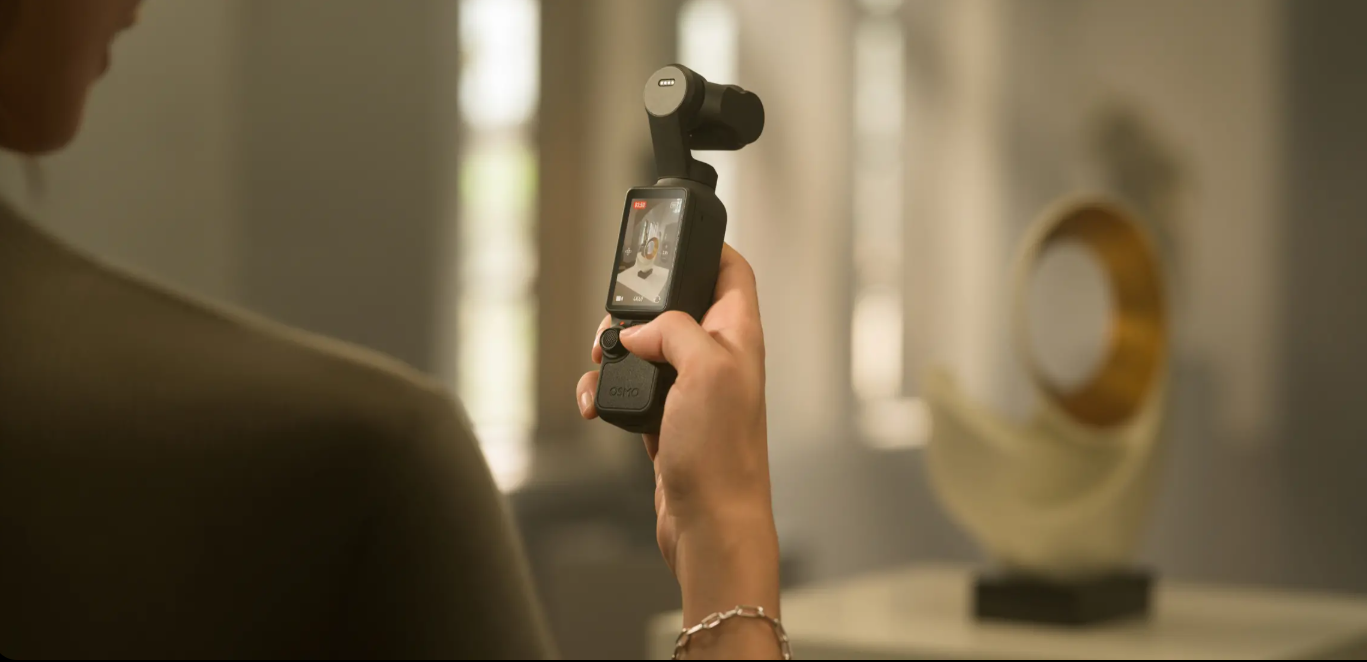
Auto Landscape/Portrait:
Auto rotate mode intelligently adjusts according to screen orientation, optimizing framing needs for both short video and long video platforms.
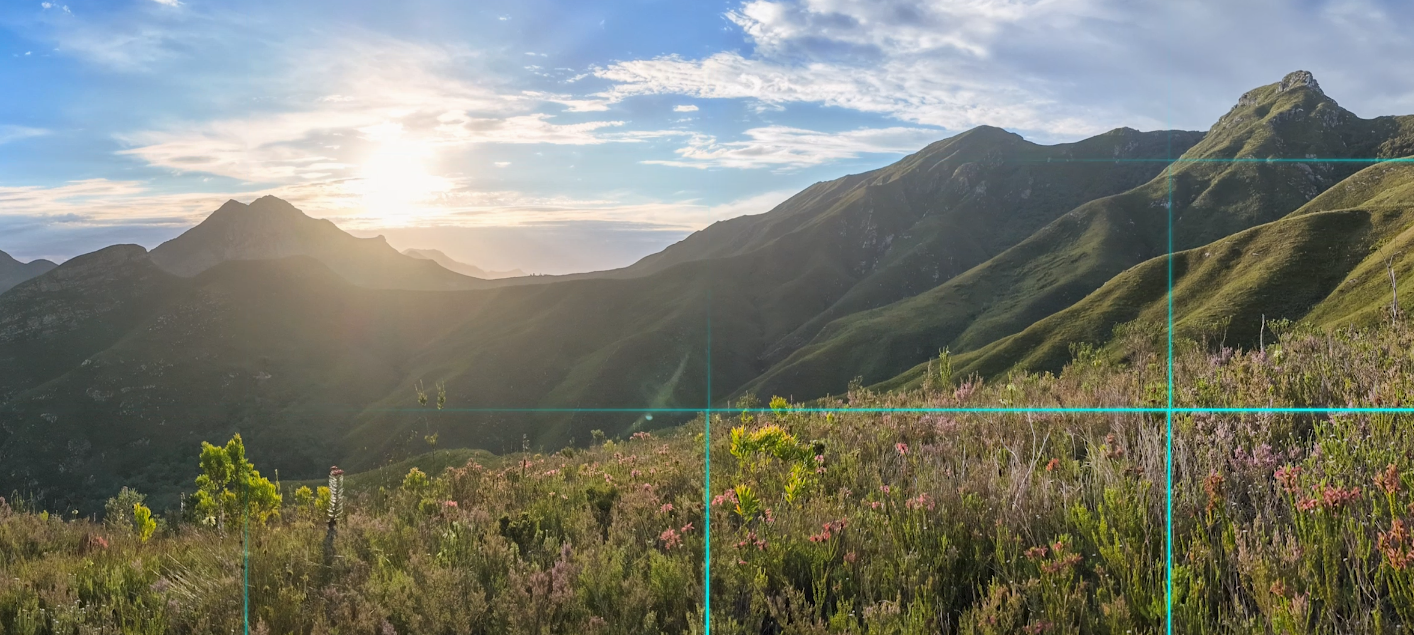
Panorama Photo:
Switch to Panorama mode to capture wide-open scenes in a single shot.
Expressive Portraits Made Easy
Film Tone [10]
Choose from diverse film tones [10] to easily recreate classic styles and capture master-grade tones.
In-Camera Beautify [10]
Enable in-camera Beautify [10] to fine-tune skin smoothness, brightness, and tone for a natural look in both selfies and group shots.
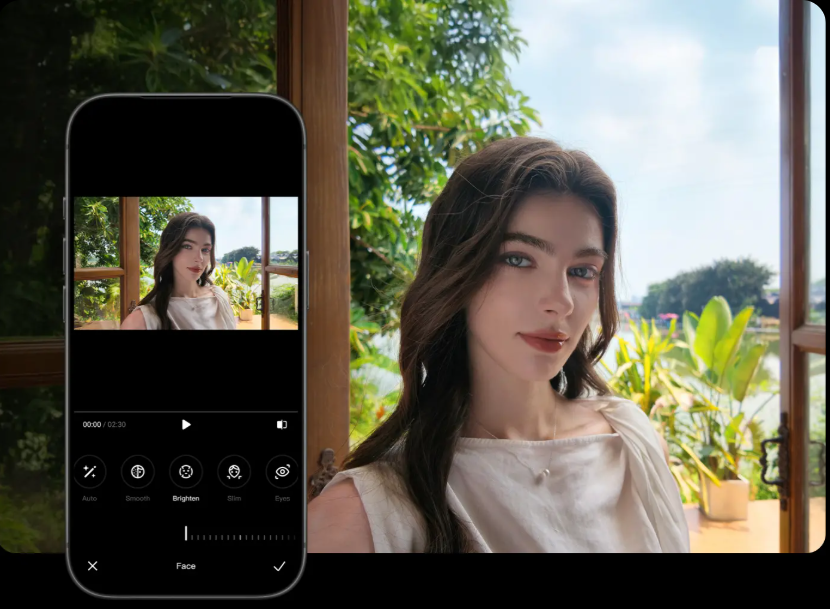
App Glamour Effects [11]
Apply Glamour Effects in the DJI Mimo app [12] to effortlessly enhance your portraits.
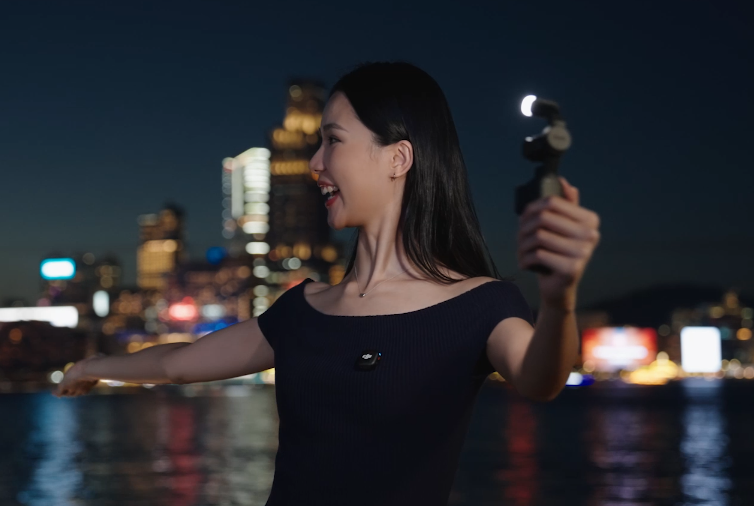
Fill Light [13]
The compact Osmo Pocket 4 Fill Light features 3-level color temperature and brightness adjustment. It delivers natural soft lighting for a beautifying effect in low-light or backlit scenes, making your selfies shine.
Clear, Natural Audio for Every Story
OsmoAudio 4-Channel Output [7]
Osmo Pocket 4 supports direct connection to DJI Mic transmitters, enabling 4-channel audio recording. It captures clear vocals while simultaneously recording ambient sound through the built-in microphone array. Video editing software [14] can directly process the four audio channels, streamlining your creative workflow.
Spatial Audio & Audio Zoom
Spatial audio recording delivers a truly immersive listening experience on headphones. Audio zoom adjusts sound with distance as you zoom in or out, making playback more vivid and real.
What Makes Creation Easier
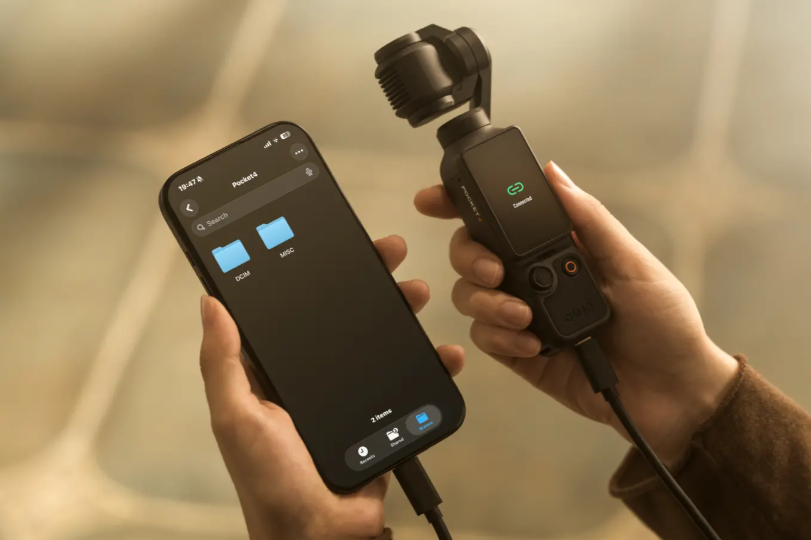
Built-in Storage & Fast Transfer
With 107GB of built-in storage and up to 800MB/s transfer [5], you can shoot and transfer footage in one go, without needing a memory card, streamlining your workflow.
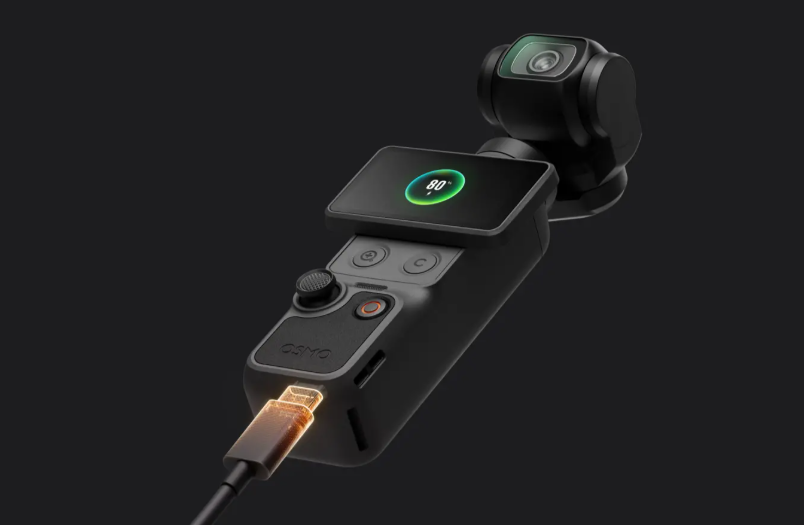
Extended Runtime & Fast Charging
Osmo Pocket 4 can be charged to 80% in just 18 minutes [15], providing up to three hours of shooting [16]. When fully charged, it can record up to 240 minutes of 1080p/24fps footage [16], giving you more time to get the shots you love.
Auto Axis Lock for Easy Storage
The gimbal auto-locks for storage when powered off. Manual lock is also available for quicker, safer packing.
DP Output & Wi-Fi Livestreaming [16]
Supports 4K DisplayPort video output and 1080p Wi-Fi livestreaming [17] for smooth, stable broadcasts and business streaming.
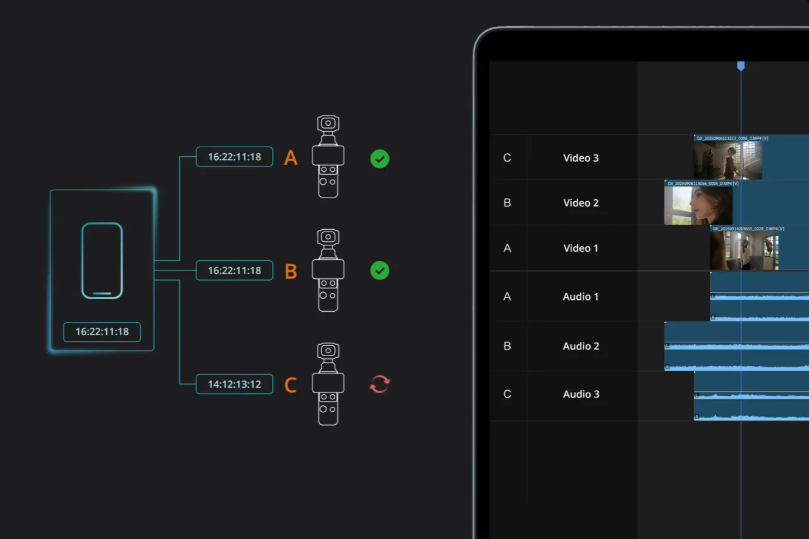
Timecode
Built-in timecode keeps drift under 1 frame in 8 hours [18], enabling fast, accurate multi-camera syncing in post-production.
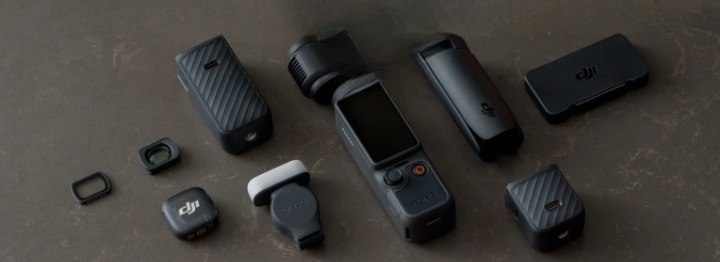
Accessories for Great Content Creation
Osmo Pocket 4 comes with a range of versatile accessories [13], making it easy to create with balanced lighting, vibrant colors, and clear sound. Fill Light, Battery Handle, ND Filters, Black Mist Filter, and wireless microphones offer diverse creative options for captivating results.
What's in the Box:
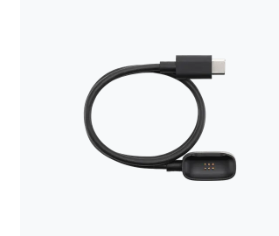
1 ×
DJI Mic 3 Transmitter Magnetic Charging Cable
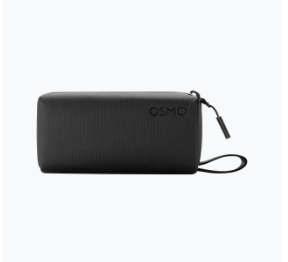
1 ×
Osmo Pocket 4 Carrying Bag
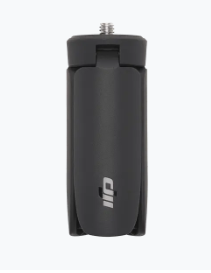
1 ×
Osmo Mini Tripod
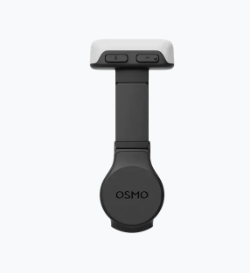
1 ×
Osmo Pocket 4 Fill Light
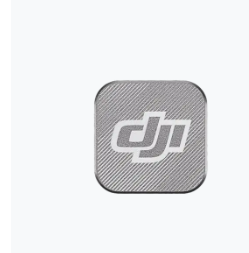
1 ×
DJI Mic 3 Magnet
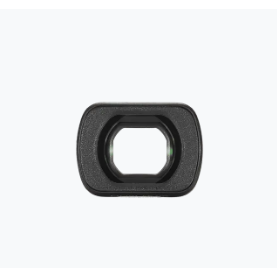
1 ×
Osmo Pocket 3 Wide-Angle Lens
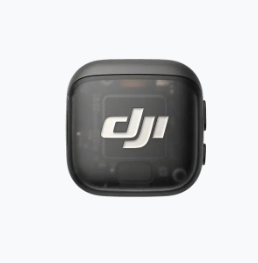
1 ×
DJI Mic 3 Transmitter
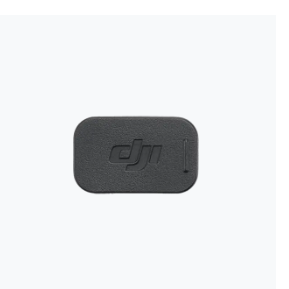
1 ×
DJI Mic 3 Magnetic Clip

1 ×
DJI Mic 3 Windscreen (Black)
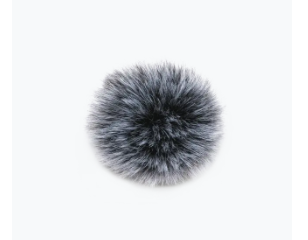
1 ×
DJI Mic 3 Windscreen (Black/Grey)
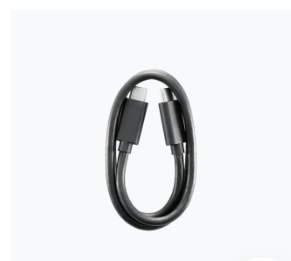
1 ×
USB-C to USB-C PD Cable (USB 3.1)
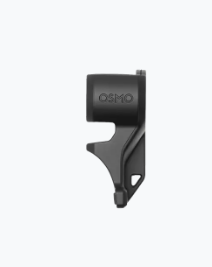
1 ×
Osmo Pocket 4 Gimbal Clamp
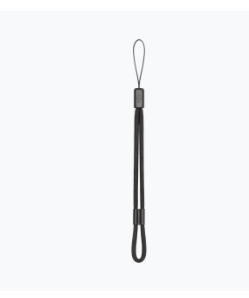
1 ×
DJI Wrist Strap
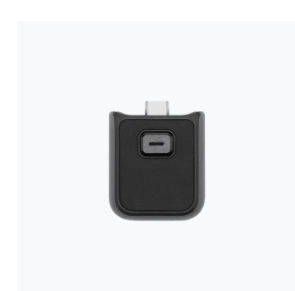
1 ×
Osmo Pocket 4 Handle With 1/4" Thread
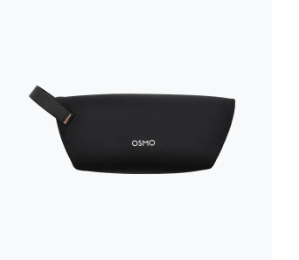
1 ×
Osmo Pocket 4 Portable Carrying Pouch
Product Features:
- 14-Stop dynamic range
- 10-bit D-log
- 3-Axis stabilization & rotatable touchscreen
- 2× Lossless zoom
- ActiveTrack 7.0 & intelligent focusing
- OsmoAudio 4-channel output
- Usable built-in storage: 107 GB
- Supports Wi-Fi 6 & USB 3.1
- Number of microphones: 3
- Supported SD cards: MicroSD (up to 1 TB)
- Gimbal max controllable speed: 180.0°/s
- Gimbal angular vibration range: ±0.005°
- Bluetooth operating frequency: 2.400-2.4835 GHz
- Gimbal controllable range: Pan: -235° to 58°, Tilt: -120° to 70°, Roll: -45° to 45°
- Gimbal mechanical range: Pan: -240° to 63°, Tilt: -180° to 98°, Roll: -220° to 63°
- Battery charging time: 18 mins to 80%; 32 mins to 100%
- Battery operating temperature: 0° to 40° C (32° to 104° F)
- Battery charging temperature: 5° to 45° C (41° to 113° F)
- Wi-Fi protocol: 802.11 a/b/g/n/ac/ax
Notes:
1. 4K/240fps video recording is only supported in Slow Motion mode.
2. In both Normal and D-Log color profiles, the maximum dynamic range reaches 14 stops. In Slow Motion mode, the actual dynamic range may be lower than 14 stops.
3. The 10-bit D-Log color profile is only supported in normal Video mode.
4. 2× lossless zoom is not supported in Low-Light, Slow Motion, or Timelapse modes.
5. Data was tested in a controlled laboratory environment. When using the provided USB-C to USB-C PD Cable (USB 3.1) or another USB 3.1-compliant cable, you can export data from built-in storage at a maximum transfer rate of 800 MB/s.
6. ActiveTrack is not supported in Panorama, Timelapse, Motionlapse, SpinShot modes, or when the gimbal is in FPV mode and the device is held horizontally. For optimal tracking performance, use in well-lit environments. ActiveTrack updates are available via the DJI Mimo app. Please contact DJI Support for details.
7. Four-channel output requires connecting the DJI Mic transmitter. Direct connection to the first-generation DJI Mic is not supported. DJI microphones are sold separately.
8. Subject Lock Tracking and Registered Subject Priority are supported in Video and Photo Pro modes, as well as in Hyperlapse mode. They are not available in Panorama, Timelapse, or Motionlapse modes.
9. The effective range for Gesture Control is 0.5 to 5 m at 1× zoom and 1 to 7 m at 2× zoom. To control ActiveTrack or recording, use the specific gestures (Palm or V-Sign) and avoid covering your head with your hand. The effective distance may change with future firmware updates.
10. Film Tone and in-camera Beautify are only available in Video mode and cannot be used simultaneously. When Film Tone is enabled, the in-camera Beautify settings are unavailable. If the in-camera Beautify is already enabled, switching to Film Tone mode will disable the beautify effect.
11. The App Glamour Effects feature is available only in Video and Low-Light modes, not available in Photo or other modes.
12. Before recording, enable App Glamour Effects on Osmo Pocket 4. After recording, export the footage using the DJI Mimo app to apply glamour effects.
13. Four-channel audio editing requires the DJI Mimo app or other professional video editing software.
14. Tested in a laboratory environment with the DJI 65W Portable Charger (sold separately).
15. Tested at room temperature of 25° C (77° F) and 1080p/24fps (16:9), with Wi-Fi off and screen off. This data is for reference only.
16. Supports Wi-Fi mobile livestreaming via the DJI Mimo app, or PC livestreaming via UVC or DP video output (capture card required).
17. Applicable only within an operating temperature range of 0° to 40° C (32° to 104° F).
Specifications
-
Brand
- DJI
Dimensions
-
Weight
- 0.1905 kg
-
Width
- 44 mm
-
Depth
- 34 mm
-
Height
- 144 mm
Camera Features
-
Internal Memory
- 107 MB
-
Memory Card Type
- Micro SD
-
Camera Resolution
- 37 MP
-
Shooting Modes
- Auto Landscape/Portrait
-
Camera Type
- Gimbal Camera
-
Audio File Formats
- AAC
-
Additional Features
- Internal Memory
- WiFi
- 3 Axis gimbal
- Bluetooth
- HD Video Support
- Live streaming in 1080p
- slo-mo
- Wi-Fi + Bluetooth® technology
- Fast-charging ready
Video Features
-
Video Resolution
- 3840 x 2160
- 4K Ultra HD (3840×2160) 24/25/30/48/50/60 fps
-
Video File Formats
- MP4 (HEVC)
Battery & Power
-
Battery Type
- Li-ion
-
Power Source
- Battery
-
Voltage
- 7.74 V
-
Battery mAh
- 1545 mAh
General
-
Product Type
- Gimbal Combo
-
Product Category
- Cameras & Drones
Display
-
Screen Resolution
- 556×314 px
-
Screen Type
- OLED
-
Touch Screen
- Yes
-
Aspect Ratio
- 16:9
-
Screen Size (Display)
- 2 "
-
Brightness
- 1000 Nits
Photo Features
-
Image Sensor
- 1" CMOS
-
Image Resolution
- 7680×4320
-
Photo File Formats
- JPEG/JPEG+DNG
Camera Functions
-
ISO Sensitivity
- 50-12800
-
Shutter Speed
- 1/8000-4 s sec
-
Type of Modes
- Slow Motion
- Timelapse
- Live Streaming
-
Continuous Shooting
- 240 fps
Camera Accessories
-
Accessory Type
- Accessory Kit
Camera Filters
-
Max. Video Resolution
- 4K
- 4K/120fps
-
Sensor Size
- 1.0" CMOS
Delivery & Returns
Delivery
We offer a comprehensive nationwide (Republic of Ireland only) delivery service; we aim to deliver all orders as quickly as possible.
| Item Type | Delivered In | Delivered By |
|---|---|---|
| Small Items | 3 - 5 Working days | DPD |
| Large Electrical Items | 3 - 5 Working days | Independent transport company |
| Furniture & Bedding | 3 - 5 Working days | Independent transport company |
| Clearance Items | 5 - 7 Working days | Independent transport company |
| Harvey Norman Customer Direct | Please refer to each individual product description page for accurate lead times. | |
Please note: Delivery times for rural areas may vary depending on routes and availability. If you have ordered any products that involve a lead time, are customised, or made to measure, we will contact you to discuss delivery. For more information regarding delivery and associated costs, please click here.
Free Click & Collect In Store
Can’t wait for delivery or don’t want to pay additional delivery charges? It’s incredibly simple to collect your online order in store and get your hands on your product quickly and easily. Simply select the Click & Collect option and head to your nearest Harvey Norman store to collect your order.
During checkout, select “Click & Collect” and select your preferred store.
After your order is placed, you will receive an order acknowledgement email with your order number.
Once the store has confirmed your order and reserved the stock, you will receive an email to inform you that your order is “Ready for collection”. If you want to use "Contactless Click & Collect" select this option on this email.
Bring your order number to the store you selected for Click & Collect, along with photo ID and the credit card you used to make the order.
Speak to one of our staff and your order should be processed in minutes.
If availing of Contactless Click & Collect, please click the link in your email “ready to pick up” to let the store know you are on your way. When you have parked in the designated parking bay, open your email, and choose the “I’m here” option and a member of staff will bring your purchase out to your car.
Easy returns
Store Purchases: For all items purchased from a physical store, please return to your local Harvey Norman Store. Please see Terms & Conditions here.
Online Purchases: For all items purchased via our Online Store (website), please contact our Online Customer Service Team at [email protected] where a dedicated Customer Service Agent will guide you through the process.
Reviews
Ask a question

Terms and Conditions
By selecting a Product Care policy you have agreed to purchase a policy which is underwritten and provided by AWP P&C S.A. – Dutch Branch, part of the Allianz Group (Allianz), located at Poeldijkstraat 4, 1059 VM Amsterdam, the Netherlands, Corporate identification No 33094603, is registered at the Dutch Authority for Financial Markets (AFM) No 12000535 and is authorised by L’Autorité de Contrôle Prudentiel et de Résolution (ACPR) in France and authorised by the Central Bank of Ireland for conduct of business.
Product Care policies are made available to you on behalf of Allianz by Harvey Norman Trading (Ireland) Limited, trading as Harvey Norman.
Product Care policies are administered by Frith Service Contracts Ltd, Business Number 373654 (trading as Brightside), who is registered and regulated by the Central Bank of Ireland under No C51103.
Harvey Norman does not provide any advice or recommendations about the Product Care insurance policy, nor will it search for and propose other suitable policies. You may find an alternative, equivalent or more suitable insurance policies elsewhere.
By ticking the box below you confirm you have read the Insurance Product Information Document (IPID) and agree to the Terms and Conditions (T&Cs) of Product Care or Product Care Mobile cover which includes details of your rights to cancellation, cooling off period, complaints procedure and privacy notice and that Product Care or Product Care Mobile meets your demands and needs.
Please read the Terms and Conditions and IPID that apply here: Product Care T&Cs | Product Care IPID | Product Care Mobile T&Cs | Product Care Mobile IPID
Delivery to
Delivery
Collect from
Click & Collect
Collect in store
Nearest store with stock
Nearest store with stock
Your legal guarantee rights

Available services
You may also like
You may also like
Recently viewed
Compare
 Secure Online Shopping